EasyManua.ls Logo

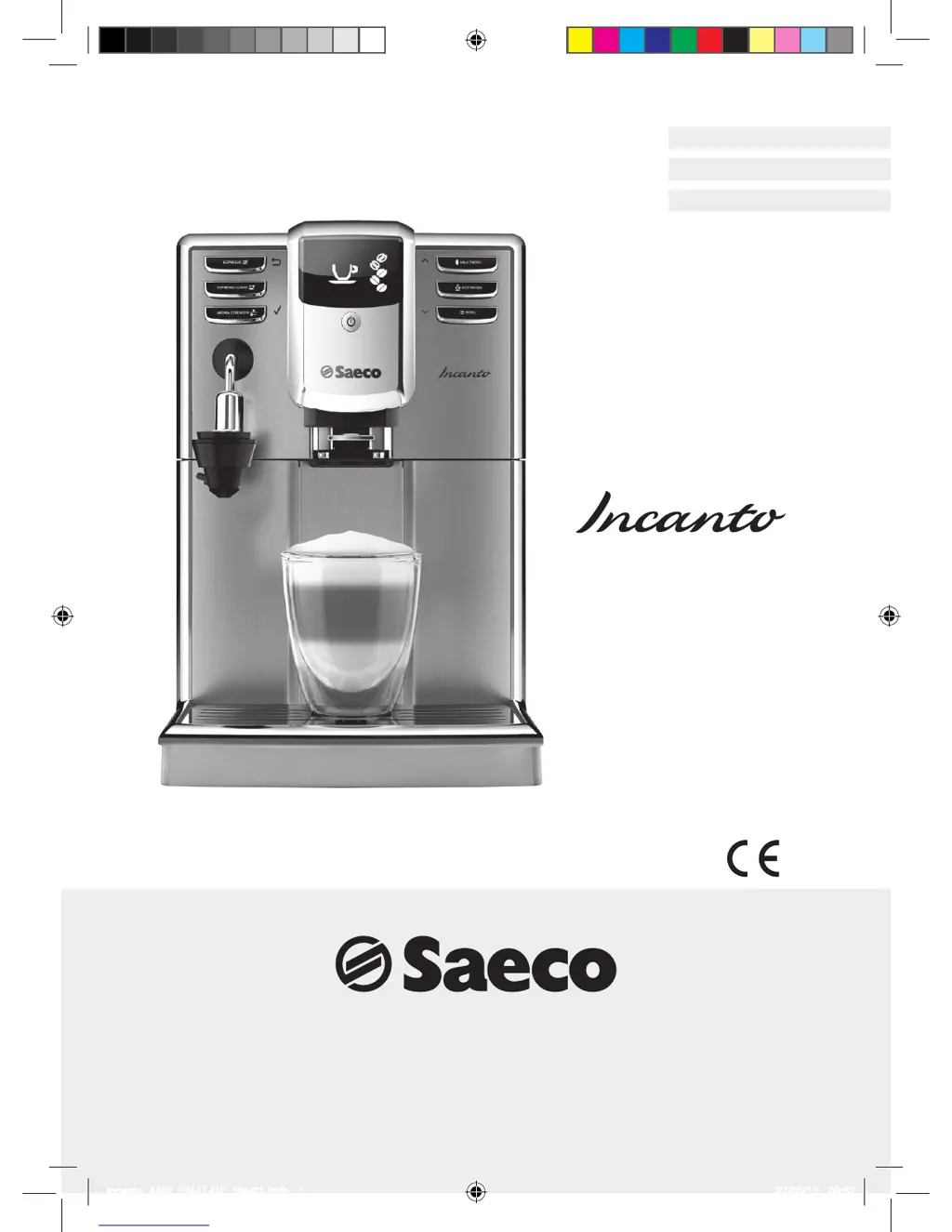
Saeco HD8914 - User Manual

Saeco HD8914
84 pages
Print Icon
To Next Page IconTo Next Page
Loading...
Register your product and get support at
www.saeco.com/welcome
Type HD8914
Instruction manual
Read carefully before using the
machine.
ENGLISH
ITALIAN
GERMAN
Incanto_AMF_EN-IT-DE_Rev01.indb 1 27/03/15 09:57

Table of Contents

Questions and Answers

  • L
    livingstonwarrenAug 19, 2025
    What to do if coffee is leaking from Saeco HD8914?
    • J
      james77Aug 19, 2025
      If coffee is leaking from the dispensing spout of your Saeco Coffee Maker, it's likely that the spout is clogged. To resolve this, carefully clean the coffee dispensing spout and its holes using a toothpick to remove any blockages.
  • H
    Heather GarnerAug 21, 2025
    Why Saeco Coffee Maker asks for descaling when installing filter?
    • B
      Bethany WhiteAug 21, 2025
      If the filter cannot be activated on your Saeco Coffee Maker and the machine is asking for descaling, it could be that the series of 8 filters is completed. Descale your machine first. Alternatively, the filter may not have been replaced on time after the AquaClean water filter signal started blinking, so the filter must be replaced on time.
  • B
    Bryan ParksAug 23, 2025
    Why Saeco HD8914 grinds beans but no coffee comes out?
    • T
      Tara GreenAug 25, 2025
      If your Saeco Coffee Maker grinds the coffee beans but no coffee comes out, there could be several reasons: * The water tank might be empty - fill the water tank. * The brew group could be dirty - clean the brew group. * The circuit may not be primed - prime the circuit. * The coffee dispensing spout could be dirty - clean the coffee dispensing spout. * The machine may need to perform self-adjustment - brew a few cups of coffee.
  • C
    Carrie DoyleAug 26, 2025
    What to do if Saeco HD8914 Coffee Maker says grounds drawer full after emptying?
    • T
      Tonya HunterAug 26, 2025
      If the 'Coffee grounds drawer full' signal remains on your Saeco Coffee Maker even after emptying the drawer, it's possible that the drawer was emptied while the machine was turned off. After emptying the drip tray and coffee grounds drawer, wait for the ‘Close service door’ signal to be displayed before placing the components back into the machine.
  • N
    Nancy KennedyAug 27, 2025
    Why is Saeco HD8914 Coffee Maker coffee not hot enough?
    • E
      ehaleAug 27, 2025
      If the coffee from your Saeco Coffee Maker is not hot enough, it could be due to cold cups. Try warming the cups with hot water before brewing. Also, the temperature may be incorrectly regulated, so you should adjust the temperature.
  • T
    Tony SalazarAug 30, 2025
    Why can't I insert brew group in Saeco HD8914 Coffee Maker?
    • T
      Theresa GreenAug 30, 2025
      If the brew group of your Saeco Coffee Maker is impossible to insert, it could be that the brew group is not in the idle position. Ensure the brew group is in the correct position. Another reason could be that the gearbox is incorrectly positioned. Place the drip tray and coffee grounds drawer in their proper seats, close the service door and turn the machine on without the brew group. Then turn the machine off and put the brew group in place following the instructions in the '7.2.1 Weekly brew group cleaning cycle' chapter, 'Reassembly phase'.
  • M
    martindeannaSep 1, 2025
    Why is Saeco Coffee Maker coffee watery?
    • E
      Elizabeth CastroSep 1, 2025
      If the coffee from your Saeco Coffee Maker has too little cream or is watery, the grinders may be set to a coarse position. Adjust the grinding fineness. Also, the coffee blend might not be right, or the coffee may not be freshly roasted or is ground too coarsely, so try changing the coffee blend or adjusting the grinding fineness. Finally, the machine may need to perform a self-adjustment, so brew a few cups of coffee.
  • D
    denniselizabethSep 3, 2025
    Why is coffee coming out slowly from my Saeco HD8914 Coffee Maker?
    • V
      Victoria ParksSep 3, 2025
      If coffee is coming out slowly from your Saeco Coffee Maker, it could be because the coffee is ground too finely. Try changing the coffee blend or adjust the grinding. Alternatively, the circuit may not be primed, so prime the circuit. The brew group might also be dirty, so clean the brew group. Finally, the machine may need to perform self-adjustment, so brew a few cups of coffee.
  • S
    Scott BanksSep 5, 2025
    Why does the drip tray fill up so quickly on Saeco Coffee Maker?
    • Z
      zdanielsSep 5, 2025
      If the drip tray of your Saeco Coffee Maker fills up quickly, it's because the machine rinses the drip tray and warms itself by flushing water into it to guarantee a perfect coffee at every brewing. Empty the drip tray regularly. To avoid rinsing water ending up in the drip tray, place a cup below the dispensing spouts during rinsing.
  • H
    hgibsonSep 7, 2025
    Why is milk from Saeco HD8914 not hot enough?
    • M
      Michael HubbardSep 7, 2025
      If the frothed milk from your Saeco Coffee Maker is too cold, the cups might be cold. Try warming the cups with hot water before frothing the milk.

Summary

Introduction to the Manual

Product Overview

The Product

Details the machine, its special features, and coffee taste adjustments.

Accessories

Lists and illustrates the included accessories with the machine.

Safety Information

Safety Instructions

Provides essential warnings and cautions for safe operation and handling of the machine.

Preliminary Operations

Positioning the Machine

Guides on placing the machine for optimal use and space.

Water Tank Filling

Instructions on how to properly fill the water tank with fresh cold water.

Coffee Bean Hopper Filling

Details on filling the coffee bean hopper with roasted coffee beans.

Plug In and Start

Steps for connecting the machine to power and initiating first start-up.

Activation and Deactivation

First Start Procedures

Outlines initial setup steps: priming, auto-rinse, and manual rinse cycles.

Water Circuit Priming

Details the process of priming the internal water circuit with hot water.

Automatic Rinse;Self-Cleaning Cycle

Describes the automatic cleaning cycle performed by the machine.

Adjustments

Covers water hardness, aroma, grinder, and temperature adjustments.

Deactivation and Reactivation

Covers machine shutdown and restart procedures.

Using the Machine

Coffee-Based Preparations

Instructions for preparing various coffee drinks like espresso and espresso lungo.

Milk Frother Usage

Information on using the milk frother for preparing frothed milk.

Hot Water Preparations

Instructions on how to dispense hot water from the machine.

Cleaning and Maintenance

Machine Cleaning

Details on routine machine cleaning tasks and their frequency.

Brew Group Cleaning

Step-by-step guide for cleaning the brew group weekly and monthly.

Milk Frother Cleaning

Details on cleaning the milk frother daily and monthly.

Descaling Cycle

Procedure for descaling the machine to maintain performance.

Default Settings

List of Default Settings

Presents a table detailing the machine's default settings for various parameters.

Changing Default Settings

Guide to customizing machine settings through the programming menu.

Reset to Default Settings

Instructions on how to restore the machine to its original factory default settings.

Maintenance Accessories and Products

Maintenance Products

Lists Saeco maintenance products and where to purchase them.

AquaClean Water Filter

Details the benefits and functionality of the AquaClean water filter.

AquaClean Installation

Step-by-step guide for installing the AquaClean water filter.

AquaClean Replacement

Instructions on when and how to replace the AquaClean water filter.

Troubleshooting

Alarm Signals Summary: Red Display

Explains the meaning of red display signals and their corresponding actions.

Warnings Signals Summary

Summarizes warning signals, their meanings, and recommended actions.

Troubleshooting Table

A comprehensive table listing common issues, their causes, and solutions.

Technical Specifications

Transportation and Disposal

Warranty and Service

How to Contact Saeco

Provides information on contacting Saeco for support and service.

Saeco HD8914 Specifications

General IconGeneral
BrandSaeco
ModelHD8914
CategoryCoffee Maker
LanguageEnglish

Related product manuals