LRF 3013 Integrator Manual
Document number: TML 913655 ver A
Confidential & Proprietary Safran Vectronix AG – All rights reserved
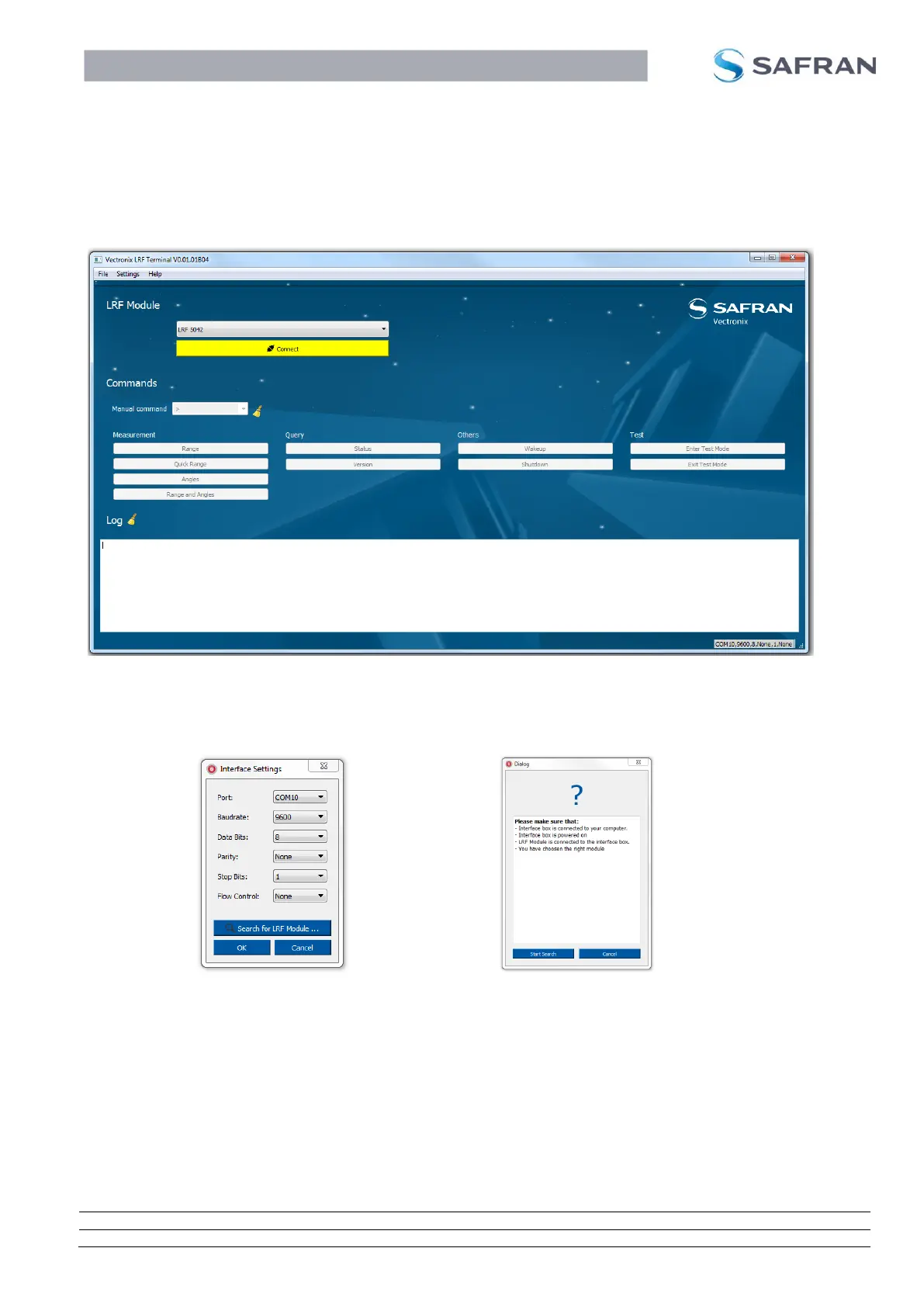
3.2 Using the Safran Vectronix Terminal Software
To run a LRF Module with the Terminal Software, ensure that the Terminal Software is
installed on your PC and the LRF Module is connected correctly to your PC. The below
mentioned guide shows how to use the Terminal Software:
Select the module you are using from the drop down list.
Select the settings tab and select Interface.
Either set the settings manually and press OK or select “Search for LRF Module…”.
After making sure that you have connected and powered up the interface, selected
the right module, press “Start Search”


 To Next Page
 Loading...