Need help?
Do you have a question about the Sagem D86C and is the answer not in the manual?
Crucial safety guidelines, precautions, and recommendations for safe telephone use.
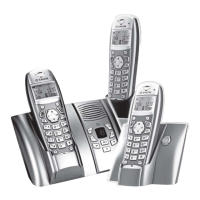
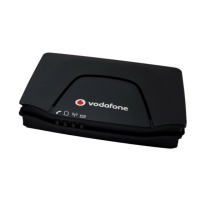
Details package contents, base unit features, handset design, and display icons.
Guides on connecting the base unit to power and telephone line.
Instructions for inserting handset battery and cover, and charging the handset.
Step-by-step guide on how to safely remove and replace the rechargeable batteries in the handset.
Details the process of inserting the SIM card into the base unit's compartment.
Covers switching on/off, locking keypad, making/receiving calls, and ending calls.
Explains hands-free, volume control, redialing, and caller list access.
Enables communication between handsets and setting up conference calls.
Guides on writing, sending, and managing SMS messages via inbox, draft, and outbox.
Covers storing, editing, deleting, copying, and calling contacts from the phonebook.
Customizing wallpaper, contrast, ringtones, and volume levels for handset and base.
Setting the clock, date, and configuring daily alarm alerts.
Managing handset/base settings, PIN, registration, auto-answer, and room monitor.
Covers accessing call logs and managing SMS memory with the auto-delete feature.
Provides solutions for common operational issues like blank display, no ring, or radio link problems.
Details technical specifications and provides guidance on environmentally responsible disposal.
Outlines warranty terms, service conditions, and proof of purchase requirements.
Emphasizes retaining the sales receipt for warranty claims.
 General
| Talk Time | 10 hours |
|---|---|
| Number of Ringtones | 10 |
| Caller ID | Yes |
| Answering Machine | No |
| Number of Handsets | 1 |
| Type | Cordless Phone |
| Range | 300 meters |
| Battery Type | NiMH |
| Frequency | DECT |


 To Next Page