Page 42 of 69
Measurements, Timing Markers, and Bookmarks
Digital Instantaneous Measurements
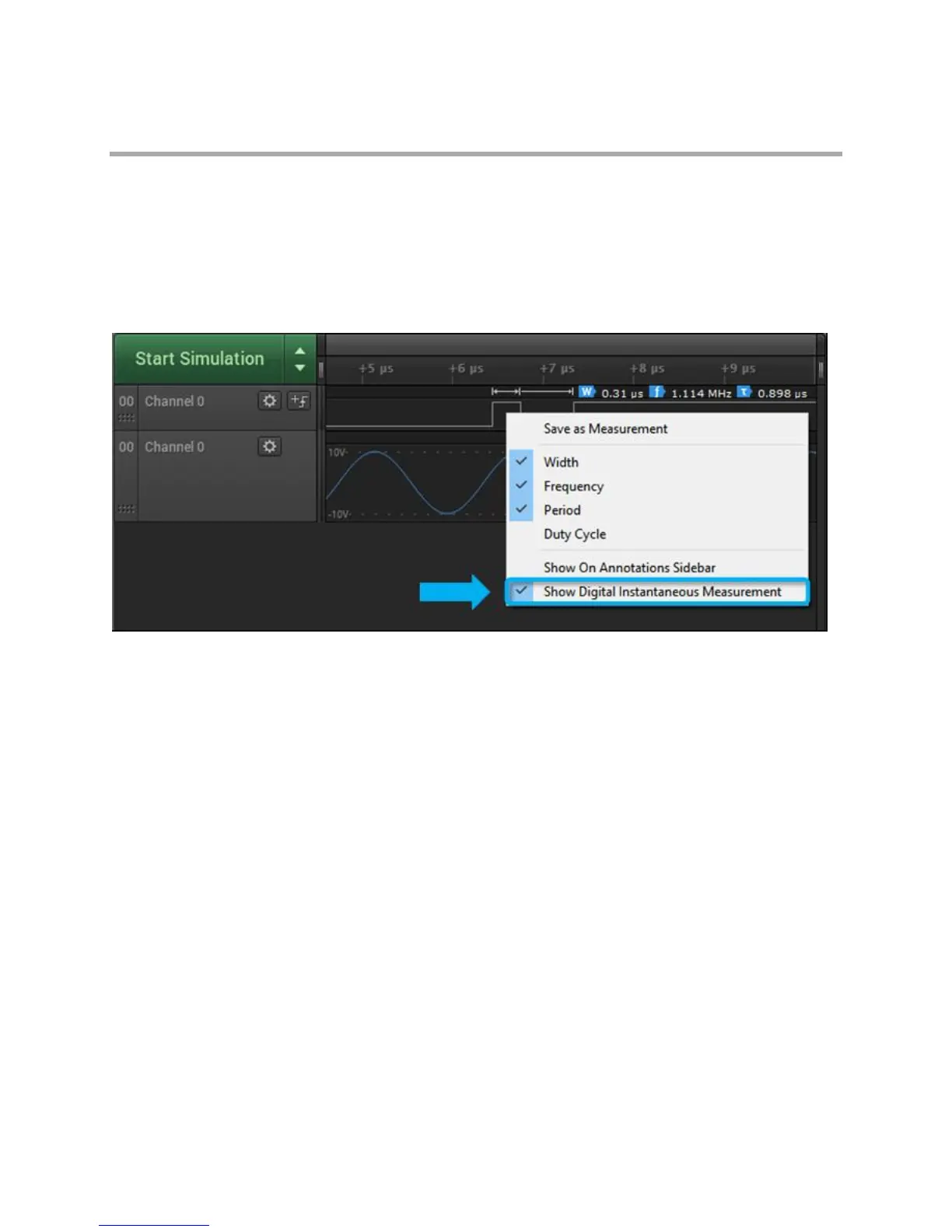
To see instantaneous measurements while hovering over a digital channel recording, right-click the digital
waveform and make sure "Show Digital Instantaneous Measurement" is checked. You can also select
which measurements are made, and you can save the measurement so it stays persistent on the
waveform, even when the mouse is not hovering over
it.
Analog Instantaneous Measurements
To see instantaneous measurements while hovering over an analog channel recording, right-click the
analog waveform and make sure "Show Analog Instantaneous Measurement" is checked. You can also
select which measurements are made, and you can save the measurement so it stays persistent on the
waveform, even when the mouse is not hovering over



 To Next Page
 Loading...