16
3. Before you start (rst power up)
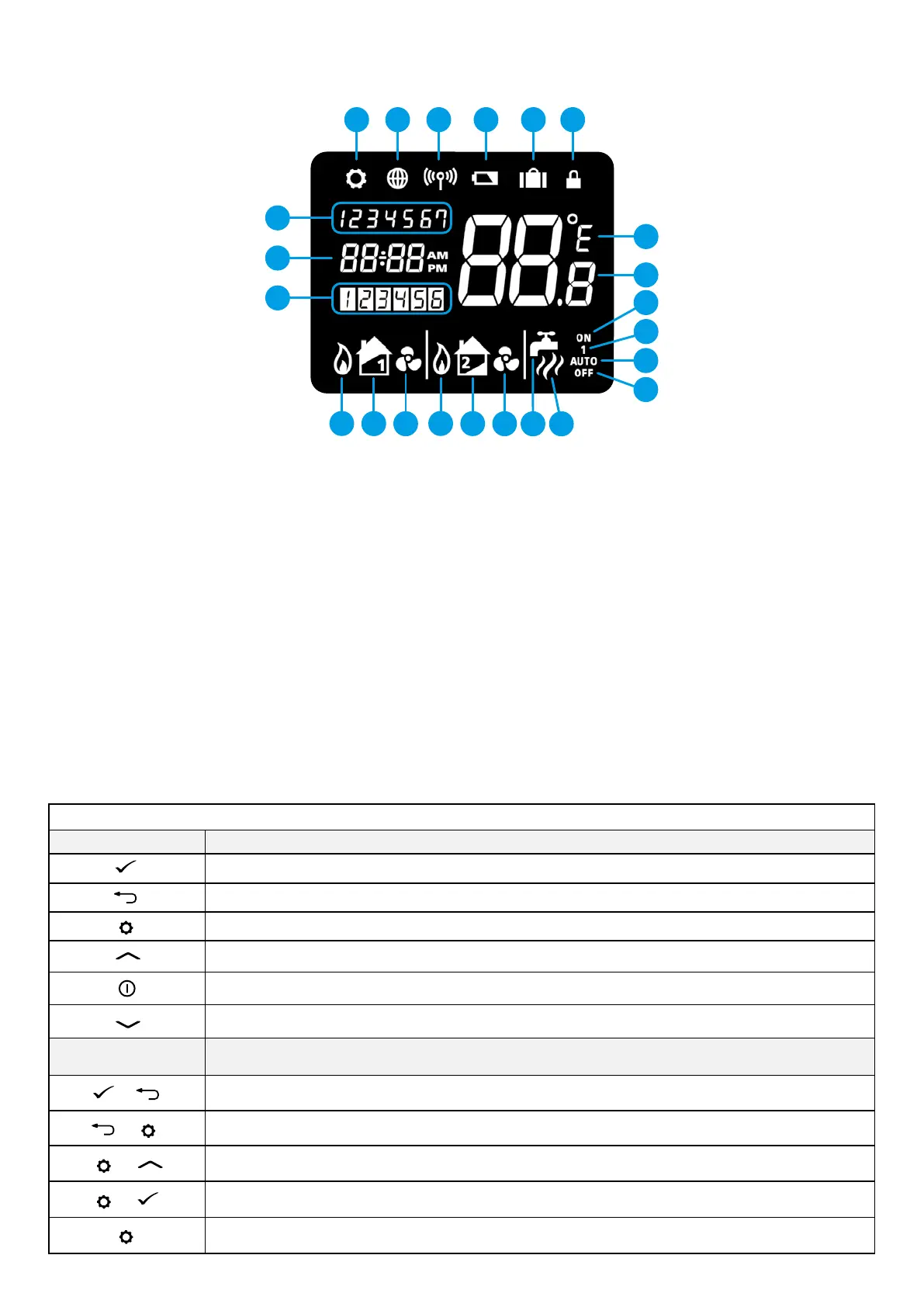
3.1 LCD icon description
3.2 Button description
1. Settings indicator
2. Internet connection indicator
3. RF signal indicator
4. Low battery status
5. Holiday indicator
6. Button lock indicator
7. Temperature unit
8. Temperature indicator
9. Hot water heating in continuous mode
10. Hot water override
11. Automatic mode
12. Frost protection mode
13. Hot water heating
14. Hot water indicator
15. Cooling mode indicator (zone 2)
16. Zone 2 indicator
17. Heat mode indicator (zone 2)
18. Cooling mode indicator (zone 1)
19. Zone 1 indicator
20. Heat mode indicator (zone 1)
21. Program number indicator
22. Clock display
23. Day of the week
1 2 3 4 5 6
1314
1518
1619
1720
7
23
22
21
8
9
10
11
12
Button Description
Button Function
Confirm
Return
Settings / zone changing
I
ncrease value
Display ON (display highlighting)
Decrease value
Button combinations
Function
+
Press and hold for 3 seconds lock / unlock the device
+
Press and hold for 3 seconds to enter the pairing mode (for IT500RX receiver or IT300 temperature sensor)
+
Press and hold for 3 seconds to enter the system opeartion choice: Zone1 or Zone1 + Hot Water or Zone1 + Zone2
+
Press and hold for 3 seconds to enter the Auto/OFF/Manual mode change
Press and hold for 3 seconds to edit the schedule



 To Next Page