31
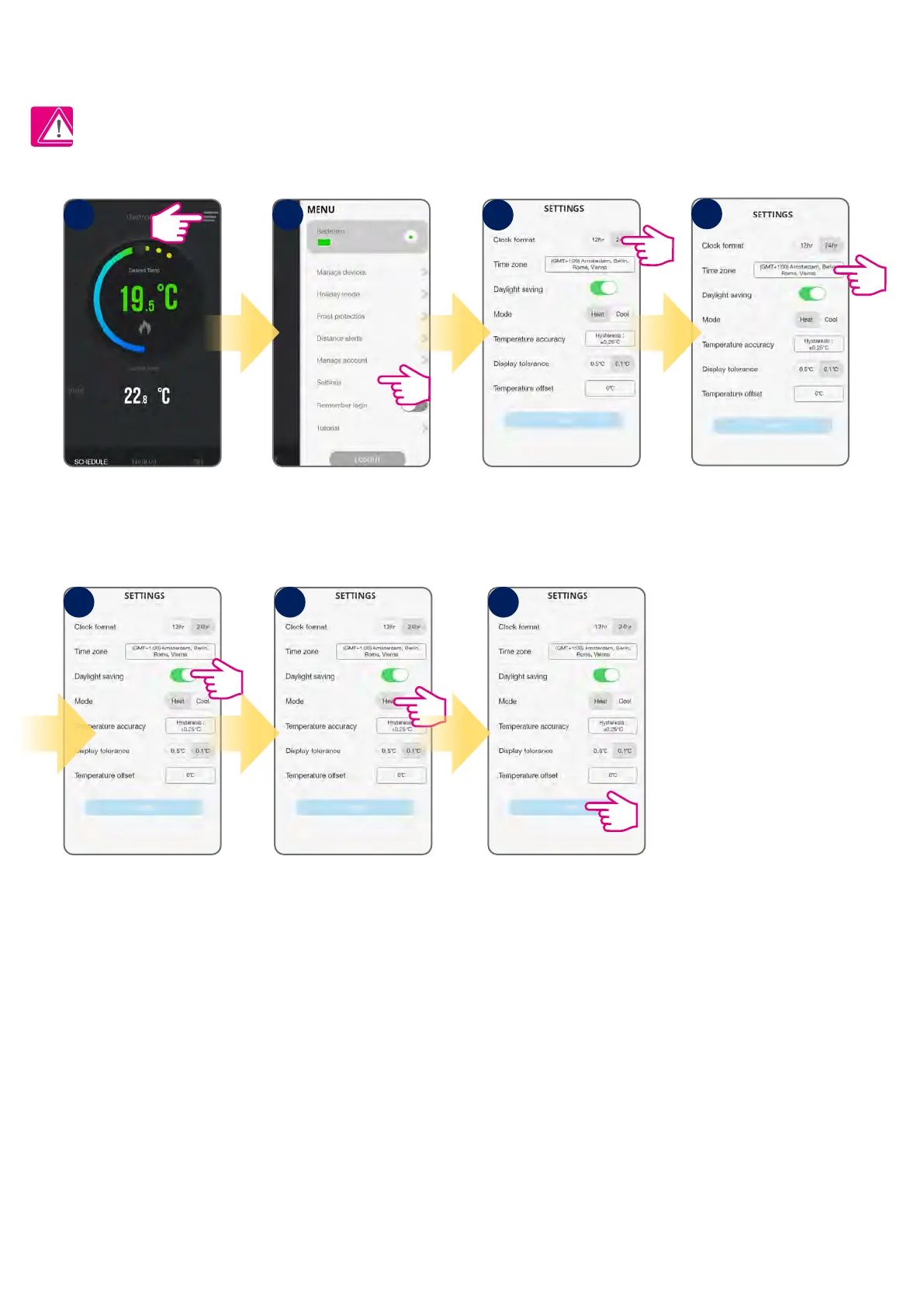
Note: Time and date will be automatically added once you connected to the internet. What you have to do manually, though, is to select your
temperature format, clock format and time zone. This can be easily done by following these steps:
Tap menu icon. Go to settings. Select clock format.
Select time zone.
DST (Daylight Saving Time)
ON/OFF.
Select Heat or Cool mode. Tap Save.
After you adjust all of your
settings, tap Save. The app
will then return to the home
screen where you can start
adding programs.
1
5 6 7
2 33
4
6.5 Thermostat app settings
6.5.1 Clock format, time zone and DST setting



 To Next Page