23
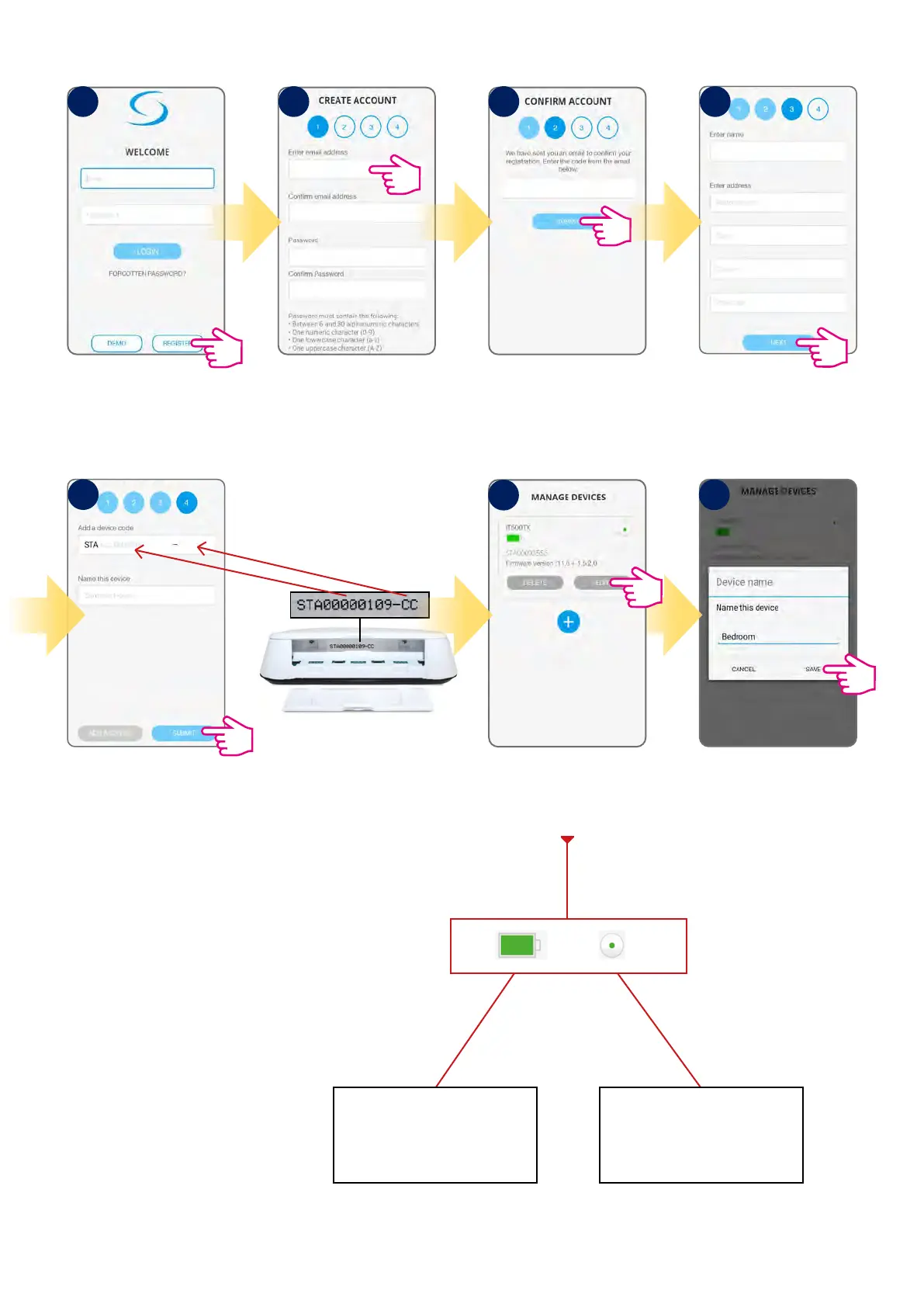
Tap register to create
a new account.
Enter email and password,
tap Next.
Enter the code you received
via email.
Enter the STA device code
(look at the picture how)
and name your thermostat.
Tap Submit.
Please refer to chapter 3.4 how to
nd STA device code.
Your device appears on the
screen. Tap Edit to rename it.
Green full battery icon means that
battery is good. When this icon
turns red, then you should change
the batteries.
Green dot mark means that
thermostat is connected with the
app. When dot goes grey, then
thermostat is out of the network.
Name the device (max. 11
characters) and tap Save.
Fill all forms and tap Next.
1
7
2 3 4
5
5.2 Registration in the app
6



 To Next Page