18
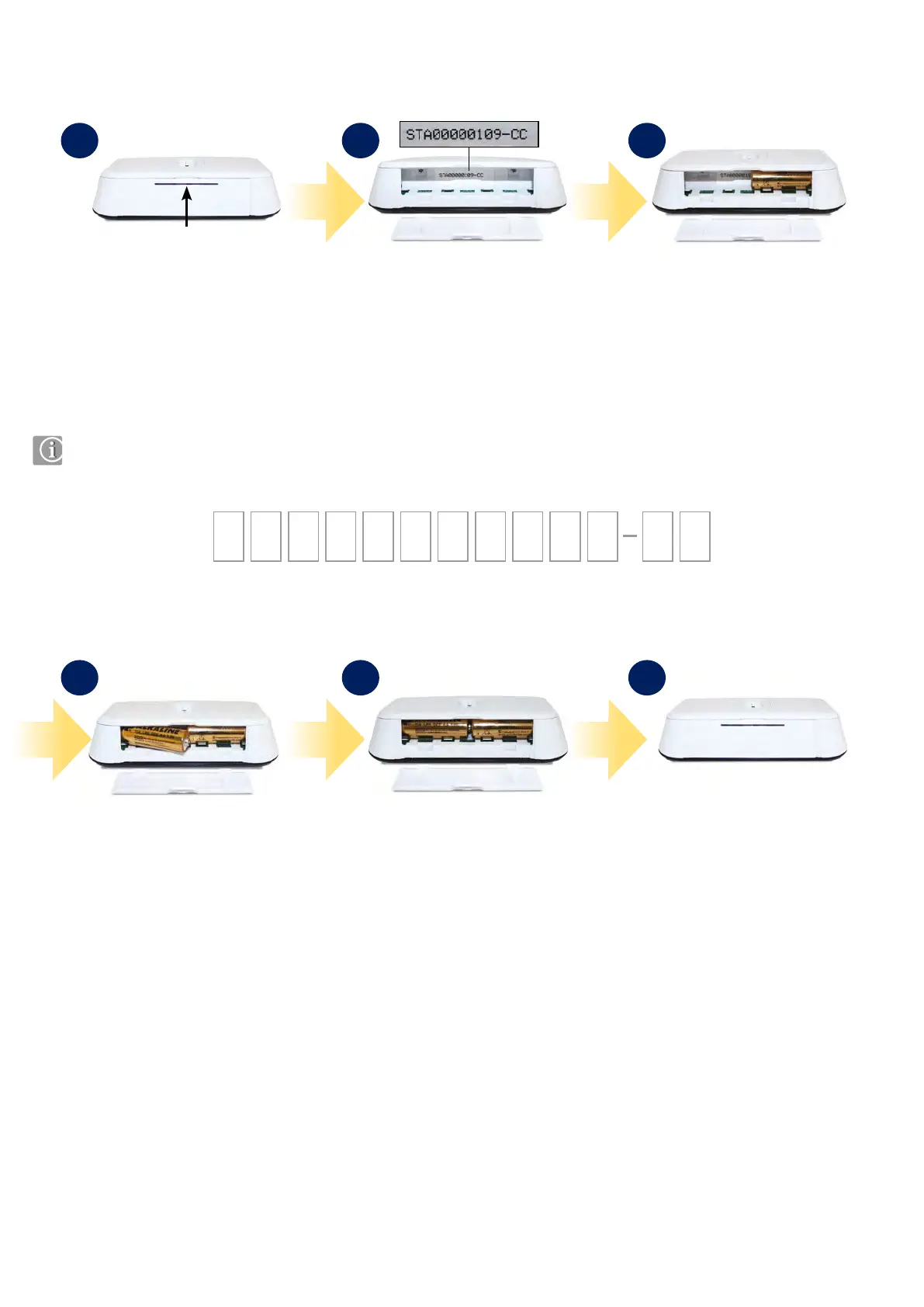
Remove the battery cover from
the base of the iT500 Thermostat.
Make a note of the serial number
printed inside the base of the
iT500 Thermostat.
With the unit face down, insert the
rst battery supplied into the right
hand side of the base of the iT500
Thermostat.
You can make a note of your STA number here for future reference:
STA
3.4 Inserting the batteries in the iT500 Thermostat
1 2 3
Insert the second battery supplied
into the left hand side of the base of
the iT500 Thermostat.
Ensure the batteries are tted
securely in the base of the iT500
Thermostat.
Replace the battery cover to the base
of the iT500 Thermostat.
4 5 6



 To Next Page