41
Set time for turn OFF program 1
cognately to step 7-8.
Press button to conrm.
Follow the steps 7-9 to set next
programs.
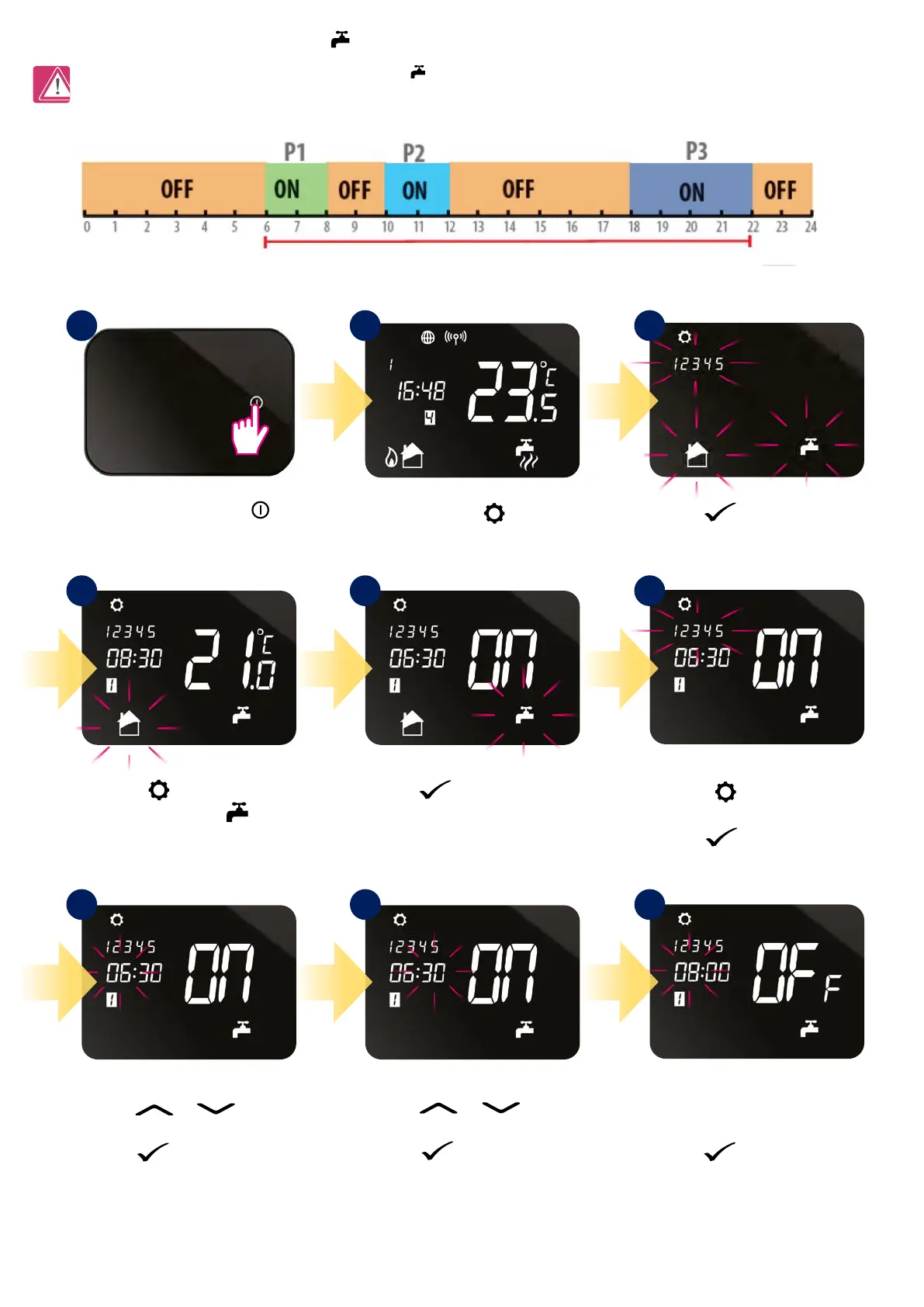
Note: In program schedule for hot water system (HW)
you can set 3 schedule programs per day. For each HW program you must dene
the time of start and the time of the end.
8.3.2 Schedule mode for hot water system
Press or button
to set start hour for program 1.
Press button to conrm.
Press
or button
to set start minutes for program 1.
Press button to conrm.
Press
button to select
hot water system
.
Press and hold
button
for 3 seconds.
Press button to conrm.
Press
button to conrm.
Press the power button
to highlight the display.
Press button to choose
ALL, 5/2 or INDIVIDUAL days.
Press button to conrm.
1
4
7 8 9
5 6
2 3
1 DAY ON MODE



 To Next Page