24
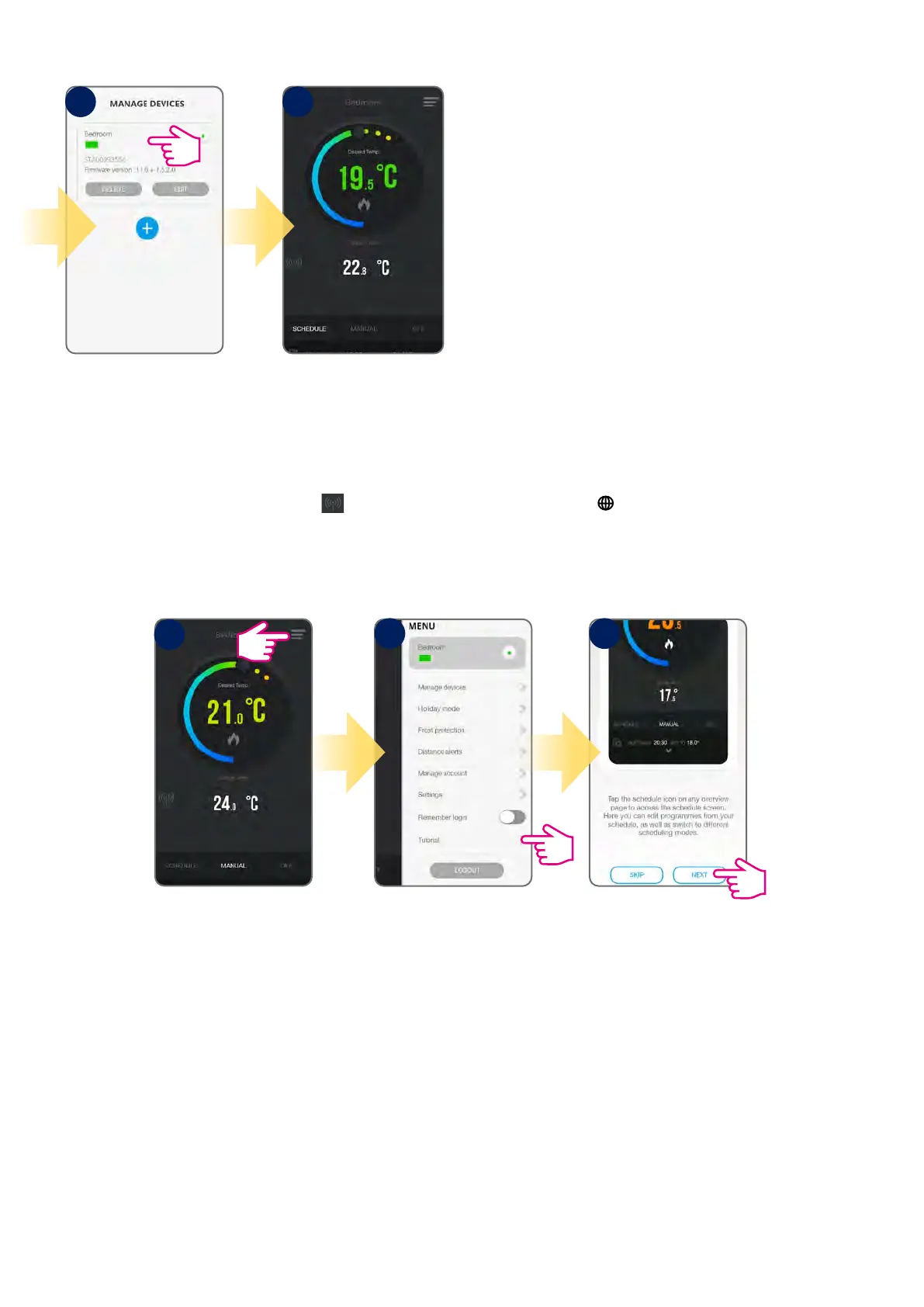
Tap anywhere on tile to enter
the thermostat interface.
Thermostat interface in
schedule mode.
When the thermostat is connected to the App, the
icon will appear on the App screen and the icon will appear on the thermostat screen.
For easier start you can use app “Tutorial”, which is available in the menu. Please see steps below:
8 9
Tap menu icon.
Select “Tutorial”. Follow presented instructions.
1
2 3



 To Next Page