CHAPTER 2
22
2.6. Installing an USB to Serial printer (Win 10)
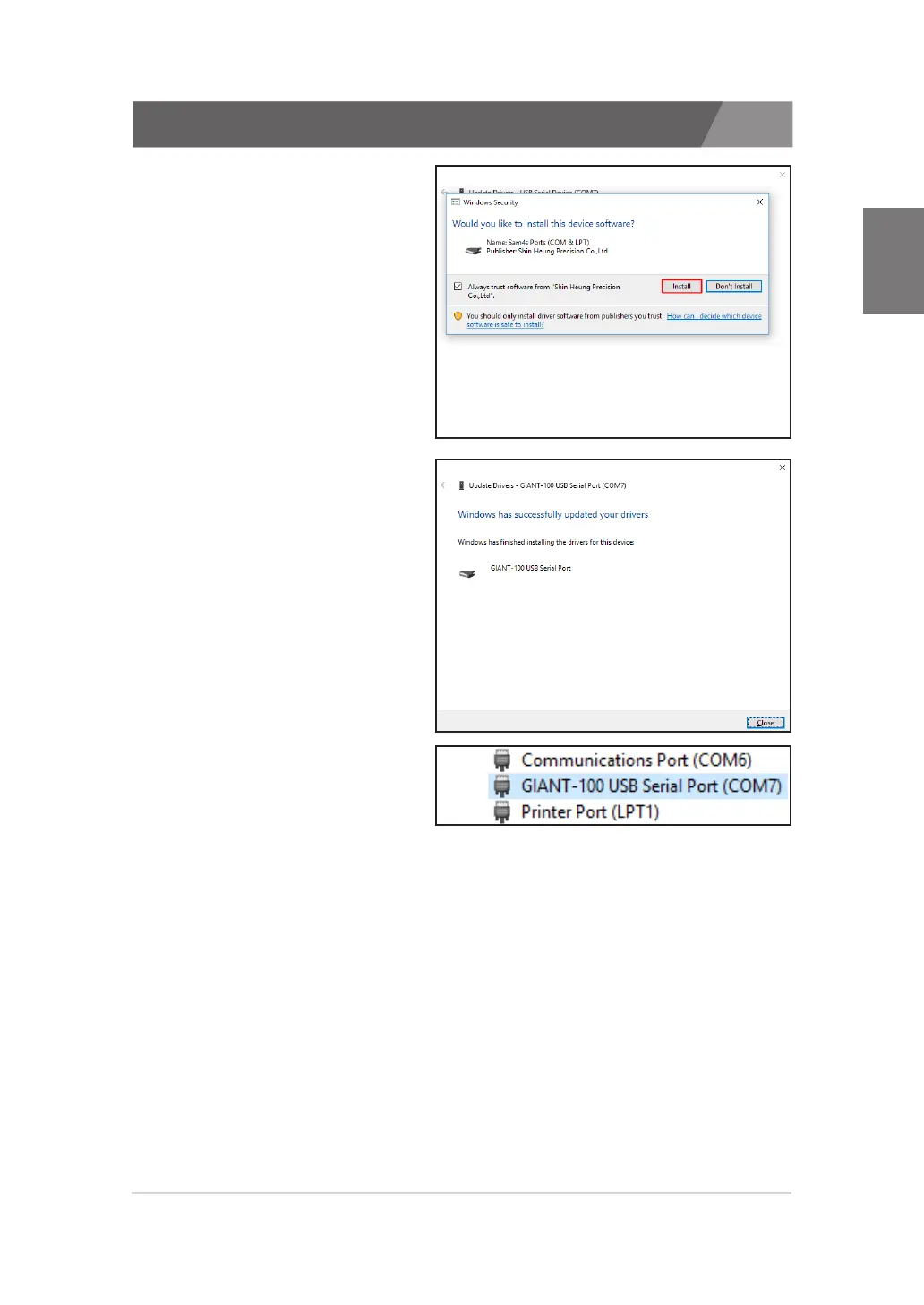
7. The driver installation
'Security Alert' window will
appear. Click the 'Install'
button.
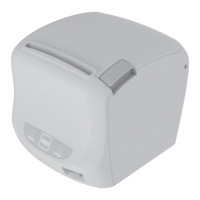
8. The driver has been
successfully installed. If
the installation fails or an
error code is displayed,
contact your dealer or our
investigator.
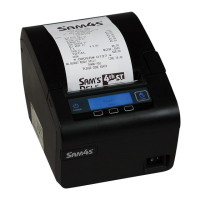
9. Check the VCOM port
is displayed in 'Device
Manager'.
10. Proceed in the same way as 'Installing an USB printer'.


 To Next Page