CHAPTER 3
28
Uninstallation of
SAM4S printer
3
CHAPTER
3.1. Uninstalling printer(s)
1. There are two ways to start uninstallation.
1) Starting from ‘Add or Remove Program’.
2) Starting from ‘Program Menu’.
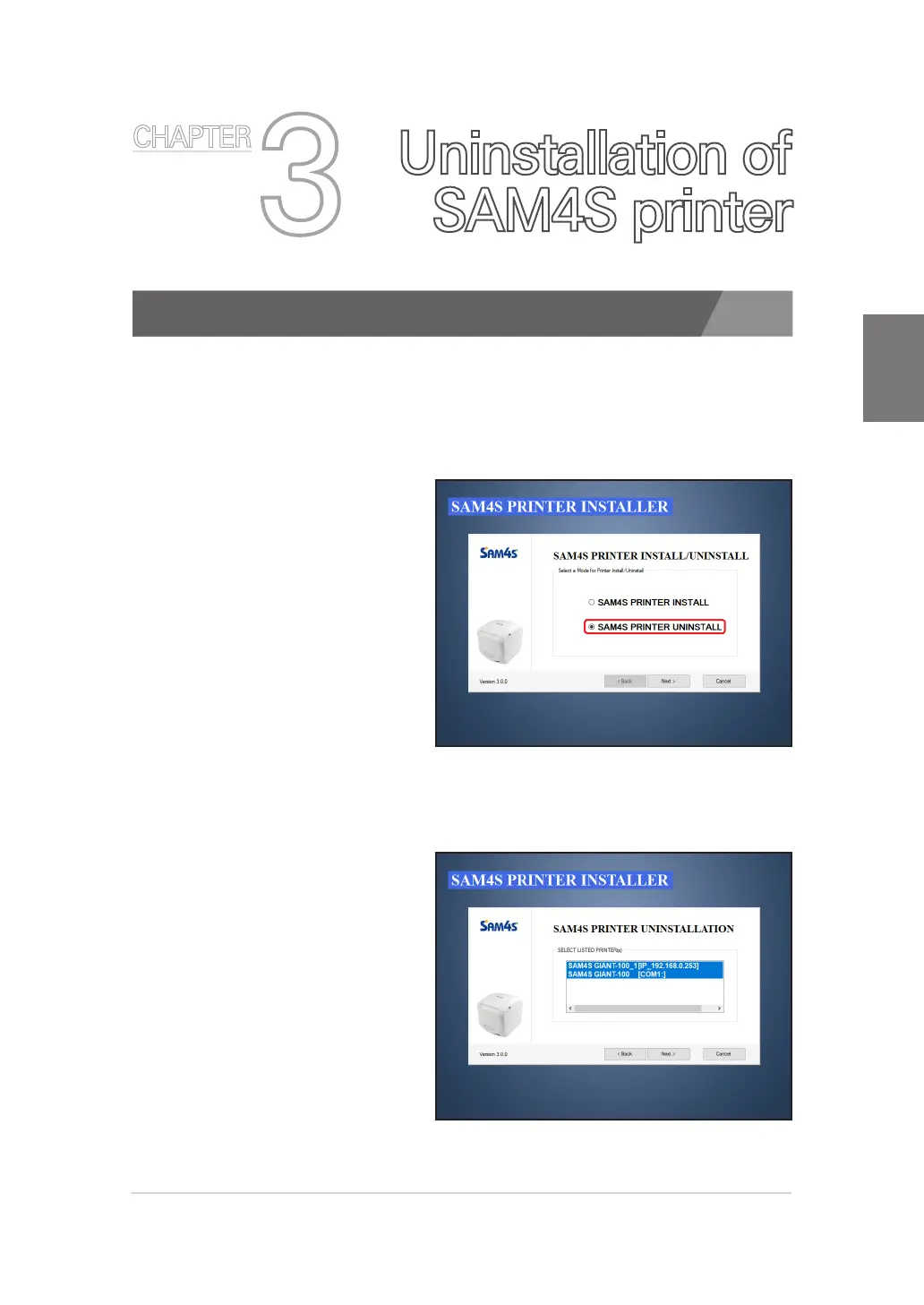
2. Selecting the ‘SAM4S
Printer Uninstall’.
If printer were installed,
you can see Installation /
Uninstallation options.
‘SAM4S Printer Uninstall’ is
selected as the default setting
if you have an installed SAM4S
printer.
If the SAM4S printer installer
doesn’t show the dialog
despite you have an installed
printer, please refer p.56.
3. Selecting one or more
Printer.
· Multiple selections are possible
Using the 'Shift' of 'Ctrl' keys on
keyboard.
· Selected printer that will be
uninstalled.



 To Next Page