CHAPTER 6
56
6.2. Uninstallation troubleshooting
1. Unable to uninstall.
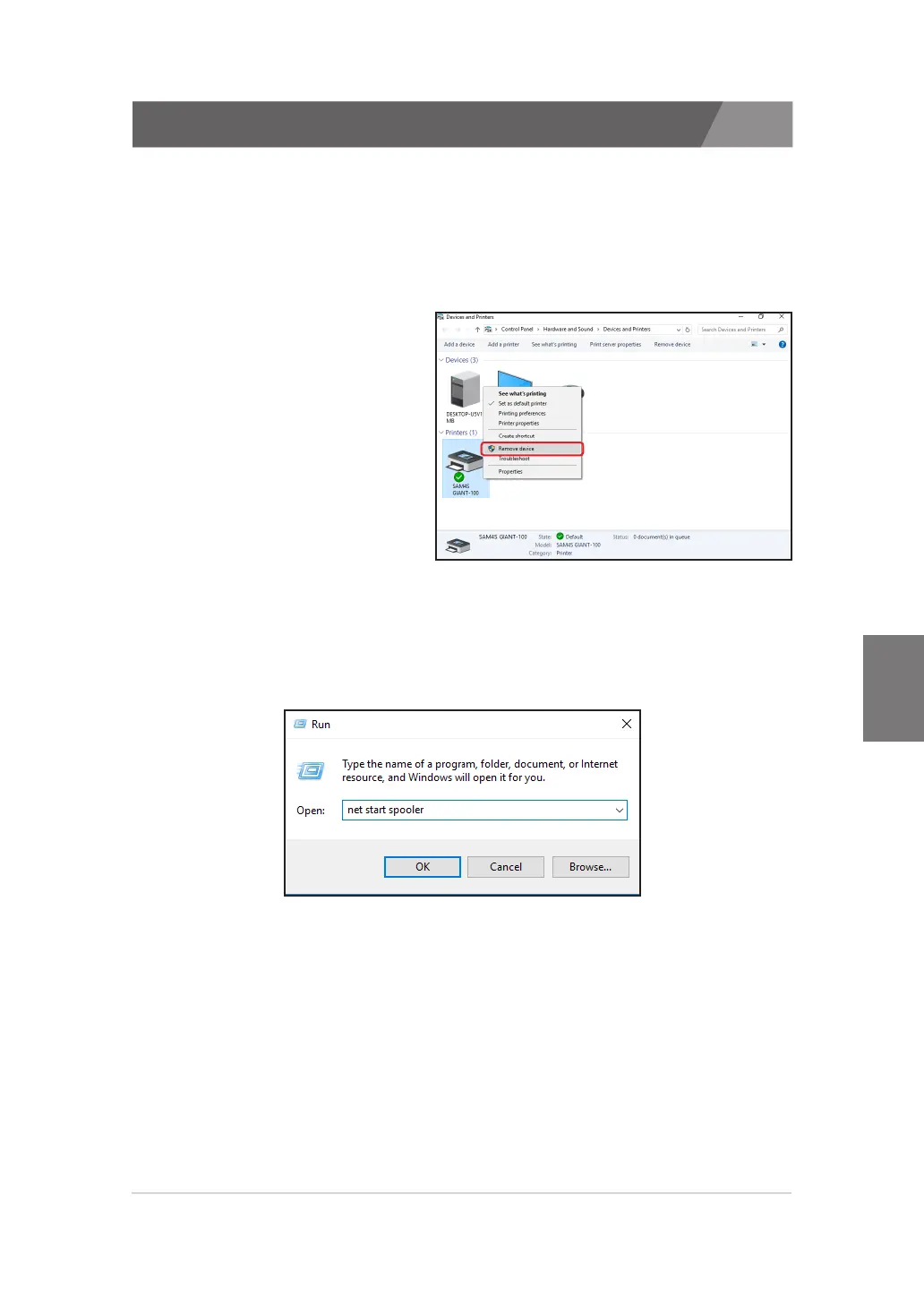
1) Make sure that the SAM4S printer is not removed from the ‘Devices and
Printers’.
Name of the installed SAM4S printer should be form as ‘SAM4S ELLIXxx’ or ‘SAM4S GIANT-xxx’.
Click the right mouse button and delete the printer.
· In case of Windows 7 / 8 / 8.1 / 10
- Right-Click the printer and select
'Remove device'
※
If the list of ‘Devices and Printers’ is not shown, execute ‘net start
spooler’ from the ‘Run’.
To open ‘Run’ dialog, press the ‘Windows Key’ with ‘R Key’.



 To Next Page