CHAPTER 2
23
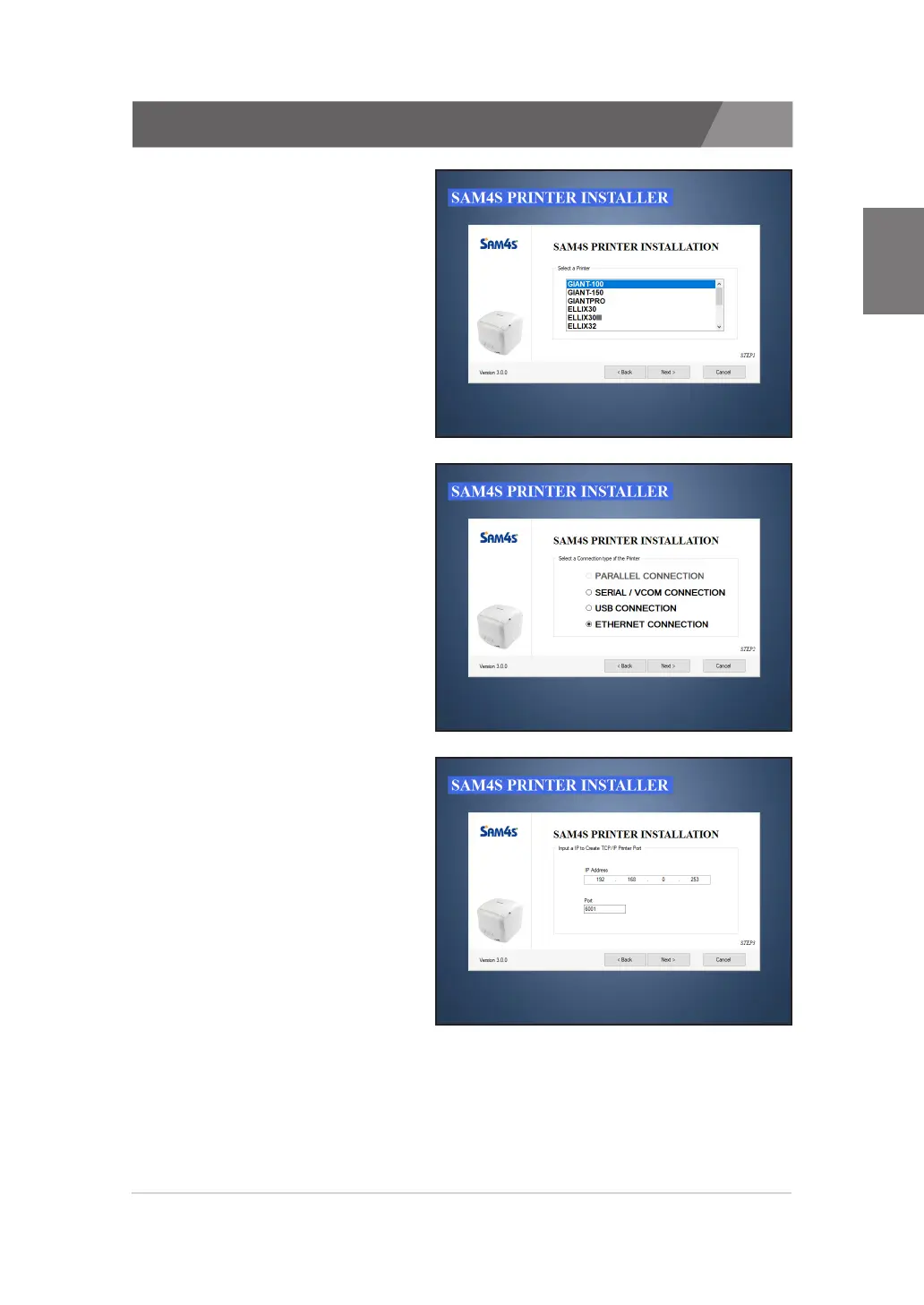
2.7. Installing an Ethernet printer
1. Selecting a printer that will
be installed.
2. Selecting the ‘ETHERNET
CONNECTION’.
3. Configuration for TCP/IP.
· Enter the IP Address and Port.
- Confirm the currently set
IP address and PORT number
using Self-Test
· Default Port of SAM4S printer:
6001


 To Next Page