CHAPTER 5
49
5.7.5. Advanced Settings (User Setup-Others)
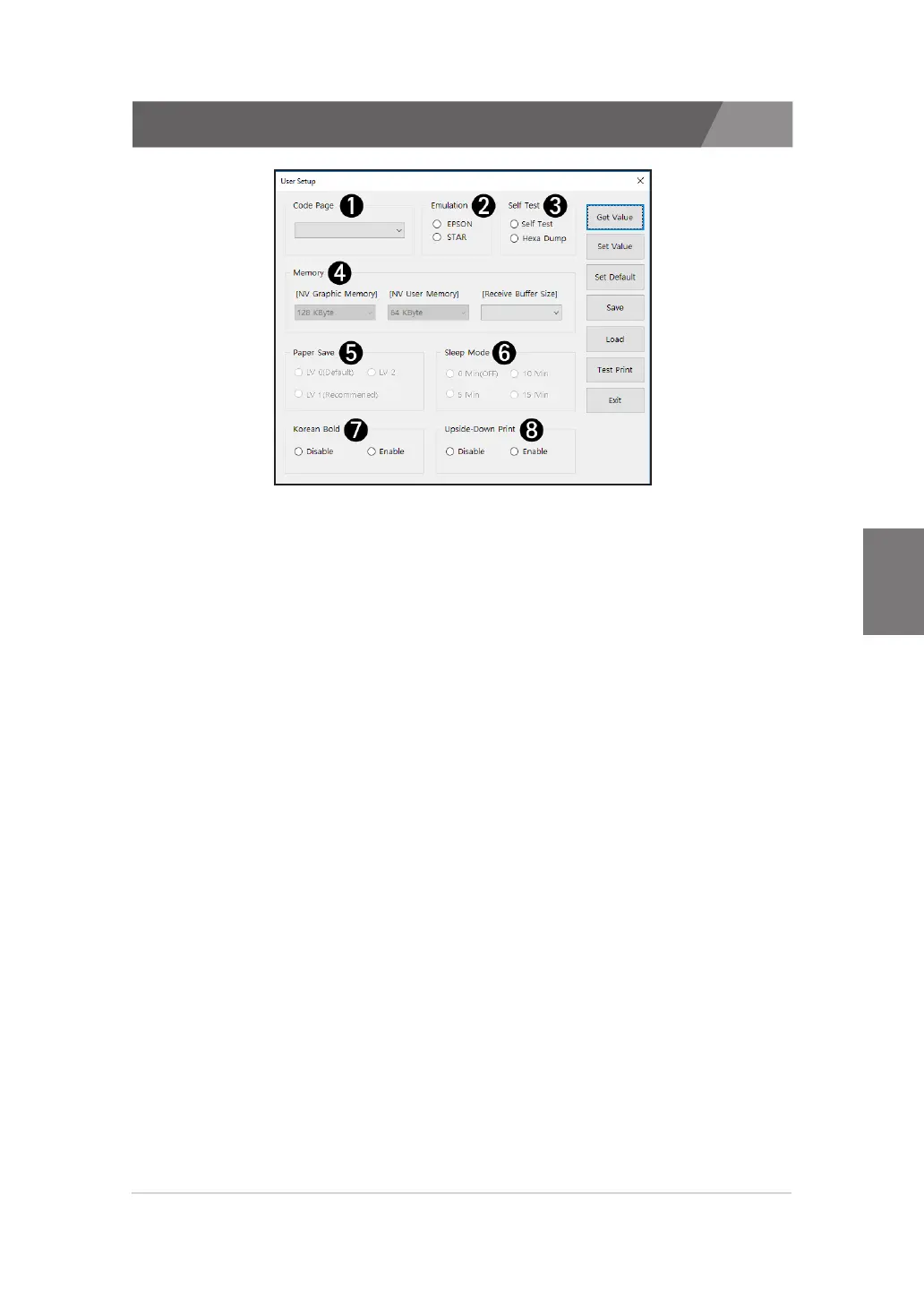
A description of the peripherals in the user settings is as follows:
1) Code Page
>>
You can set up code Page. But Korean/Japanese/Chinese are not changed.
2) Emulation
>>
You can set up emulation. We support EPSON(ESC/POS) and STAR emulation.
3) Self-Test
>>
You can set up Self-Test.
- Self Test : The information of the printer is printed when the power is turned on while the
FEED button is pressed.
- Hexa Dump : The information of the printer is printed when the power is turned on while
the FEED button is pressed. At this time, when data is transferred to the printer, it is
printeas a hexadecimal value. Press the Feed button 3 times to exit.
4) Memory
>>
You can change the size of the built-in memory.
5) Paper Save
>>
The default value is 'LV0', and the maximum value is 'LV2'.
6) Sleep Mode
>>
You can set the printer's sleep mode. When set to '0 minutes', the sleep mode is canceled.
7) Korean Bold
>>
It makes bold text when printing Korean. This option can set when Korean font is
built-in printer.
8) Upside-Down Print
>>
You can print the printer upside down. Generally, this option is used for Wall-Mount.
But you can’t use this option, When 'Water Mark', 'Two Color' or 'Top&Bottom logo'
is selected.


 To Next Page