CHAPTER 6
59
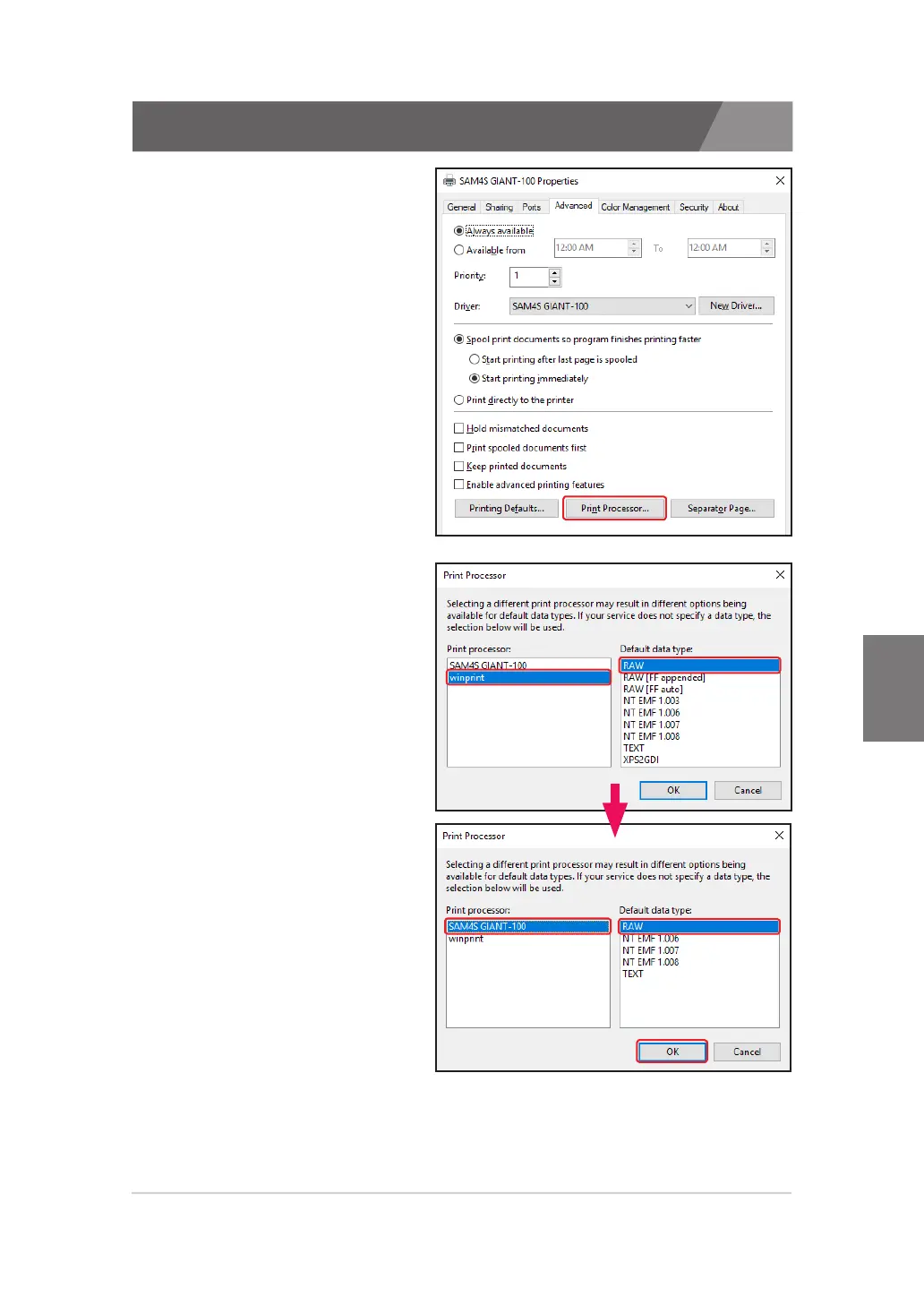
2. Verifying properties that are
‘Driver’ and ‘Print Processor’
of installed printer from the
‘Advance’ tap.
If the Print Processor is
assigning the ‘winprint’,
select the ‘SAM4S ELLIXxx’
or ‘SAM4S GIANT-xxx’.
6.3. Printing troubleshooting
3. After that, go to the 'General' tab and click the 'Print Test Page' button.
Make sure the printer prints normally.


 To Next Page