C3 C4
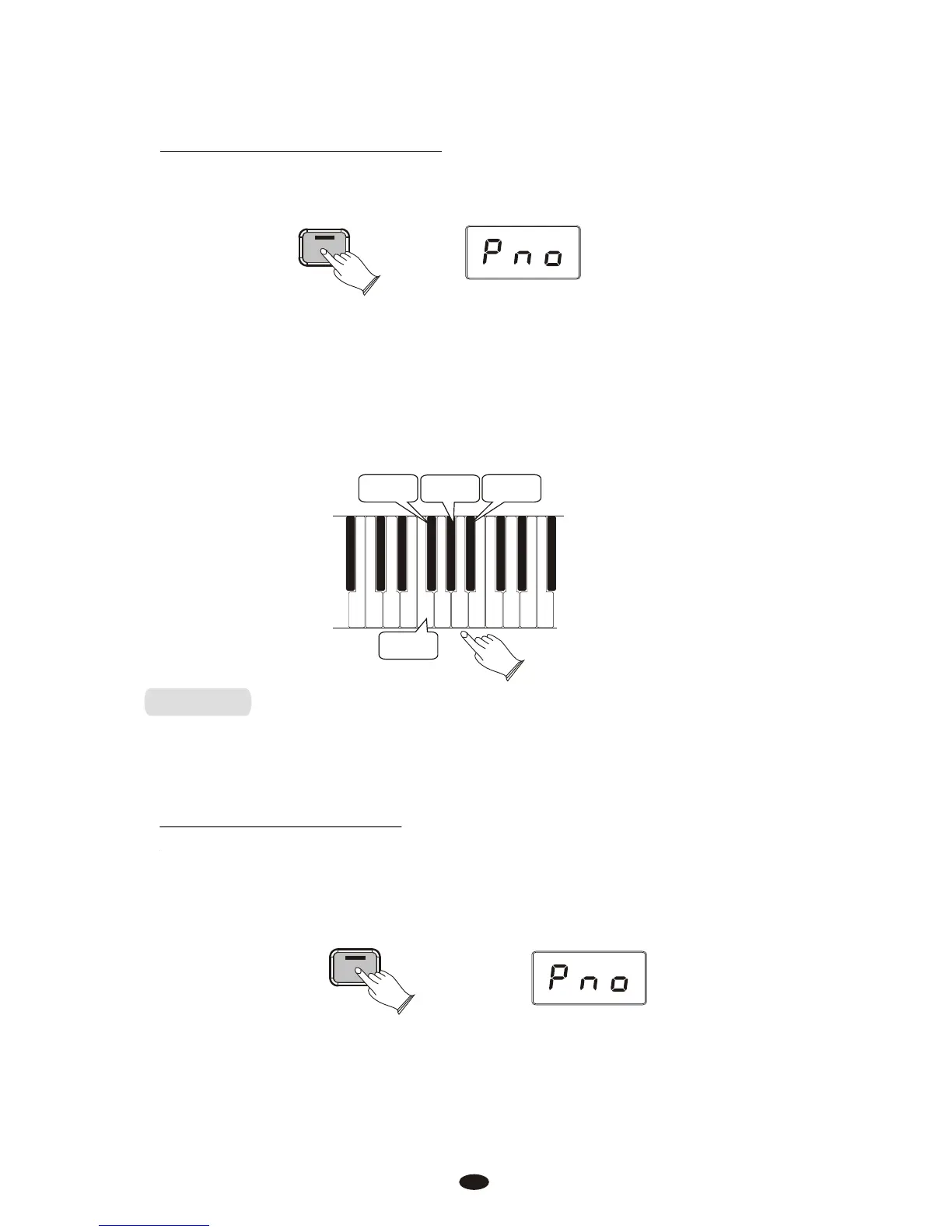
To Set the Keyboard Sensitivity:
Press the [Voice/Function] button to enter Edit Mode.
Voice / -
Function
Press the desired Touch Select key (F3, F#3, Ab3, Bb3).
The LED display will show the selected Touch setting. Please note that these
keys are in the middle of the keyboard. If you need help locating them, please
refer to the included laminated Special Function Key chart.
Fixed
Sensitivity
Low
Sensitivity
Normal
Sensitivity
High
Sensitivity
Reverb
The Reverb button selects a number of digital reverb effects that you can
use for extra depth and expressive power.
To Apply Reverb to a Voice:
Press [Reverb] button, The button will illuminate, and you will hear the Reverb
effect when you play the currently selected voice. To turn Reverb off, press the
Reverb button again. The button LED will turn off to indicate that Reverb is no
longer active.
23
Reverb



 To Next Page