Troubleshooting
Samsung Electronics 4-19
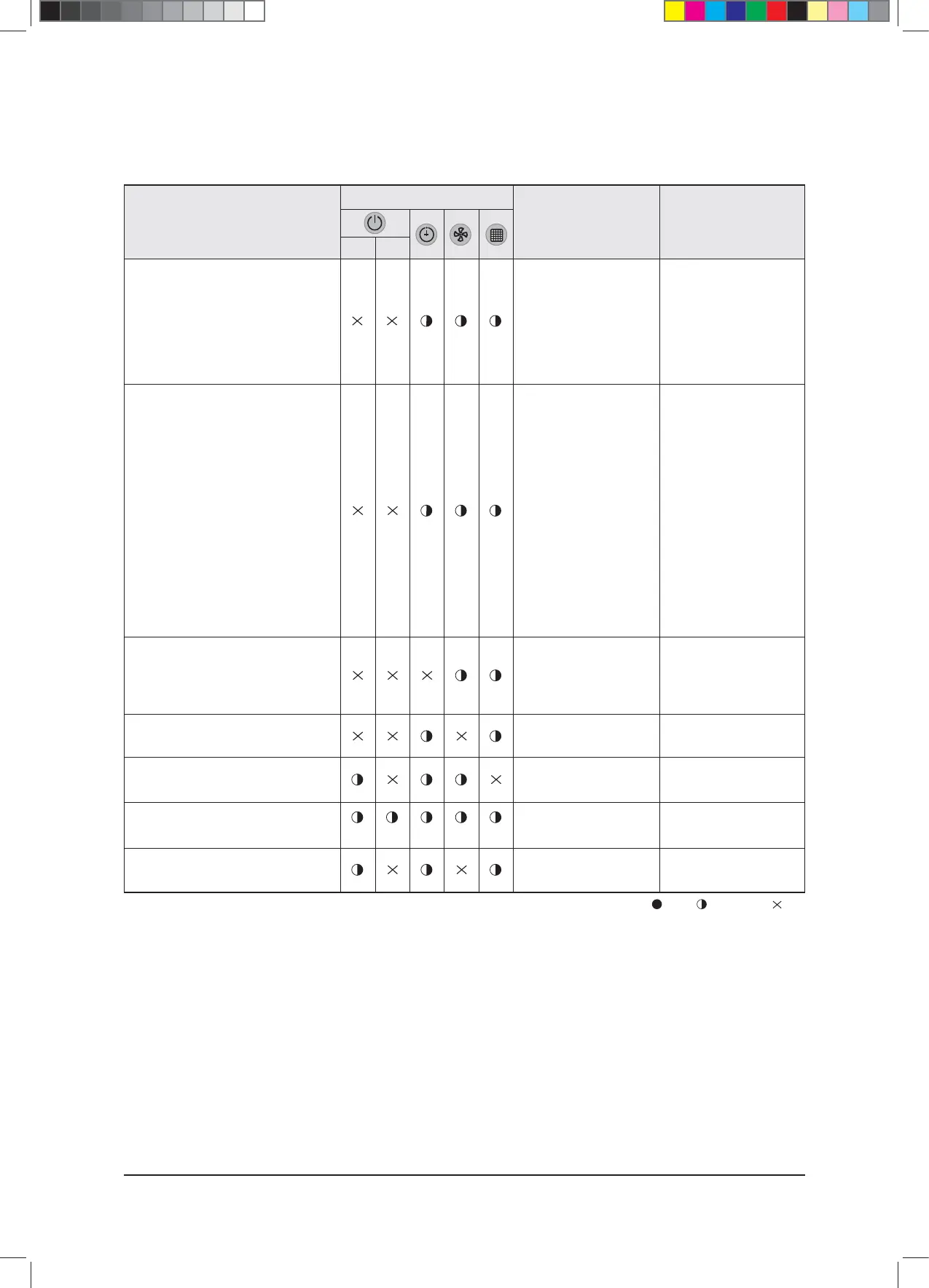
: On : Flickering : Off
- When stopping the operation during an error is displayed, all lamps are off.
- When restarting after stopping an operation, redisplay the error status by deciding the error again on Normal Operation.
- Refer to the “4. Troubleshooting” for detail contents related to the error mode.
■ LED lamp display with error detection (cont.)
Follow-up measures
Causes
LED lamp display
Error type
Self diagnosis error display
(Include the indoor unit that is not
detected)
11. EEV close status defect
12. EEV open status defect
13. EVAP OUT sensor breakaway
14. EVAP IN sensor breakaway
15. COND MID sensor breakaway
16. Refrigerant complete leakage 2
nd
detection
17. COND high temperature 2
nd
detection
18. DISCHARGE high temperature 2
nd
detection
19. Low pressure switch 2
nd
detection
COMP DOWN
10. Reverse phase detection error
11. Freezing 6
th
detection compressor
stop
12. Compression sensor self diagnosis
(G8, G9)
13. Compressor down error by
compression ratio control
Flot switch detection
Peripheral control device option setting
error
EEPROM error
EEPROM option error
SPI error
t0VUEPPS6OJUPSTFMGEJBH
nosis error
Outdoor unit operation error
Overflow of condensed
water of indoor unit drain
plate
Setting error of the indoor
unit option device
Incorrectly input the indoor
unit option code
Not input the indoor unit
option code
t41*DPOOFDUPSEJTMPDBUJPO
t41*GFFECBDL
t$IFDLJGUIFSFJTBOFSSPS
in Outdoor Unit PCB
display then take
appropriate steps.
Manage after checking the
error on the outdoor PCB
display window
t$IFDLUIFESBJOQJQF
pump
t$IFDLUIFESBJOQJQF
clogging
Readjust the indoor PCB
option S/W
Input the indoor unit option
code
Input the indoor unit option
code
Check the connection of
SPI Connector
Green Red
$9;&6+B$BaLQGG



 To Next Page