EasyManua.ls Logo

Samsung BD-E5700 - Settings: Display and Video Options; Video Output and Display Adjustments; TV Aspect Ratio and Screen Size Settings; Video Resolution and Frame Rate Settings

Samsung BD-E5700
89 pages
Print Icon
To Next Page IconTo Next Page
To Previous Page IconTo Previous Page
Loading...
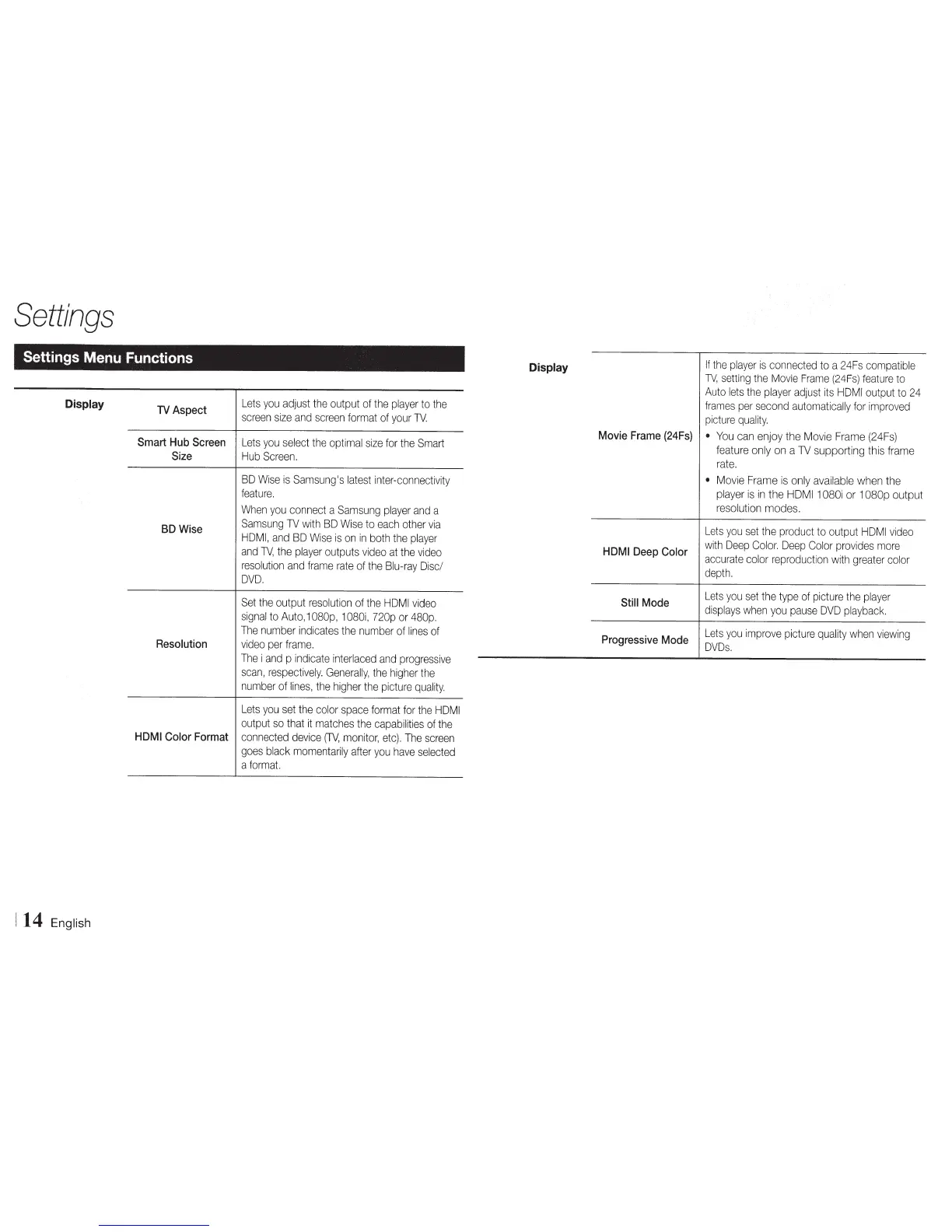
Settings
Settings Menu Functions
Display
14
English
TV
Aspect
Smart
Hub
Screen
Size
BD
Wise
Resolution
Lets
you
adjust
the
output
of
the
player
to
the
screen
size
and
screen
format
of
your
TV.
Lets
you
select
the
optimal
size
for
the
Smart
Hub
Screen.
BD
Wise
is
Samsung's
latest
inter-connectivity
feature.
When
you
connect
a
Samsung
player
and
a
Sam
sung
TV
with
BD
Wise
to
each
other
via
HDMI,
and
BD
Wise
is
on
in
both
the
player
and
TV,
the
player
outputs
video
at
the
video
resolution
and
frame
rate
of
the
Blu-ray
Disc/
DVD.
Set
the
output
resolution
of
the
HOM
I
video
signal
to
Auto,
1
080p,
1
080i,
720p
or
480p.
The
number
indicates
the
number
of
lines
of
video
per
frame.
The
i
and
p
indicate
interlaced
and
progressive
scan,
respectively.
Generally,
the
higher
the
number
of
lines,
the
higher
the
picture
quality.
Lets
you
set
the
color
space
format
for
the
HOM
I
output
so
that
it
matches
the
capabilities
of
the
HDMI
Color
Format
connected
device
(TV,
monitor,
etc).
The
screen
goes
black
momentarily
after
you
have
selected
a
format.
Display
Movie
Frame
(24Fs)
HDMI
Deep
Color
Still
Mode
Progressive
Mode
If
the
player
is
connected
to
a
24Fs
compatible
TV,
setting
the
Movie
Frame
(24Fs)
feature
to
Auto
lets
the
player
adjust
its
HDMI
output
to
24
frames
per
second
automatically
for
improved
picture
quality.
You
can
enjoy the
Movie
Frame
(24Fs)
feature
only
on
a
TV
supporting this
frame
rate.
Movie
Frame
is
only
available
when
the
player
is
in
the
HOM
I
1
080i
or
1
080p
output
resolution
modes.
Lets
you
set
the
product
to
output
HOM
I
video
with
Deep
Color.
Deep
Color
provides
more
accurate
color
reproduction
with
greater
color
depth.
Lets
you
set
the
type
of
picture
the
player
displays
when
you
pause
DVD
playback.
Lets
you
improve
picture
quality
when
viewing
DVDs.

Other manuals for Samsung BD-E5700

Related product manuals