EasyManua.ls Logo

Samsung BD-E5700 - Settings: Audio, Network, and System Configuration; Audio Output Configuration Options; Network Connection and Status Settings; System Settings and Features Management

Samsung BD-E5700
89 pages
Print Icon
To Next Page IconTo Next Page
To Previous Page IconTo Previous Page
Loading...
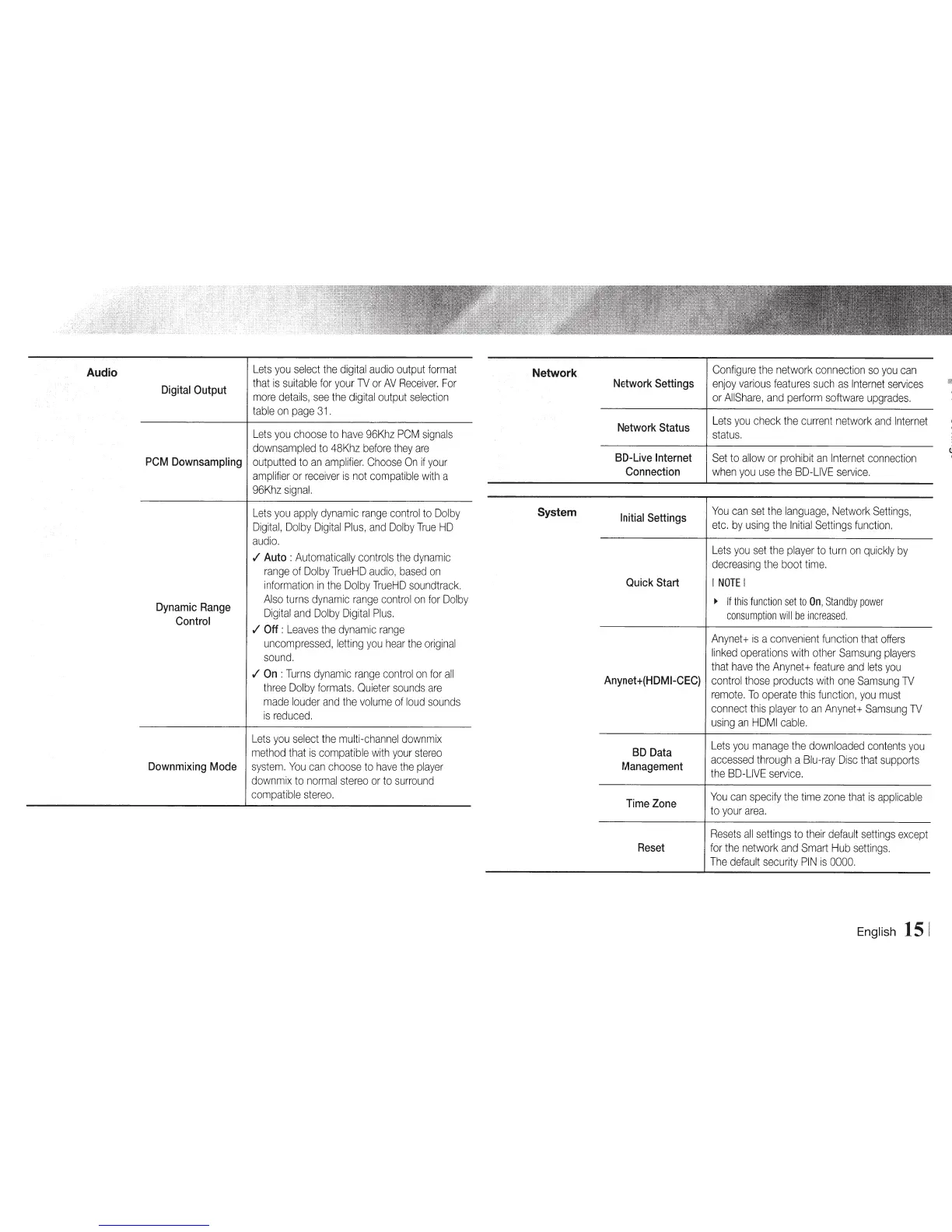
Audio
Digital
Output
Lets
you
select
the
digital
audio
output
format
that
is
suitable
for
your
1V
or
AV
Receiver.
For
more
details,
see
the
digital
output
selection
table
on
page
31
.
Lets
you
choose
to
have
96Khz
PCM
signals
down
sampled
to
48Khz
before
they
are
PCM
Downsampling
outputted
to
an
amplifier.
Choose
On
if
your
amplifier
or
receiver
is
not
compatible
with
a
96Khz
signal.
Dynamic
Range
Control
Lets
you
apply
dynamic
range
control
to
Dolby
Digital,
Dolby
Digital
Plus,
and
Dolby
True
HD
audio.
./
Auto
:
Automatically
controls
the
dynamic
range
of
Dolby
TrueHD
audio,
based
on
information
in
the
Dolby
TrueHD
soundtrack.
Also
turns
dynamic
range
control
on
for
Dolby
Digital
and
Dolby
Digital
Plus.
./
Off:
Leaves
the
dynamic
range
uncompressed,
letting
you
hear
the
original
sound.
./
On
:Turns
dynamic
range
control
on
for
all
three
Dolby
formats.
Quieter
sounds
are
made
louder
and
the
volume
of
loud
sounds
is
reduced.
Lets
you
select
the
multi-channel
downmix
method
that
is
compatible
with
your
stereo
Downmixing
Mode
system.
You
can
choose
to
have
the
player
down
mix
to
normal
stereo
or
to
surround
compatible
stereo.
Network
System
Configure
the
network
connection
so
you
can
Network
Settings
enjoy
various
features
such
as
Internet
services
or
AIIShare,
and
perform
software
upgrades.
Network
Status
BD-Live
Internet
Connection
Initial
Settings
Quick
Start
Anynet
+(HOM
1-CEC}
BD
Data
Management
Time
Zone
Lets
you
check
the
current
network
and
Internet
status.
Set
to
allow
or
prohibit
an
Internet
connection
when
you
use
the
BD-LIVE
service.
You
can
set
the
language,
Network
Settings,
etc.
by
using
the
Initial
Settings
function.
Lets
you
set
the
player
to
turn
on
quickly
by
decreasing
the
boot
time.
I
NOTE
I
~
If
this
function
set
to
On
,
Standby
power
consumption
will
be
increased
.
Anynet
+
is
a
convenient
function
that
offers
linked
operations
with
other
Samsung
players
that
have
the
Anynet
+
feature
and
lets
you
control
those
products
with
one
Samsung
1V
remote.
To
operate
this
function,
you
must
connect
this
player
to
an
Anynet
+
Samsung
1V
using
an
HDMI
cable.
Lets
you
manage
the
downloaded
contents
you
accessed
through
a
Blu-ray
Disc
that
supports
the
BD-LIVE
service.
You
can
specify
the
time
zone
that
is
applicable
to
your
area.
Resets
all
settings
to
their
default
settings
except
Reset
for
the
network
and
Smart
Hub
settings.
The
default
security
PIN
is
0000.
English
15
1

Other manuals for Samsung BD-E5700

Related product manuals