EasyManua.ls Logo

Samsung i85 - Starting play mode; Playing back a voice memo; LCD monitor Indicator

Samsung i85
130 pages
Print Icon
To Next Page IconTo Next Page
To Previous Page IconTo Previous Page
Loading...
065
Starting play mode
Starting play mode
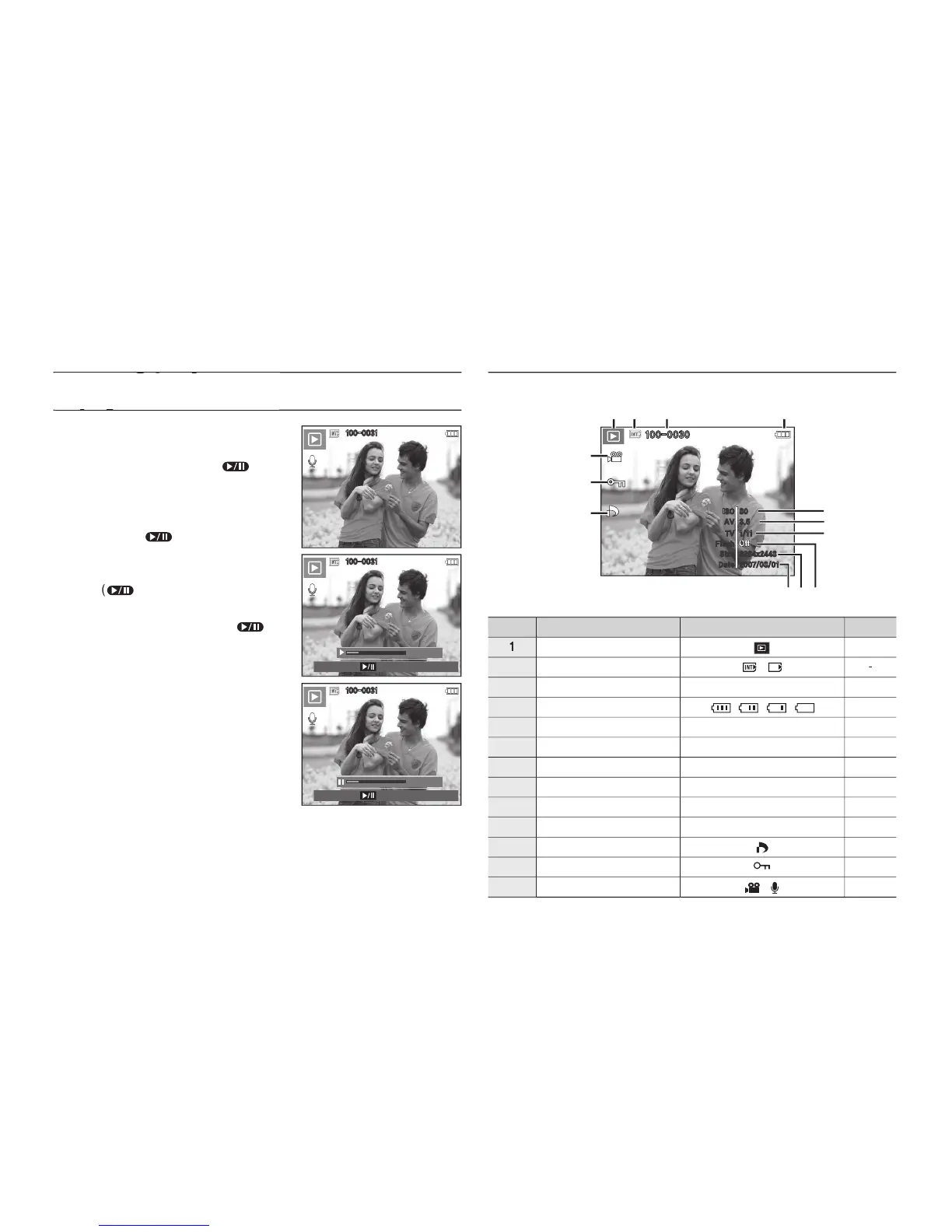
Playing back a voice memo
1.
Select a still image that has the voice
memo.
2.
Press the
Play & Pause
(
) button
to play back the voice memo.
To pause the voice memo, while
playing it back, press the
Play &
Pause
(
) button again.
To resume playback of the voice
memo, press the
Play & Pause
(
) button.
To stop playback of the voice memo,
press the
Play & Pause
(
)
button and then press the
MENU
/
OK
button.
LCD monitor Indicator
The LCD monitor displays shooting information about the displayed
image.
No.
Description
Icon
Page
1
Playback mode
p.62
2
Memory card indicator
/
-
3
Folder name & File name
100-0010
p.57
4
Battery
p.16
5
ISO
80 ~ 1600
p.38
6
Aperture value
F3.5 ~ F8.0
p.40
7
Shutter speed
16 ~ 1/2000
p.40
8
Flash
On/Off
p.31
9
Image size
3264x2448 ~ 256X192
p.36
10
Recording date
2007/08/01
p.57
11
DPOF
p.85
12
Protect
p.84
13
Movie Clip/Voice Memo
p.23/53
100-0031
100-0031
00:00:06
Pause
100-0031
00:00:06
Play
3264x2448
2007/08/01
1/11
Off
80
3.5
100-0030
Size
Date
TV
Flash
ISO
AV

Table of Contents

Other manuals for Samsung i85

Related product manuals