English-21
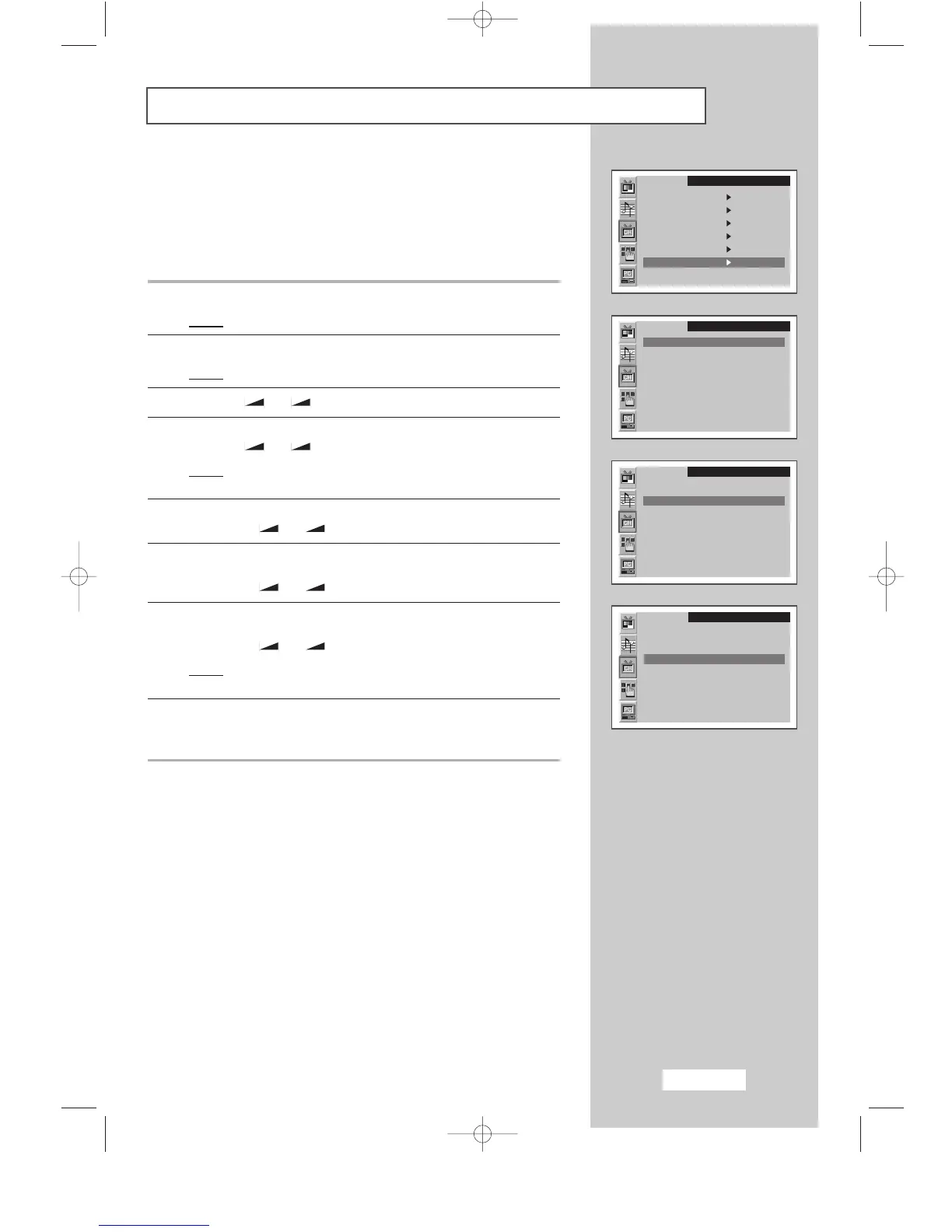
Sorting the Stored Channels
You can exchange the numbers of two channels, in order to:
◆
Modify the numeric order in which the channels have been
automatically stored.
◆
Give easily remembered numbers to the channels that you
watch most often.
1 Press the MENU button.
Result
:
The main menu is displayed.
2 Press the P▼ or P▲ button to select the Channel.
Result
:
The options available in the
Channel
group are displayed.
3 Press the
-
or + button
.
4 Press the P▼ or P▲ button to select the Channel sort
.
Press the
-
or + button.
Result
:
The options available in the
Channel sort
group are
displayed with the
From
is selected.
5 Select the channel number that you wish to change by
pressing the
-
or + button repeatedly.
6 Press the P▼ or P▲ button to select the To.
Select the new number by which you wish to identify the channel by
pressing the
-
or + button repeatedly.
7 Press the P▼ or P▲ button to select the Store.
Select the
OK to confirm the exchange of channel numbers by
pressing the
-
or + button.
Result
:
The selected channel is exchanged with the one
previously stored to the chosen number.
8 For all the channels to move to the required channel numbers,
repeat steps
5 to 7 after select the From by pressing the P▼ or P▲
button.
SLEEP DUAL I/II LIST/FLOF CANCEL
P.SIZE PIP
ON
TTX/MIX AUTO
PRE-CH
EXITMUTE
TV/VIDEO PC DISPLAY STILL
P.STD S.STD
Power
LOCATE
-/--
SIZE
SUBPAGE
SLEEP DUAL I/II LIST/FLOF CANCEL
P.SIZE PIP
ON
TTX/MIX AUTO
PRE-CH
EXITMUTE
TV/VIDEO PC DISPLAY STILL
P.STD S.STD
Power
LOCATE
-/--
SIZE
SUBPAGE
SLEEP DUAL I/II LIST/FLOF CANCEL
P.SIZE PIP
ON
TTX/MIX AUTO
PRE-CH
EXITMUTE
TV/VIDEO PC DISPLAY STILL
P.STD S.STD
Power
LOCATE
-/--
SIZE
SUBPAGE
SLEEP DUAL I/II LIST/FLOF CANCEL
P.SIZE PIP
ON
TTX/MIX AUTO
PRE-CH
EXITMUTE
TV/VIDEO PC DISPLAY STILL
P.STD S.STD
Power
LOCATE
-/--
SIZE
SUBPAGE
SLEEP DUAL I/II LIST/FLOF CANCEL
P.SIZE PIP
ON
TTX/MIX AUTO
PRE-CH
EXITMUTE
TV/VIDEO PC DISPLAY STILL
P.STD S.STD
Power
LOCATE
-/--
SIZE
SUBPAGE
SLEEP DUAL I/II LIST/FLOF CANCEL
P.SIZE PIP
ON
TTX/MIX AUTO
PRE-CH
EXITMUTE
TV/VIDEO PC DISPLAY STILL
P.STD S.STD
Power
LOCATE
-/--
SIZE
SUBPAGE
SLEEP DUAL I/II LIST/FLOF CANCEL
P.SIZE PIP
ON
TTX/MIX AUTO
PRE-CH
EXITMUTE
TV/VIDEO PC DISPLAY STILL
P.STD S.STD
Power
LOCATE
-/--
SIZE
SUBPAGE
SLEEP DUAL I/II LIST/FLOF CANCEL
P.SIZE PIP
ON
TTX/MIX AUTO
PRE-CH
EXITMUTE
TV/VIDEO PC DISPLAY STILL
P.STD S.STD
Power
LOCATE
-/--
SIZE
SUBPAGE
SLEEP DUAL I/II LIST/FLOF CANCEL
P.SIZE PIP
ON
TTX/MIX AUTO
PRE-CH
EXITMUTE
TV/VIDEO PC DISPLAY STILL
P.STD S.STD
Power
LOCATE
-/--
SIZE
SUBPAGE
SLEEP DUAL I/II LIST/FLOF CANCEL
P.SIZE PIP
ON
TTX/MIX AUTO
PRE-CH
EXITMUTE
TV/VIDEO PC DISPLAY STILL
P.STD S.STD
Power
LOCATE
-/--
SIZE
SUBPAGE
Channel
Auto store
Manual store
Name
Add/Erase
Fine tune
Channel sort
Channel
From P1 -----
To P--
Store ?
Channel
From P1 -----
To P3 -----
Store ?
Channel
From P3 -----
To P1 -----
Store OK
BN68-00438D-02_en 6/11/03 7:11 PM Page 21



 To Next Page