English-6
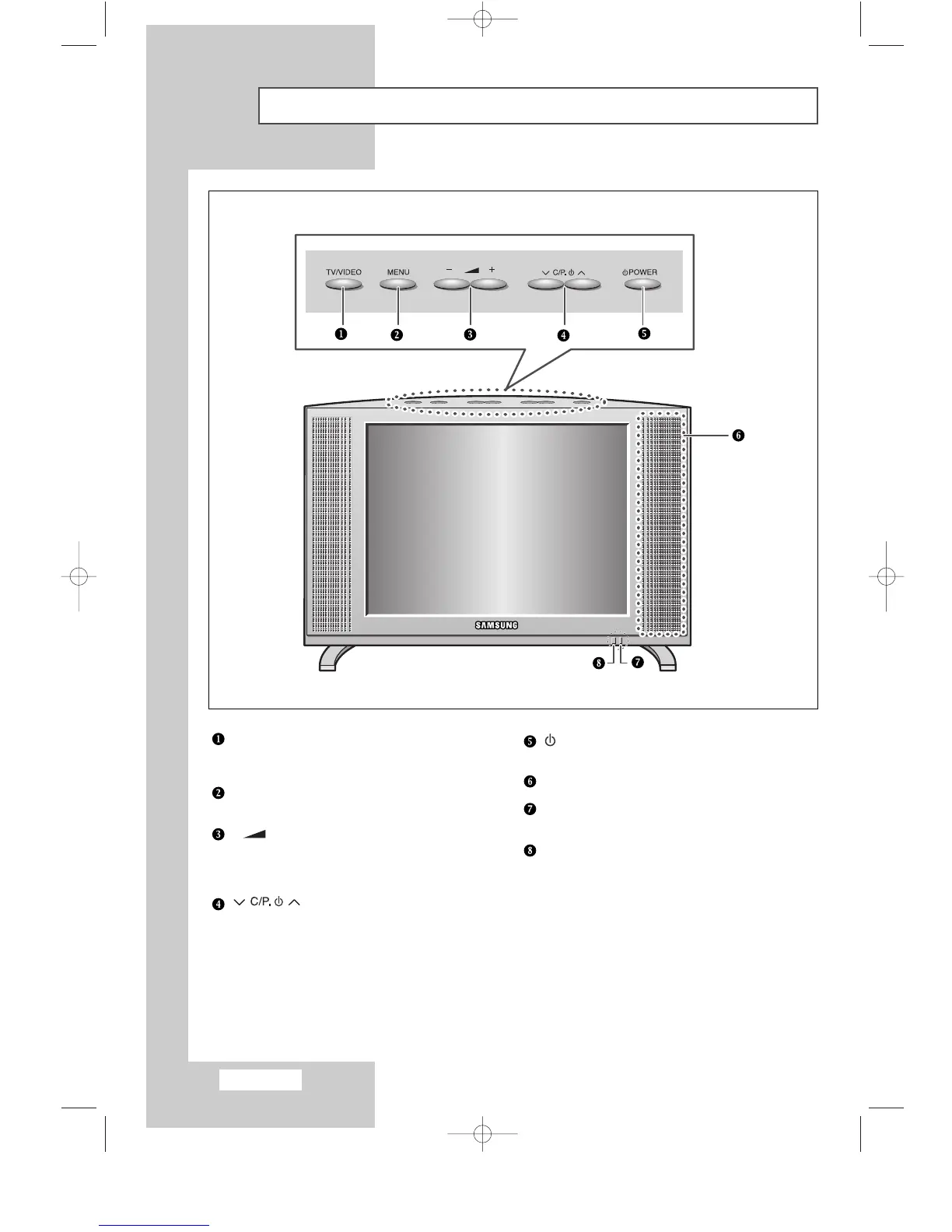
Viewing the Control Panel
TV/VIDEO
Displays a menu of all of the available input sources
(TV - Video1 - Video2 - S-Video - PC).
MENU
Opens the on-screen menu.
- +
Moves the selector left or right on the OSD.
Increases or decreases the level of audio
volume and the values of the selected function.
Moves the selector up or down on the OSD.
Increases or decreases the channel number.
POWER
Turns ON/OFF your set.
SPEAKER
Power Indicator
Lights up when you turn the power off.
REMOTE CONTROL SENSOR
BN68-00438D-02_en 6/11/03 7:11 PM Page 6



 To Next Page