English-31
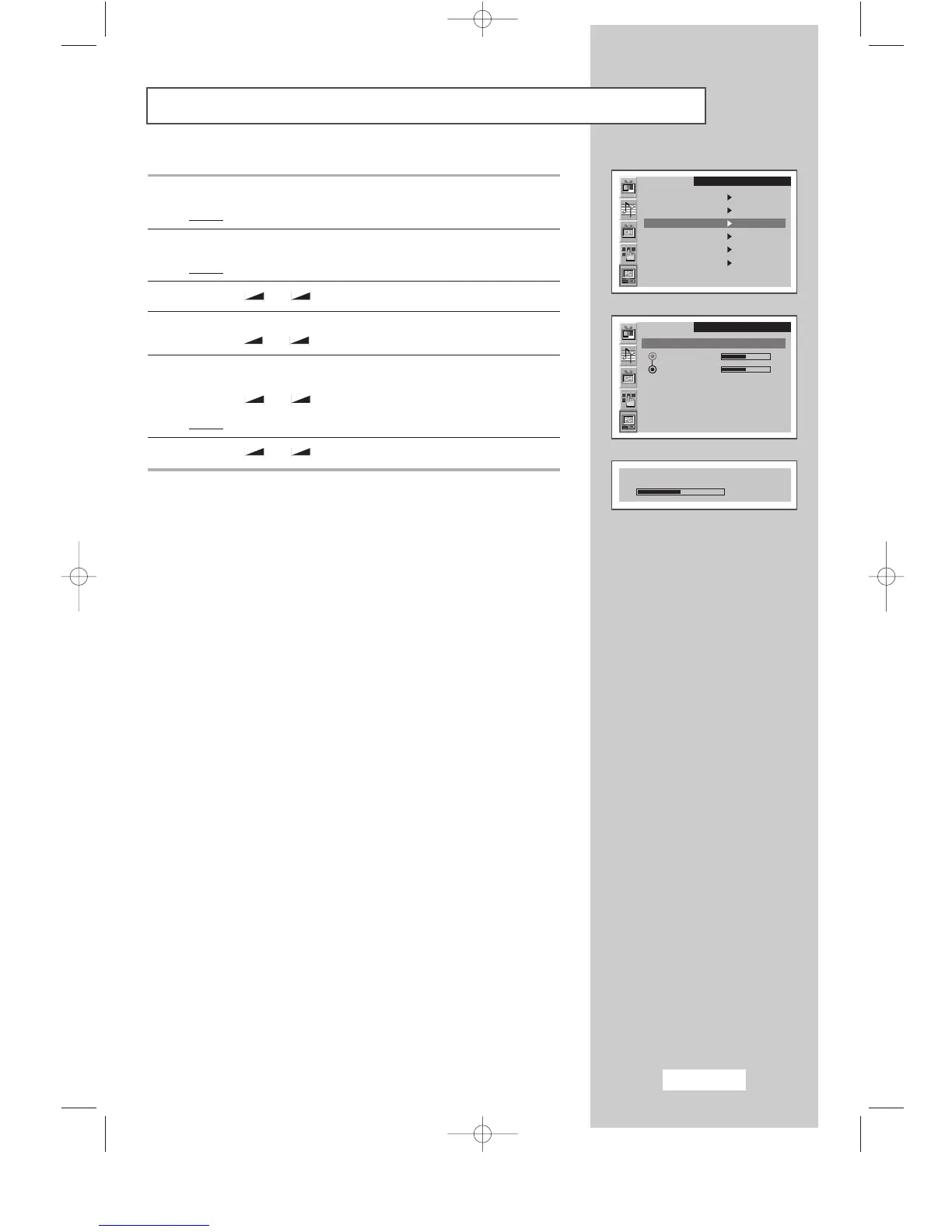
Changing the Image Position
1 Press the MENU button.
Result
:
The main menu is displayed.
2 Press the P▼ or P▲ button to select the PC.
Result
:
The options available in the
PC
group are displayed.
3 Press the
-
or + button.
4 Press the P▼ or P▲ button to select the Position..
Press the
-
or + button.
5 Select the position (H-Position or V-Position) to be adjusted by
pressing the
P▼ or P▲ button.
Press the
-
or + button.
Result
:
The horizontal bar is displayed.
6 Press the
-
or + button to reach the required setting.
SLEEP DUAL I/II LIST/FLOF CANCEL
P.SIZE PIP
ON
TTX/MIX AUTO
PRE-CH
EXITMUTE
TV/VIDEO PC DISPLAY STILL
P.STD S.STD
Power
LOCATE
-/--
SIZE
SUBPAGE
SLEEP DUAL I/II LIST/FLOF CANCEL
P.SIZE PIP
ON
TTX/MIX AUTO
PRE-CH
EXITMUTE
TV/VIDEO PC DISPLAY STILL
P.STD S.STD
Power
LOCATE
-/--
SIZE
SUBPAGE
SLEEP DUAL I/II LIST/FLOF CANCEL
P.SIZE PIP
ON
TTX/MIX AUTO
PRE-CH
EXITMUTE
TV/VIDEO PC DISPLAY STILL
P.STD S.STD
Power
LOCATE
-/--
SIZE
SUBPAGE
SLEEP DUAL I/II LIST/FLOF CANCEL
P.SIZE PIP
ON
TTX/MIX AUTO
PRE-CH
EXITMUTE
TV/VIDEO PC DISPLAY STILL
P.STD S.STD
Power
LOCATE
-/--
SIZE
SUBPAGE
SLEEP DUAL I/II LIST/FLOF CANCEL
P.SIZE PIP
ON
TTX/MIX AUTO
PRE-CH
EXITMUTE
TV/VIDEO PC DISPLAY STILL
P.STD S.STD
Power
LOCATE
-/--
SIZE
SUBPAGE
SLEEP DUAL I/II LIST/FLOF CANCEL
P.SIZE PIP
ON
TTX/MIX AUTO
PRE-CH
EXITMUTE
TV/VIDEO PC DISPLAY STILL
P.STD S.STD
Power
LOCATE
-/--
SIZE
SUBPAGE
SLEEP DUAL I/II LIST/FLOF CANCEL
P.SIZE PIP
ON
TTX/MIX AUTO
PRE-CH
EXITMUTE
TV/VIDEO PC DISPLAY STILL
P.STD S.STD
Power
LOCATE
-/--
SIZE
SUBPAGE
SLEEP DUAL I/II LIST/FLOF CANCEL
P.SIZE PIP
ON
TTX/MIX AUTO
PRE-CH
EXITMUTE
TV/VIDEO PC DISPLAY STILL
P.STD S.STD
Power
LOCATE
-/--
SIZE
SUBPAGE
➣
Preset to the PC mode by pressing the PC button.
PC
Image
Image lock
Position
Colour adjust
Recall
Auto adjustment
1024x768 48.2kHz 59.8Hz
PC
Position
H-Position
V-Position
H-Position
50
BN68-00438D-02_en 6/11/03 7:12 PM Page 31



 To Next Page