English-23
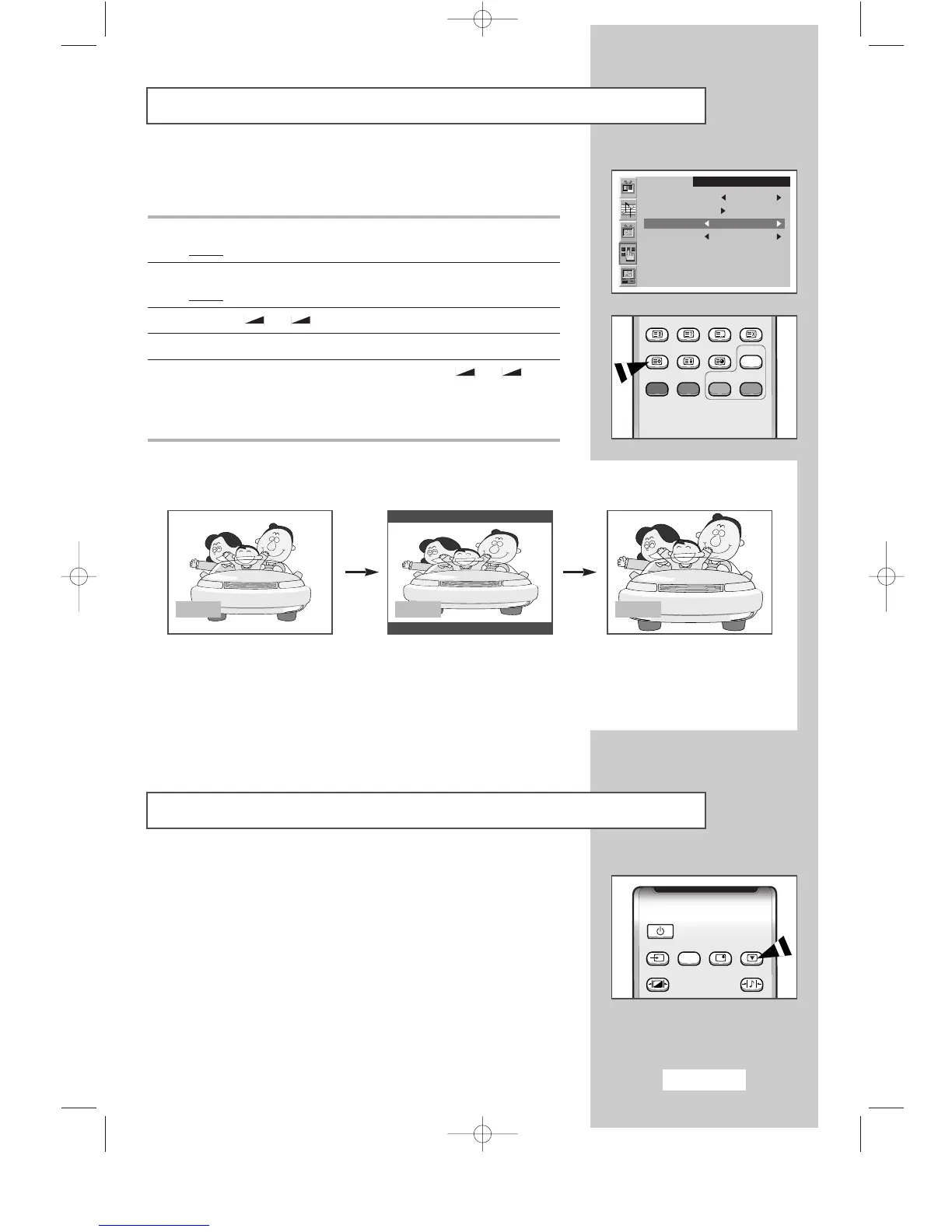
Selecting the Picture Format
You can select the picture format which best corresponds to your
viewing requirements.
1 Press the MENU button.
Result
:
The main menu is displayed.
2 Press the P▼ or P▲ button to select the Function.
Result
:
The options available in the
Function
group are displayed.
3 Press the
-
or + button.
4 Press the P▼ or P▲ button to select the Size.
5 Select the required picture format by pressing the
-
or +
button repeatedly.
➣
You can also select these options simply by pressing the
P.SIZE (Picture Size) button.
SLEEP DUAL I/II LIST/FLOF CANCEL
P.SIZE PIP
ON
TTX/MIX AUTO
PRE-CH
EXITMUTE
TV/VIDEO PC DISPLAY STILL
P.STD S.STD
Power
LOCATE
-/--
SIZE
SUBPAGE
SLEEP DUAL I/II LIST/FLOF CANCEL
P.SIZE PIP
ON
TTX/MIX AUTO
PRE-CH
EXITMUTE
TV/VIDEO PC DISPLAY STILL
P.STD S.STD
Power
LOCATE
-/--
SIZE
SUBPAGE
SLEEP DUAL I/II LIST/FLOF CANCEL
P.SIZE PIP
ON
TTX/MIX AUTO
PRE-CH
EXITMUTE
TV/VIDEO PC DISPLAY STILL
P.STD S.STD
Power
LOCATE
-/--
SIZE
SUBPAGE
SLEEP DUAL I/II LIST/FLOF CANCEL
P.SIZE PIP
ON
TTX/MIX AUTO
PRE-CH
EXITMUTE
TV/VIDEO PC DISPLAY STILL
P.STD S.STD
Power
LOCATE
-/--
SIZE
SUBPAGE
Freezing the Current Picture
Press the “STILL” button on the remote control to freeze the picture
on a given frame. To return to normal viewing, press the “STILL”
button again.
Function
Sleep timer Off
PIP
Size Normal
Language English
SLEEP DUAL I/II LIST/FLOF CANCEL
P.SIZE PIP
ON
TTX/MIX AUTO
PRE-CH
EXITMUTE
TV/VIDEO PC DISPLAY STILL
P.STD S.STD
Power
SLEEP DUAL I/II LIST/FLOF CANCEL
P.SIZE PIP
ON
TTX/MIX AUTO
PRE-CH
EXITMUTE
TV/VIDEO PC DISPLAY STILL
P.STD S.STD
Power
Wide
Wide
Sets the picture to 16:9 wide
mode.
Normal
Normal
Sets the picture to 4:3 normal
mode. This is a standard TV
screen size.
Zoom
Zoom
Magnifies the size of the
picture on screen.
➣
Not Available in PC mode.
BN68-00438D-02_en 6/11/03 7:11 PM Page 23



 To Next Page