English-30
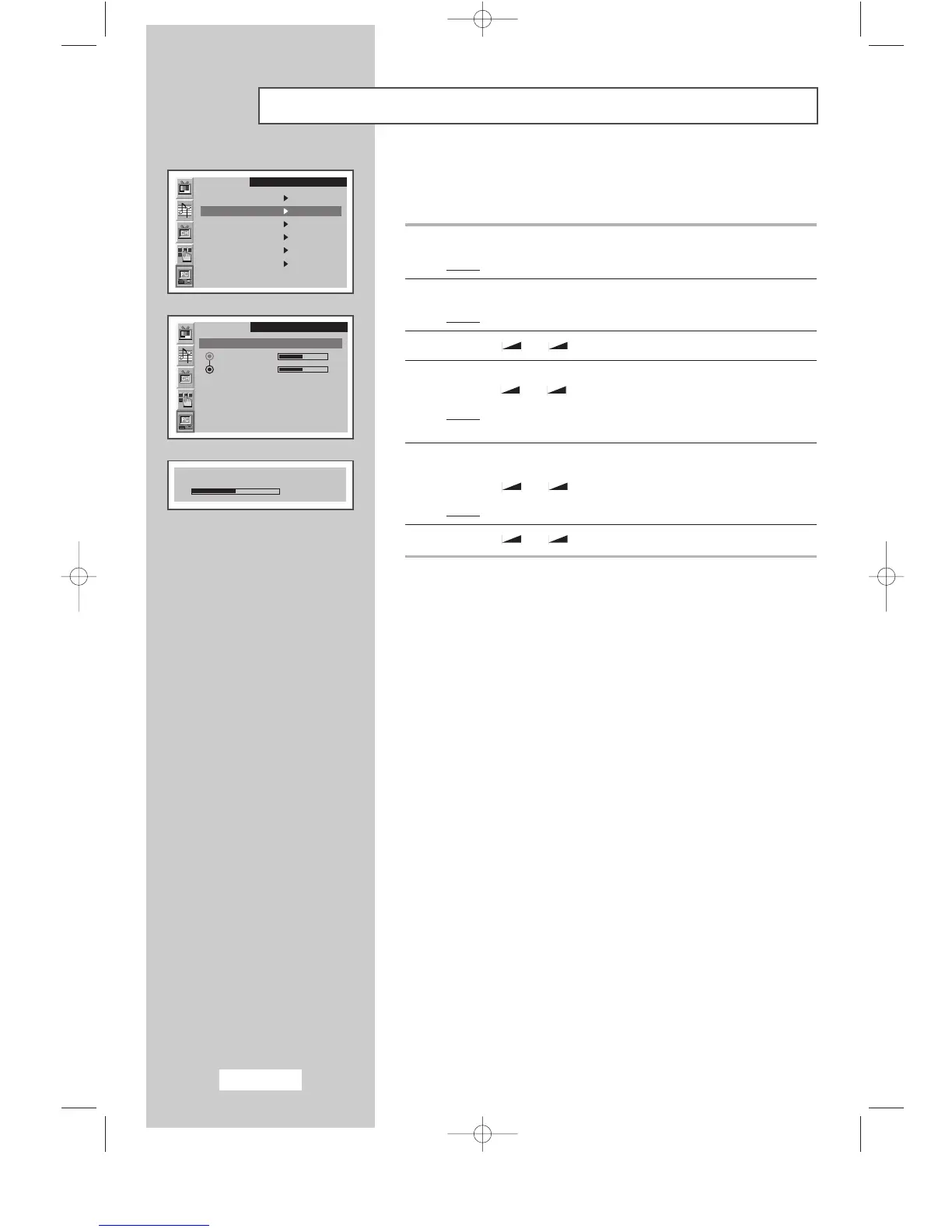
Adjusting the Image Quality
This feature is used to fine tune and get the best image by removing
noises that create unstable images with jitters and shimmers.
1 Press the MENU button.
Result
:
The main menu is displayed.
2 Press the P▼ or P▲ button to select the PC.
Result:
The options available in the
PC
group are displayed.
3 Press the
-
or + button.
4 Press the P▼ or P▲ button to select the Image Lock.
Press the
-
or + button.
Result
:
The options available in the
Image Lock
group are
displayed.
5 Select the option (Coarse or Fine) to be adjusted for the quality of
your computer image by pressing the
P▼ or P▲ button.
Press the
-
or + button.
Result
:
The horizontal bar is displayed.
6 Press the
-
or + button to reach the required setting.
➣
This feature may change the width of the image.
If necessary, adjust the position to center.
SLEEP DUAL I/II LIST/FLOF CANCEL
P.SIZE PIP
ON
TTX/MIX AUTO
PRE-CH
EXITMUTE
TV/VIDEO PC DISPLAY STILL
P.STD S.STD
Power
LOCATE
-/--
SIZE
SUBPAGE
SLEEP DUAL I/II LIST/FLOF CANCEL
P.SIZE PIP
ON
TTX/MIX AUTO
PRE-CH
EXITMUTE
TV/VIDEO PC DISPLAY STILL
P.STD S.STD
Power
LOCATE
-/--
SIZE
SUBPAGE
SLEEP DUAL I/II LIST/FLOF CANCEL
P.SIZE PIP
ON
TTX/MIX AUTO
PRE-CH
EXITMUTE
TV/VIDEO PC DISPLAY STILL
P.STD S.STD
Power
LOCATE
-/--
SIZE
SUBPAGE
SLEEP DUAL I/II LIST/FLOF CANCEL
P.SIZE PIP
ON
TTX/MIX AUTO
PRE-CH
EXITMUTE
TV/VIDEO PC DISPLAY STILL
P.STD S.STD
Power
LOCATE
-/--
SIZE
SUBPAGE
SLEEP DUAL I/II LIST/FLOF CANCEL
P.SIZE PIP
ON
TTX/MIX AUTO
PRE-CH
EXITMUTE
TV/VIDEO PC DISPLAY STILL
P.STD S.STD
Power
LOCATE
-/--
SIZE
SUBPAGE
SLEEP DUAL I/II LIST/FLOF CANCEL
P.SIZE PIP
ON
TTX/MIX AUTO
PRE-CH
EXITMUTE
TV/VIDEO PC DISPLAY STILL
P.STD S.STD
Power
LOCATE
-/--
SIZE
SUBPAGE
SLEEP DUAL I/II LIST/FLOF CANCEL
P.SIZE PIP
ON
TTX/MIX AUTO
PRE-CH
EXITMUTE
TV/VIDEO PC DISPLAY STILL
P.STD S.STD
Power
LOCATE
-/--
SIZE
SUBPAGE
SLEEP DUAL I/II LIST/FLOF CANCEL
P.SIZE PIP
ON
TTX/MIX AUTO
PRE-CH
EXITMUTE
TV/VIDEO PC DISPLAY STILL
P.STD S.STD
Power
LOCATE
-/--
SIZE
SUBPAGE
➣
Preset to the PC mode by pressing the PC button.
PC
Image
Image lock
Position
Colour adjust
Recall
Auto adjustment
1024x768 48.2kHz 59.8Hz
PC
Image lock
Coarse
Fine
Coarse
1344
BN68-00438D-02_en 6/11/03 7:12 PM Page 30



 To Next Page