Section 12
144 Date Book
䊳 Check off completed To Do List items in the Agenda view,
or click on a description of an item to go directly into the
To Do List application.
䊳 You can change the category of To Do items shown. Tap
on the pick list and select the new category. See the chapter
on “Using the To Do List” for more information on To Do
items.
Scheduling Repeating Events
The repeat function allows you to schedule recurring events
using a single entry. Repeating events could be birthdays,
anniversaries, or a weekly meeting. These events can be
scheduled daily, weekly, monthly, or yearly according to the
frequency of the event.
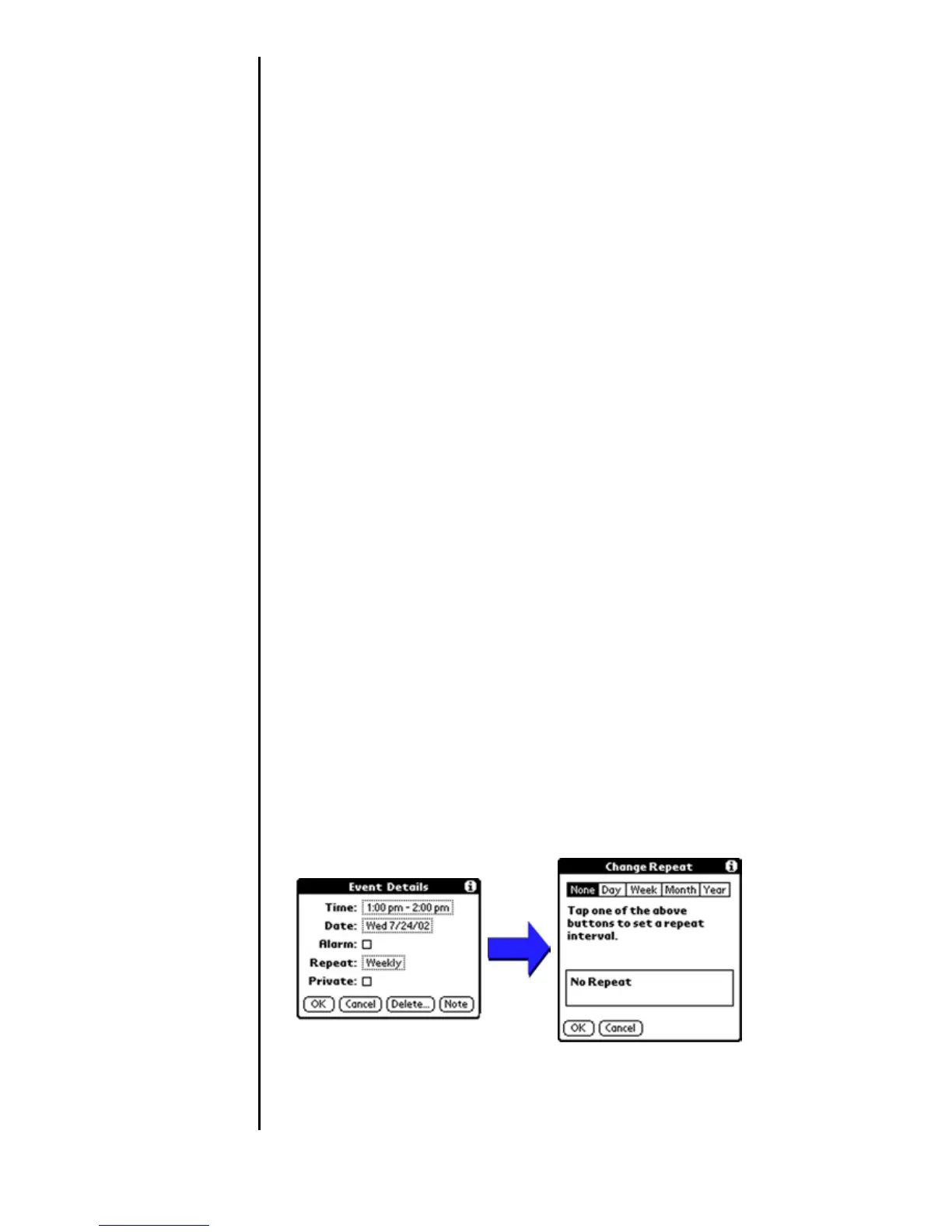
Scheduling A Repeating Event
1. Tap the desired event (Be sure to tap the event and not the
time next to the event.).
Note: You must have an event before it can be repeated.
2. Tap the “Details” button.
3. Tap the “Repeat” box to open the “Change Repeat”
dialog box.
4. Tap the desired day, week, month, or year box, and enter
the repeat information date information.
5. Tap “OK” to exit.












 To Next Page