Section 13
158 Managing Mail
Adding Details to E-mail Messages
Before you send an e-mail item, you can attach additional
information to the message if your desktop e-mail application
supports this feature. For example, you can specify the
message priority, create a blind courtesy copy, add a signature,
or confirm that the message was delivered or read. Your phone
cannot attach e-mail details or attributes that your desktop e-
mail application does not support.
Adding Details
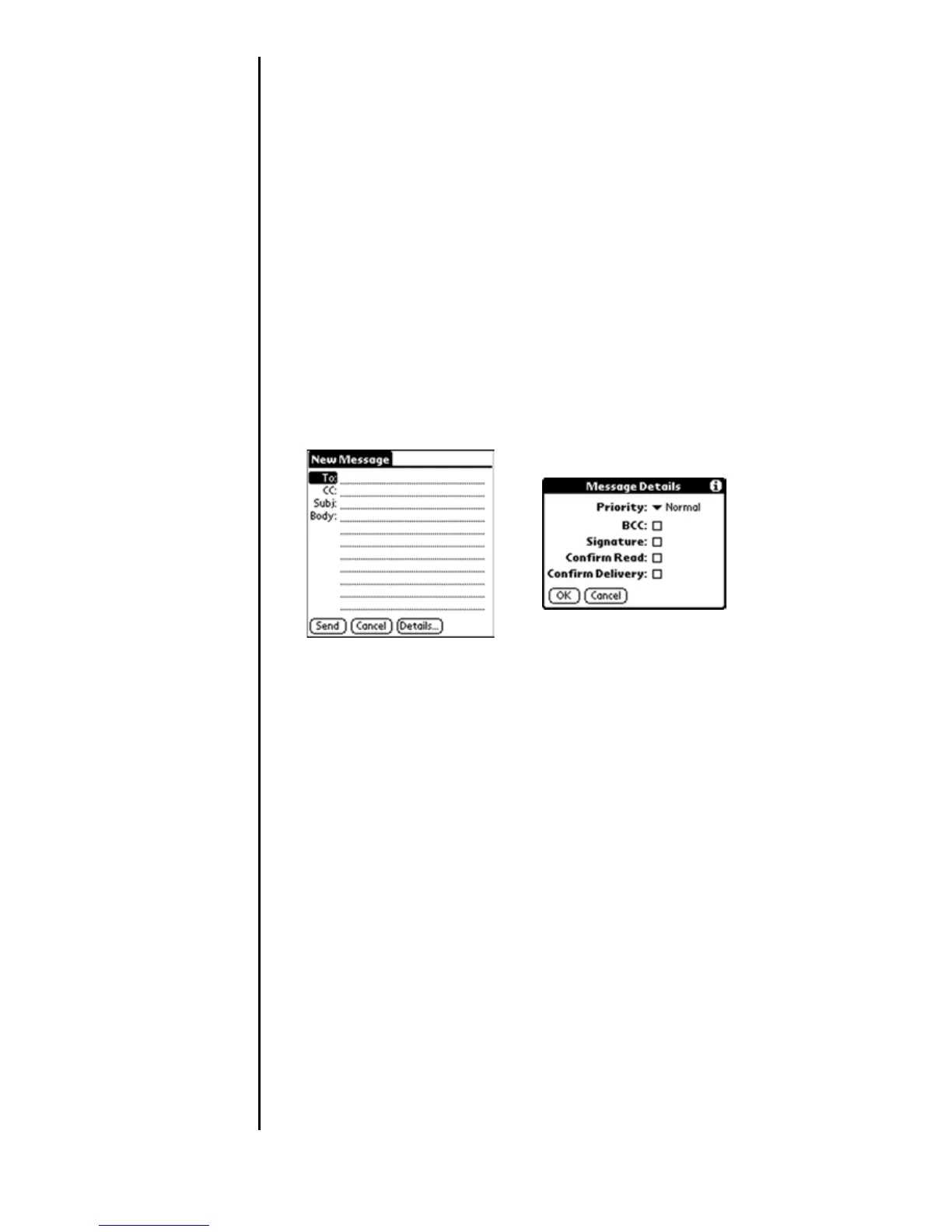
1. From the New Messages screen, tap “Details”.
2. Choose from the following options:
䊳 Priority - Select the type of delivery service using the drop
down menu. The choices are High, Normal, or Low
priority. This setting is required for each e-mail.
䊳 BCC - This option creates a blind carbon copy of the
message. The recipient listed in the “To” field does not
receive a notification that any other recipients received the
message.
䊳 Signature - Attaches a signature to all newly created files.
The signature is only visible to the recipient, and does not
appear in your message.
䊳 Confirm Read - Requests a confirmation that the
message was read by the recipient.
䊳 Confirm Delivery - Requests a confirmation that the
message was delivered to the recipient.
3. Tap “OK”.












 To Next Page