154
4
If the Rip CD window appears, click Yes.
5
Ripping a CD begins by showing rotating CD icon
on the right side that indicates ripping a CD is in
progress. When ripping is complete, the ripping CD
complete message appears.
Note
The ripped tracks are displayed in the Music >
Music Library of Media Center and in the
Library of
Windows Media Player. The ripped tracks are copied
to Start > Music of the Desktop as album files.
To change the folder to save the ripped tracks to,
launch Windows Media Player and right-click over
the top taskbar and select More Options > Rip
Music > Rip music to this location from the pop-
up menu.
Playing Ripped Tracks
1
Launch Media Center, and select Music.
2
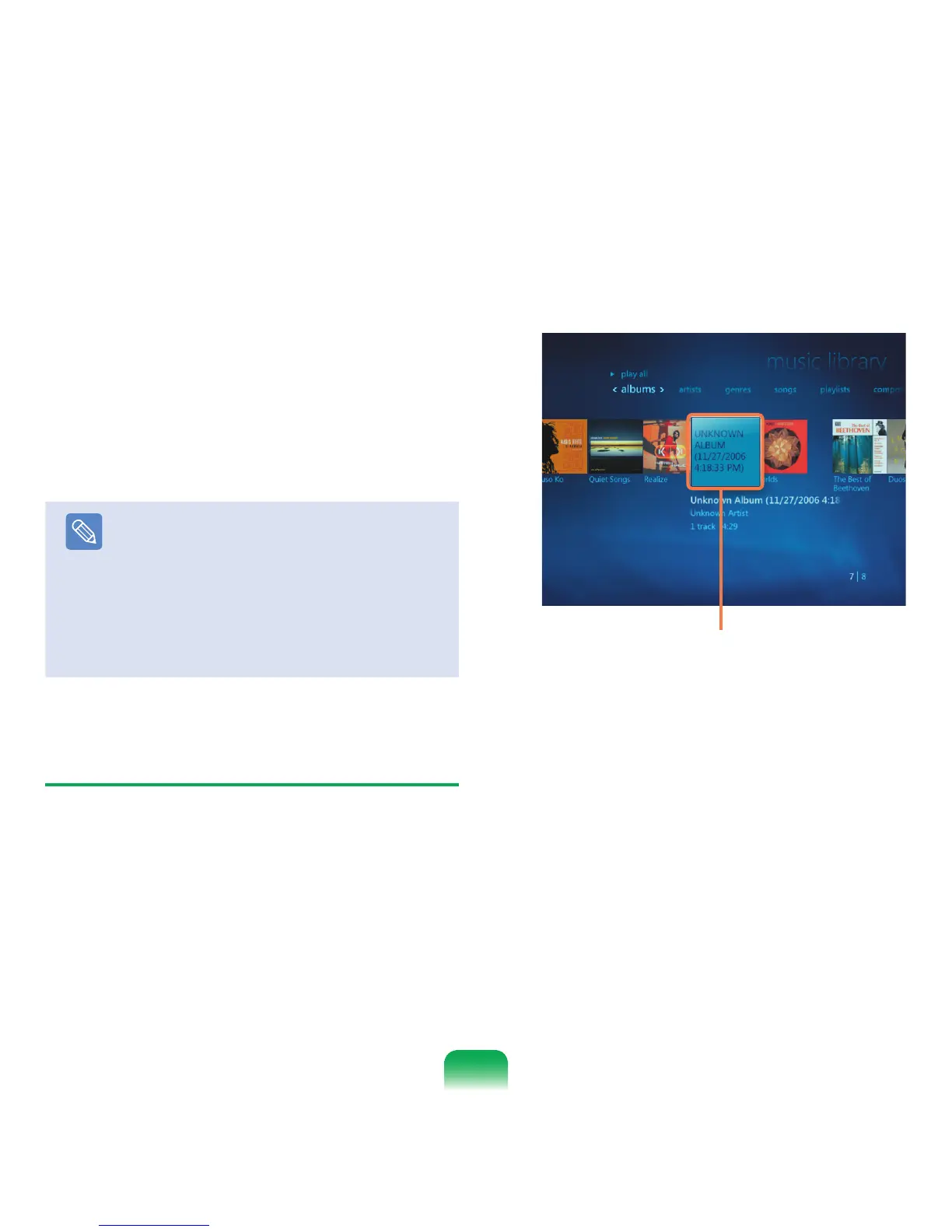
If you select Music Library, the album list appears
including the ripped album.
3
Select an album to be played and click Play Album
in the left pane.
4
The album is played.
Ripped music albums


 To Next Page