89
1
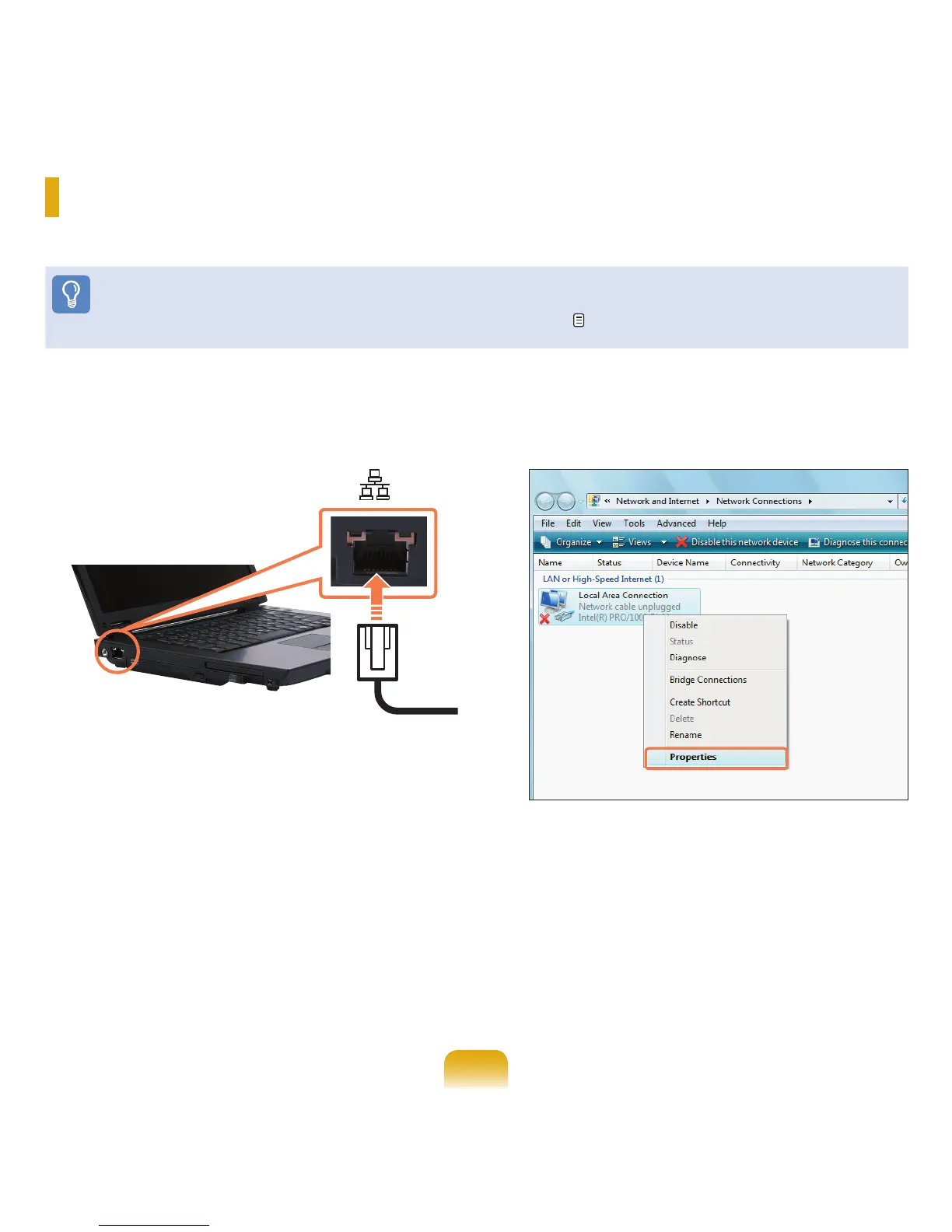
Connect a LAN cable to the computer’s LAN port.
2
Click Start > Control Panel > Network and Internet
> Network and Sharing Center.
3
Click Manage Network Connections from the left
pane.
4
Right-click over the Local Area Connection and
select Properties.
Wired Network
A wired network is a network environment used for a company network or broadband internet connection at home.
Before You Start!
You can also configure the network settings using the Easy Network Manager. p. 94



 To Next Page