58
Adjusting the Volume using the Keyboard
Press the Fn + ( ) key combination or Fn + ( ) key
combination to adjust the volume.
Press the Fn + ( ) key combination to turn the volume
on or off.
Adjusting the Volume using the Volume
Adjustment Program
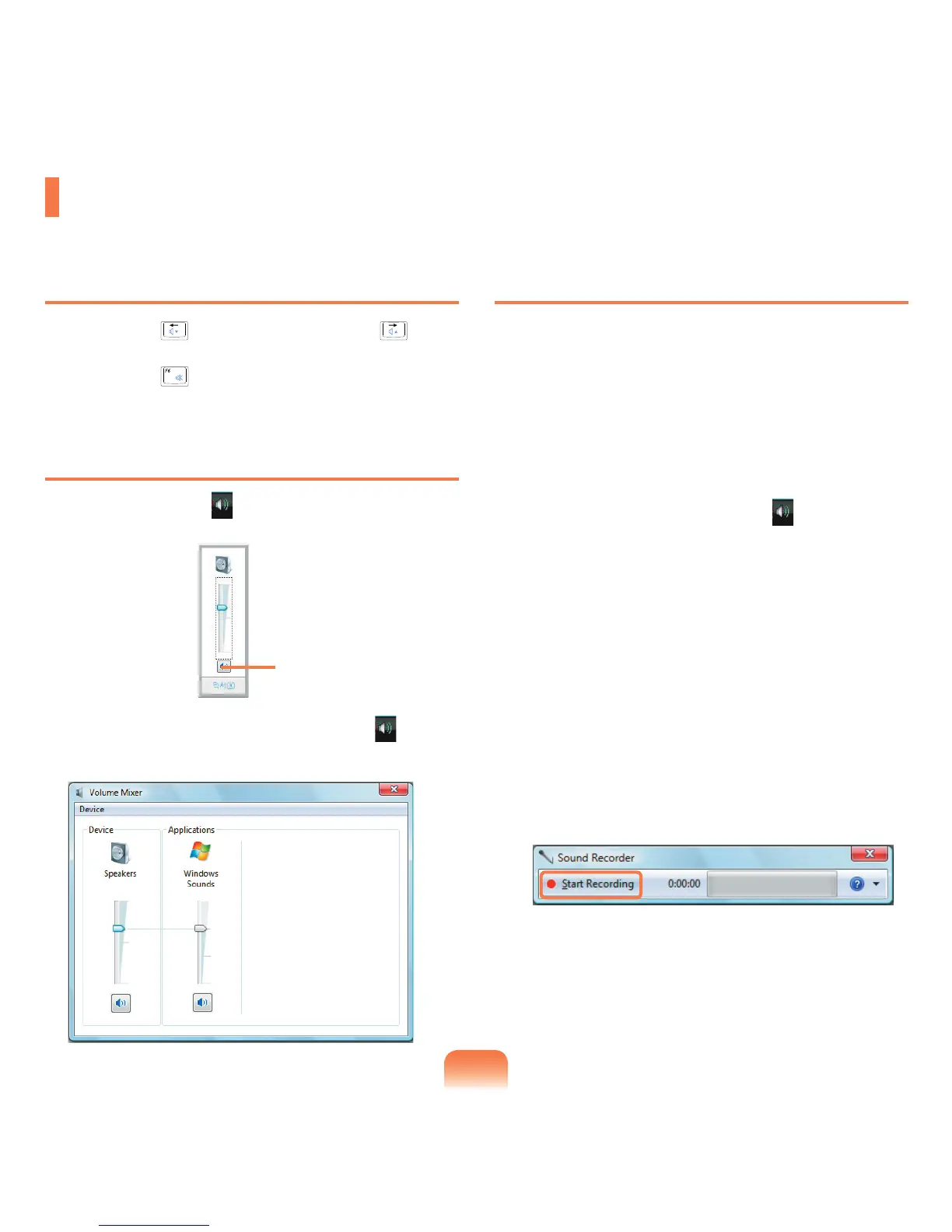
Click the Volume icon ( ) on the taskbar and slide the
volume control bar to adjust the volume.
Alternatively, right-click over the Volume
icon ( ) and
select Open Volume Mixer to adjust the volume.
Using the Sound Recorder
The procedures to record sound using the Windows
Recorder are described below.
1
Connect a microphone to the microphone jack.
2
Right-click over the Volume icon ( ) on the taskbar
and select Recording Device.
3
Check if the microphone is set as the default
recording device.
If this is the case, it is already set as the default
device. If not, right-click over the microphone and
select Set default.
4
Click Start > All Programs > Accessories > Sound
Recorder and click Start recording to start a
recording.
Adjusting the Volume
You can adjust the volume using the keyboard and the volume control program.
Mute



 To Next Page