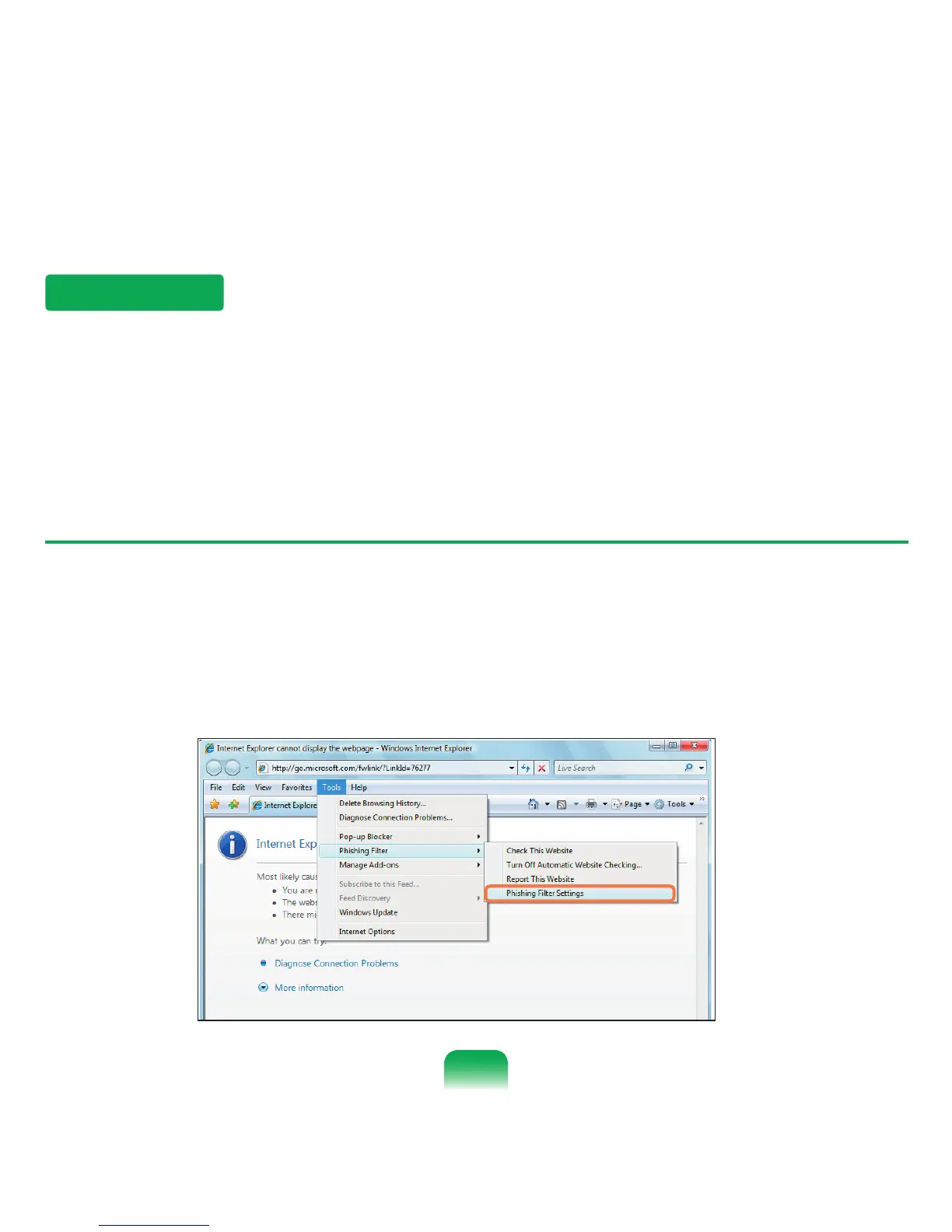
Phishing Filter Settings
1
Launch Internet Explorer.
2
Select Tools from the menu and click Phishing Filter > Phishing Filter Settings.
Phishing Filter
Phishing is a method used by hackers to illegally collect personal information such as credit card numbers, passwords,
other account numbers, etc. through emails or websites.
The Phishing Filter protects users from these phishing attempts.
If the current page is judged to be a suspicious website, the Phishing Filter displays a warning message with an alarm
when the Phishing Filter is enabled. In addition, if a page that the user is currently trying to open is registered as a known
Phishing website list, it displays a warning page instead.
83



 To Next Page