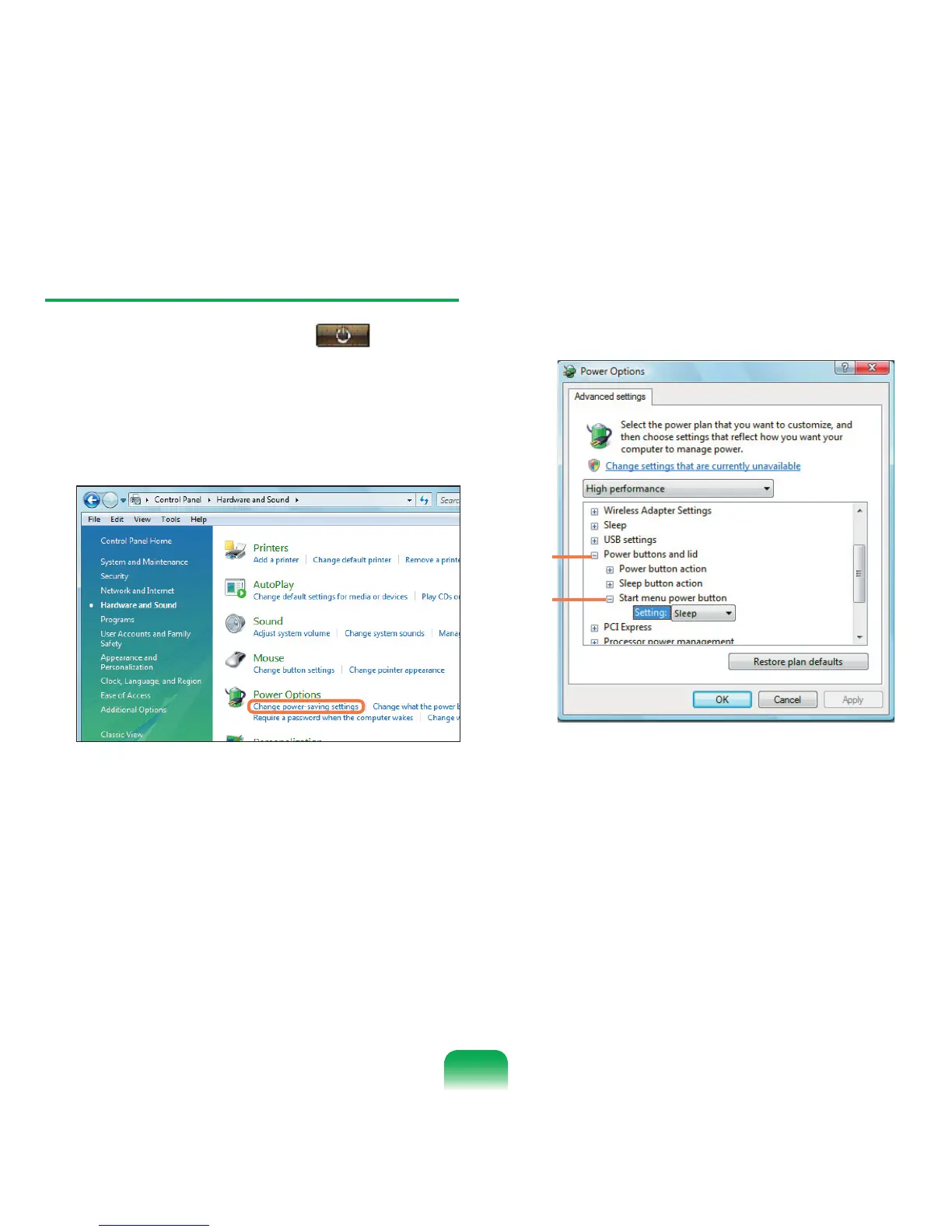
Configuring the Start Menu Power Button
The Power button on the Start menu ( ) performs
various operations depending on the settings.
1
Click Start > Control Panel > Hardware and
Sound > Power Options and then Change Battery
Settings.
2
Click on Change Plan Settings in the currently
selected power setting.
3
Click on Change Advanced Power Settings and
open Start Menu Power Button in the Power
Buttons and Lid item.
1
2
81



 To Next Page