31
GB
● PLAYBACK
Audio Language Selection Function
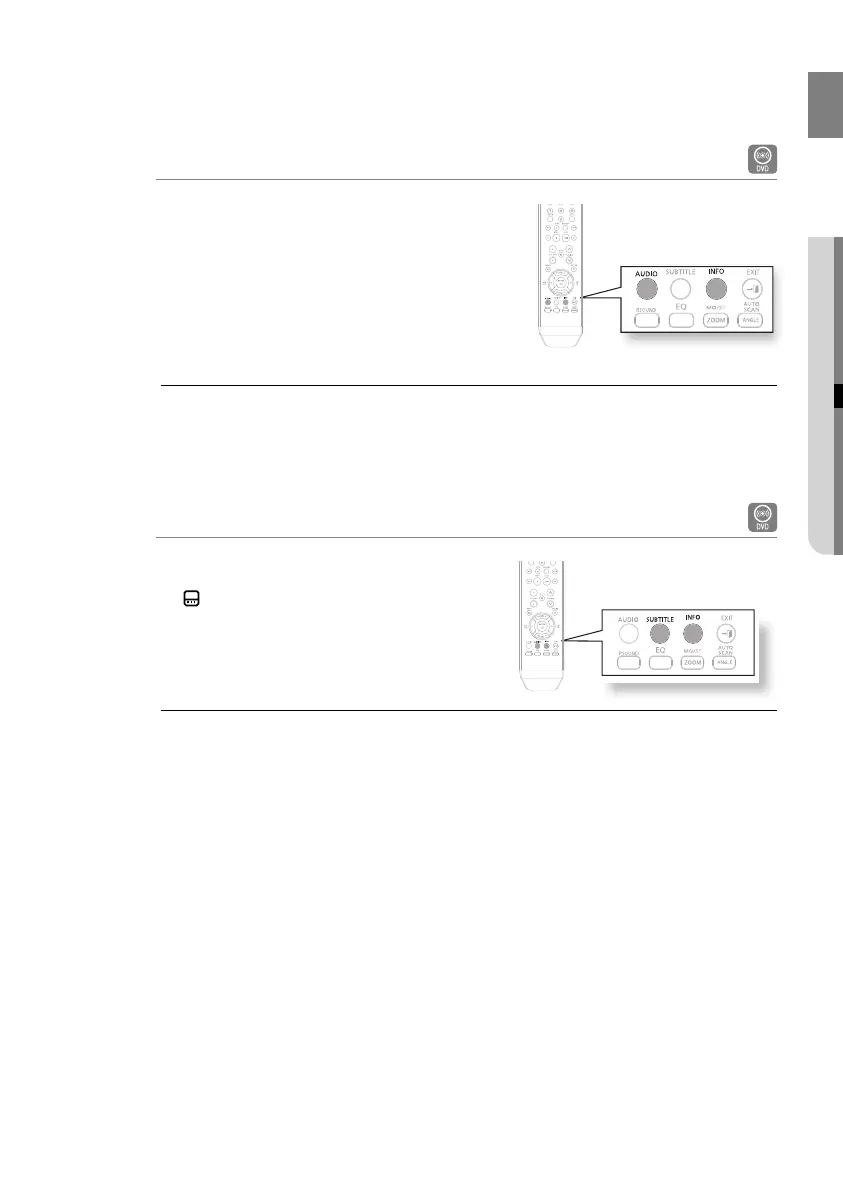
Press the INFO button.
Press the Cursor
π or †
button to select the desired
audio language.
Depending on the number of languages on a DVD
disc, a different audio language (ENGLISH,
SPANISH, FRENCH, etc.) is selected each time the
button is pressed.
To operate this function, you can also press the AUDIO buttons on the remote control.
Depending on the disc, the Audio Language functions may not be available.
1.
2.
•
M
Subtitle Language Selection Function
Press the INFO button.
Press the Cursor
π or †
button to move to SUBTITLE
(
) display.
Press the Cursor
√ or ®
button or ENTER button to
select the desired subtitle.
To operate this function, you can also press the SUBTITLE buttons on the remote
control.
Depending on the disc, the Subtitle Language functions may not be available.
1.
2.
3.
M
02107H-RTSE10-XME.indd 3102107H-RTSE10-XME.indd 31 6/20/08 11:05:05 AM6/20/08 11:05:05 AM






 To Next Page