This document is a user's manual for the Samsung-T Protocol, specifically for a Speed Dome Camera manufactured by Samsung Techwin Co., Ltd., Security Solution Division. The manual, identified as Revision 1.80E and dated July 2011, outlines the proprietary intellectual property of Samsung Techwin S-Protocol, emphasizing copyright protection and the need for permission for reproduction or translation. It also notes that product performance, design, and specifications may change without prior notice, and Samsung Techwin is not liable for any damages resulting from product use. Users are responsible for using the product and manual as Samsung Techwin exercises no control over its use.
The manual begins with a preface and a document revision information table, detailing updates from February 2009 (Ver 1.10) to July 2011 (Ver 1.80E). These revisions include updates to the document format, English version publication, additions of PTZ Trace stop, Target Lock on, and Track protocol, corrections to errors and Tilt Ranges, and the addition of Digital Zoom calculation. Later revisions include changes to notation errors, the introduction of the 'Samsung-T' protocol name, and the addition of parameters for specific camera models like SCP-2120/3120, SCU-2370, SCP-2370/2330/2270/3370 series, and new commands such as "Call PTZ Position" and "New Protocol."
The table of contents outlines the manual's structure, starting with Protocol Frame Structure, followed by detailed Command descriptions, Protocol Samples, and an Appendix.
Protocol Frame Structure
The communication protocol is based on RS-485/RS-422 Asynchronous Communication, operating in Simplex/Half duplex mode.
- Start bit: 1 bit
- Data bit: 8 bits
- Parity bit: None
- Stop bit: 1 bit
- Baud rate: 9600 bps
Communication Timing Chart
The manual provides timing charts for Pan/Tilt operations and other commands. For Pan/Tilt operations, the recommended minimum period for control signal communications is 70ms. Sending commands faster than this may lead to protocol loss or extended camera response times. Preset commands only send a response upon execution completion, which can take 16-40ms.
For other commands, responses are also sent at the end of their execution, with response times potentially taking up to 7 seconds.
The command packet format consists of 11 bytes:
- Byte1 (STX): Start of Text (A0h)
- Byte2 (Cam ID): Dome ID (01h~FFh)
- Byte3 (Host ID): Host Controller ID (default:00h)
- Byte4 (Cmd1): Command 1
- Byte5 (Cmd2): Command 2
- Byte6 (Data1): Data 1
- Byte7 (Data2): Data 2
- Byte8 (Data3): Data 3
- Byte9 (Data4): Data 4
- Byte10 (ETX): End of Text (AFh)
- Byte11 (Checksum): Calculated as the logical NOT of the sum of Byte2 to Byte9, modulo 256 (~((Byte 2 +......+ Byte 9) & FFh)).
The return packet format is similar, with Byte8 containing an "Error" byte. Error bit codes are provided, indicating issues such as Camera Module Failure (bit5), Pan/Tilt Failure (bit4), RAM or EEPROM Error (bit3), and Unsuitable Data (bit0).
Command Descriptions
The manual details various commands for controlling the speed dome camera.
Pan/Tilt/Zoom/Focus/Brightness
These commands are located in Bytes 4 to 9 of the command packet.
- Direction1 (Cmd1): Controls Brightness (Brighter/Darker) and Focus (Focus Near/Focus Far).
- Direction2 (Cmd2): Controls Zoom (Zoom Wide/Zoom Tele), Tilt (Tilt Down/Tilt Up), and Pan (Pan Left/Pan Right). Bit0 of Direction2 must always be '0'.
- Data1 (Pan Speed): 00h~3Fh
- Data2 (Tilt Speed): 00h~3Fh
- Data3 (Zoom Speed/Focus Speed): Zoom: 01h~08h, Focus: 10h~80h.
- Data4 (XXh): Not specified in the table, but typically 00h for these commands.
Important Note: Zoom and Focus commands cannot be transmitted simultaneously. The support for Zoom/Focus Speed functions may vary by product.
- OSD Menu On: Cmd1=00h, Cmd2=B1h, Data1-4=00h.
- OSD Menu Off: Cmd1=00h, Cmd2=B1h, Data1=01h, Data2-4=00h.
- Menu Enter: Cmd1=01h, Cmd2=00h, Data1=06h, Data2-4=00h.
- Menu Cancel (Esc): Cmd1=02h, Cmd2=00h, Data1=07h, Data2-4=00h.
- The Focus command may activate automatically in Normal (non-OSD Menu) mode.
Preset Control
- Set Preset (Saves preset commands): Cmd1=00h, Cmd2=03h, Data1=P1 (Preset Number 0~FEh), Data2-4=00h.
- Clear Preset (Deletes preset commands): Cmd1=00h, Cmd2=05h, Data1=P1 (Preset Number 0~FEh), Data2-4=00h.
- Goto Preset (Call saved preset commands): Cmd1=00h, Cmd2=07h, Data1=P1 (Preset Number 0~FEh), Data2-4=00h.
- SPD-3300/3000/1000 models support presets from 0 to 7Fh.
Product Initialization
- Pan/Tilt Position Initialization: Cmd1=00h, Cmd2=0Dh, Data1-4=00h.
- Zoom Module Motor Position Initialization: Cmd1=00h, Cmd2=0Fh, Data1-4=00h.
Swing
- Set Swing Speed & Time: Cmd1=00h, Cmd2=13h.
- P1 (Data1): 00h=Pan Swing, 01h=Tilt Swing, 02h=Pan/Tilt Swing.
- P2 (Data2): 00h~40h (Swing Speed).
- P3h (Data3): 00h~7Fh (Swing Dwell Time, 0~127sec).
- Set Swing: Cmd1=00h, Cmd2=19h.
- P1 (Data1): 00h=Pan Swing, 01h=Tilt Swing, 02h=Pan/Tilt Swing.
- P2 (Data2): 00h~FEh (First preset position).
- P3h (Data3): 00h~FEh (Second preset position).
- Run Swing: Cmd1=00h, Cmd2=1Bh.
- P1 (Data1): 00h=Pan Swing, 01h=Tilt Swing, 02h=Pan/Tilt Swing.
Sequence Command
- Run Group: Cmd1=00h, Cmd2=21h.
- P1 (Data1): 00h~05h (Group number).
- Run Tour: Cmd1=00h, Cmd2=25h, Data1-4=00h.
- Clear Tour & Group: Cmd1=00h, Cmd2=2Bh.
- P1 (Data1): 00h=Clear Tour data, 01h=Clear Group data.
- P2 (Data2): If P1=00h, P2=00h (Tour number) or F1h (Clear all Tour). If P1=01h, P2=00h~05h (Group number) or F1h (Clear all Group).
PTZ Trace
- Set PTZ Trace: Cmd1=00h, Cmd2=71h.
- P1 (Data1): 00h=Memory start, 01h=RePlay start, 02h=Delete.
- P2 (Data2): Pattern No. (0~3).
- Stop PTZ Trace: Cmd1=00h, Cmd2=73h, Data1-4=00h.
- Can be stopped by the 'Enter' command.
Set Pan/Tilt Position Move 1 (Relative Movement)
- Send: Cmd1=00h, Cmd2=3Bh.
- P1 (Data1): 00h=Pan, 01h=Tilt.
- P2 (Data2): 00h=Right (or Down), 01h=Left (or Up).
- P3P4 (Data3, Data4): Relative Movement Value (Resolution: 0.1deg). P3 is High Byte, P4 is Low Byte.
- Note on Tilt: Upward movement decreases the angle, downward movement increases it.
Set Pan/Tilt Position Move 2 (Relative Movement)
- Send: Cmd1=00h, Cmd2=3Dh.
- P1 (Data1): 00h=Pan, 01h=Tilt.
- P2 (Data2): 00h=Right (or Down), 01h=Left (or Up).
- P3P4 (Data3, Data4): Relative Movement Value (Pulse). P3 is Low Byte, P4 is High Byte.
- Note on Tilt: Upward movement decreases the angle, downward movement increases it.
Camera Position Range per Model (Note):
- SPD-2300/3000/3300: Pan Range: 0~64000, Tilt Range: 794~34556
- SPD-1000: Pan Range: 0~16851, Tilt Range: 0~7662
- SPD-3700/3750/3350, SCP-2370/2330/2270/3370: Pan Range: 0~44799, Tilt Range: 0~23672
- SCP-2120/3120: Pan Range: 0~38399, Tilt Range: 0~16887
- SCU-2370/VAC/9051: Pan Range: 0~17999 (0~360°) => Position50, Tilt Range: 0~2000 (0~40°), 61286~65535 (-85°~-0°) => Position50
Special Command (E0h)
These commands are developed in response to specific industrial requests. The packet format for these commands uses Cmd1=E0h and a Data Size byte.
Call PT Position
- Send: Cmd1=E0h, Cmd2=01h, Data1-4=00h.
- Return: P1P2 (Pan Position: P1=High Byte, P2=Low Byte), P3P4 (Tilt Position: P3=High Byte, P4=Low Byte).
- Camera Position Ranges are the same as listed above.
Call Zoom Position
- Send: Cmd1=E0h, Cmd2=02h, Data1-4=00h.
- Return: P1P2 (Zoom Position: P1=High Byte, P2=Low Byte), P3 (Digital Zoom Position), P4 (Not specified, likely 00h).
- Digital Zoom: For models later than SPD-3750/3350/3700/3310/2700 Ver1.08, P3 represents digital zoom. Digital Zoom Ratio10 = 25610/(P3+1). Examples: P3=E7h (1.1x), P3=7Fh (2.0x).
- For SCP-3120, refer to Appendix 3.1 for digital zoom parameters.
- For older models, P3P4: Digital Zoom 0~3 bit, Flip: 4 bit.
Call Focus Position
- Send: Cmd1=E0h, Cmd2=03h, Data1-4=00h.
- Return: P1P2 (Focus Position: P1=High Byte, P2=Low Byte).
- Focus value may vary based on lens VCLs calibration.
Move Pan & Tilt Position (Absolute Movement)
- Send: Cmd1=E0h, Cmd2=04h.
- P1P2 (Data1, Data2): Pan Position (Pulse). P1=High Byte, P2=Low Byte.
- P3P4 (Data3, Data4): Tilt Position (Pulse). P3=High Byte, P4=Low Byte.
Move Pan Position (Absolute Movement)
- Send: Cmd1=E0h, Cmd2=05h.
- P1P2 (Data1, Data2): Pan Position (Pulse). P1=High Byte, P2=Low Byte.
Move Tilt Position (Absolute Movement)
- Send: Cmd1=E0h, Cmd2=06h.
- P1P2 (Data3, Data4): Tilt Position (Pulse). P1=High Byte, P2=Low Byte.
Move Zoom Position (Absolute Movement)
- Send: Cmd1=E0h, Cmd2=07h.
- P1P2 (Data1, Data2): Zoom Position (Pulse). P1=High Byte, P2=Low Byte.
- P3 (Data3): Digital Zoom Position (=(256/Ratio_X)-1). Examples: P3=E7h (1.1x), P3=7Fh (2.0x).
- Digital Zoom Position is supported only by models later than SPD-3750/3350/3700/3310/2700 Ver1.08. For SCP-3120, refer to Appendix 3.1.
Camera Zoom Range per Model (Note):
- SPD-2300: 0~1755
- SPD-3000/3300: 0~1770
- SPD-1000: 0~1174
- SPD-3700/3750, SCP-2370/3370: 0~1613
- SPD-3350, SCP-2330: 0~1608
- SPD-2700, SCP-2270: 0~1589
- SCP-2120: 0~921
- SCP-3120: 32772~35952
- SCU-2370: 0~1613
Move Focus Position (Absolute Movement)
- Send: Cmd1=E0h, Cmd2=08h.
- P1P2 (Data1, Data2): Focus Position. P1=High Byte, P2=Low Byte.
- Focus value may vary based on lens VCLs calibration.
One Shot AF
- Send: Cmd1=E0h, Cmd2=15h, Data1-4=00h.
Target Lock On
- Send: Cmd1=E0h, Cmd2=23h, Data1-4=00h.
Special Command 2 (24h)
This protocol is primarily for the Auto Track function. If the Auto Track function is not available, it serves for absolute position movement. Firmware versions supporting this command are specified:
- SPD-37XX, SPU-37XX: Dome Version v1.20, Track Version v.1.12
- SCP-2370TH/3370TH: Dome Version v1.00_110130, Track Version v1.00_110316
Users are advised to check the version before installation to avoid issues when using related functions with older versions.
Move PTZ Position and Track On/Off (Abs. position move)
- Send (14 Bytes):
- STX: 0xA1
- Dome ID: Dome ID
- CMD: 24h
- Data Size: 09h
- P1P2 (Pan High, Pan Low): Pan Absolute Position (Pulse)
- P3 (Pan Speed): 00h~40h
- P4P5 (Tilt High, Tilt Low): Tilt Absolute Position (Pulse)
- P6 (Tilt Speed): 00h~40h
- P7P8 (Zoom High, Zoom Low): Zoom Position
- P9 (Action): 01h=Track On, 00h=Track Off
- C/S: Checksum
- Return (11 Bytes):
- STX: A0h
- Host ID: Host ID
- Cam ID: Cam ID
- E0h: E0h
- 24h: 24h
- P1: Action (00h:No Track, 07h:Track On)
- 00h, 00h, 40h: Data bytes (fixed values)
- AFh: ETX
- Checksum: Checksum
Call PTZ Position (SCP-2370/2330/2270/3370 model only)
- Send (5 Bytes):
- STX: 0xA1
- Dome ID: Dome ID
- CMD: 26h
- Data Size: 0h
- C/S: Checksum
- Return (14 Bytes):
- Byte1 (STX): A1h
- Byte2 (Dome ID): Dome ID
- Byte3 (CMD): 26h
- Byte4 (Data Size): 07h
- Byte5P1, Byte6P2 (Pan High, Pan Low): Pan Absolute Position (Pulse)
- Byte7P3, Byte8P4 (Tilt High, Tilt Low): Tilt Absolute Position (Pulse)
- Byte9P5, Byte10P6 (Zoom High, Zoom Low): Zoom Position
- Byte11P7 (Digital Zoom): Digital Zoom Position (=(256/Ratio_X)-1). Examples: P3=E7h (1.1x), P3=7Fh (2.0x).
- Byte12 (C/S): Checksum
- Checksum calculation for return packet: ~((Byte 2 +......+ Byte 11) & FFh).
- Camera Position Ranges are the same as listed above.
New Protocol
These new protocols are developed in response to specific industrial requests.
Set Home Position
- Send: Cmd1=00h, Cmd2=0Bh.
- P1 (Data1): 00h=HP Specified, 01h=ON/OFF Specified, 02h=Specified of Hour.
- P2 (Data2): If P1=00h, P2=00h~FEh (Preset Number). If P1=01h, P2=00h (OFF) / 01h (ON). If P1=02h, P2=00h (5Sec) / 01h (10Sec) / 02h (20Sec) / 03h (30Sec) / 04h (1Min) / 05h (2Min) / 06h (3Min) / 07h (4Min) / 08h (5Min) (Initial Value=03h).
Set Home Position Status
- Send: Cmd1=00h, Cmd2=8Bh.
- Return: P1 (Data1), P2 (Data2).
- P1: 00h=HP Specified, 01h=ON/OFF Specified, 02h=Specified of Hour.
- P2: If P1=00h, P2=00h~FEh (Preset Number) / FFh (No Registration). If P1=01h, P2=00h (OFF) / 01h (ON). If P1=02h, P2=00h (5Sec) / 01h (10Sec) / 02h (20Sec) / 03h (30Sec) / 04h (1Min) / 05h (2Min) / 06h (3Min) / 07h (4Min) / 08h (5Min) (Initial Value=03h).
Freeze
- Send: Cmd1=00h, Cmd2=5Dh.
- P1 (Data2): 00h=OFF / 01h=ON.
OSD Setting
- Send: Cmd1=00h, Cmd2=B5h.
- P1 (Data1): 00h=Camera ID, 01h=Camera Name, 02h=Preset Number, 03h=Preset Name, 04h=Sequence Status, 05h=Area Name, 06h=PTZ Position.
- P2 (Data2): 00h=ON / 01h=ON (redundant, likely just ON).
Text Display Command
- Send (N Bytes):
- STX: 0xA1
- Dome ID: Dome ID
- CMD: 20h
- Data Size: Data Size
- P1P2 (Data): Zoom Position (P1=High Byte, P2=Low Byte).
- C/S: Checksum
- Further usage details require contacting Samsung Techwin.
Protocol Samples
The manual provides examples of commands with the camera ID set to 01h.
- OSD ON: A0 01 00 00 B1 00 00 00 00 AF 4D (Menu ON)
- One shot AF: A0 01 00 E0 15 00 00 00 00 AF 09
- Call Zoom Pos.: A0 01 00 E0 02 00 00 00 00 AF 1C
- Call Pan Pos.: A0 01 00 E0 01 00 00 00 00 AF 1D
- Set Preset 3: A0 01 00 00 03 02 00 00 00 AF F9
- Call Preset 3: A0 01 00 00 07 02 00 00 00 AF F5
- Zoom Tele: A0 01 00 00 20 00 00 07 00 AF D7
- Zoom Stop: A0 01 00 00 00 00 00 00 00 AF FE
- Pan Right: A0 01 00 00 02 22 00 00 00 AF DA (Speed 34)
Appendix
SCP-3120 Digital Zoom Parameter
A table lists Digital Zoom ratios and their corresponding Position Parameters (hexadecimal values) for the SCP-3120 model, ranging from 1.08x (0x0a) to 16x (0xf0). This table is crucial for precise digital zoom control on this specific model.
This manual serves as a comprehensive guide for integrators and developers working with Samsung Techwin Speed Dome Cameras using the Samsung-T Protocol, providing detailed command structures, timing specifications, and model-specific parameters.

 Need help?
 General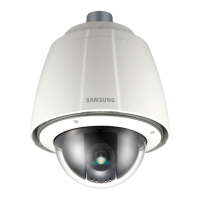

 To Next Page