ENGLISH
3636
Basic Recording
✤ The REC SEARCH function works only in <Camera> mode.
➥page 19
✤ Used to review previously recorded images or to find a point to
record a new image in the STBY mode.
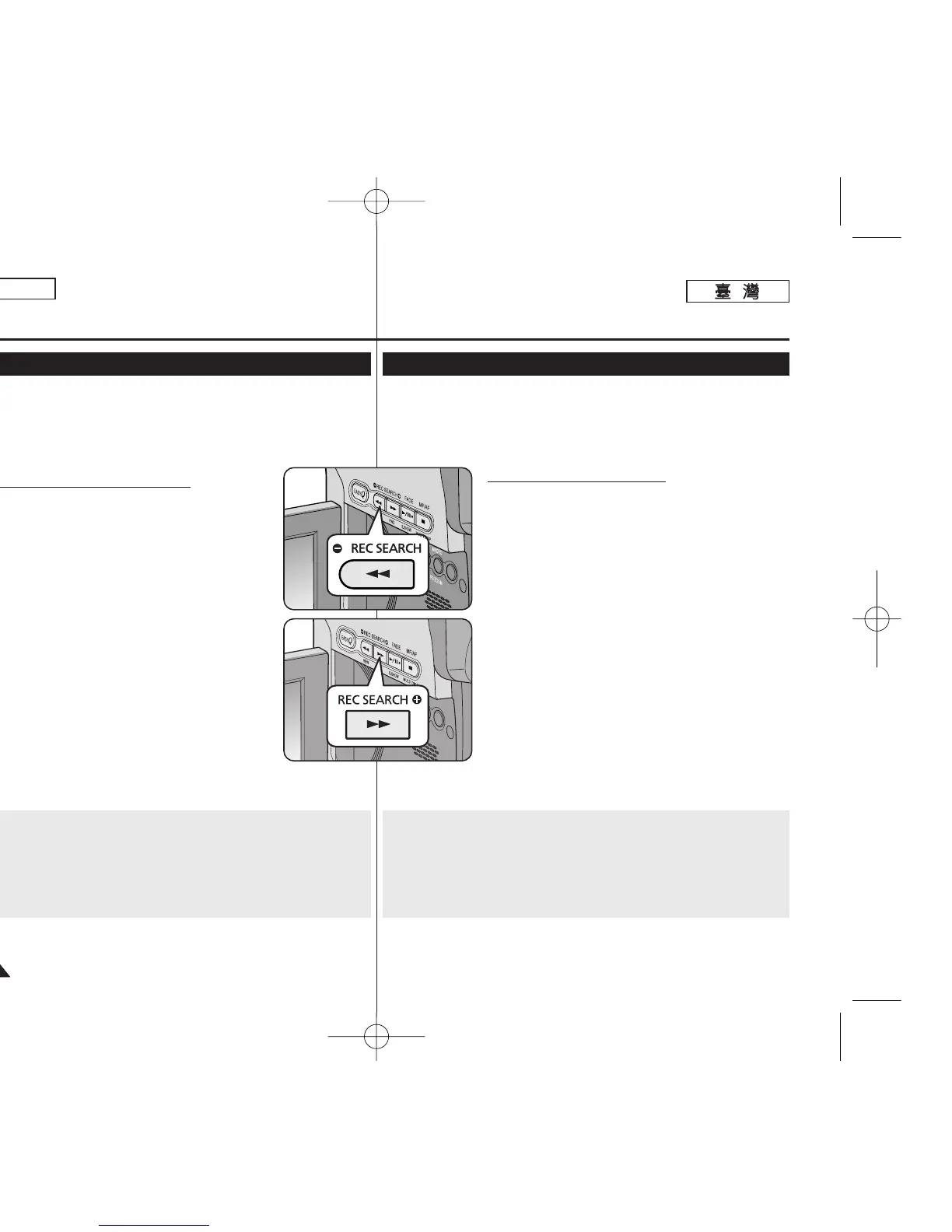
Record Search (REC SEARCH)
1. Set to STBY mode by pressing [Start/Stop] button.
2. [REC SEARCH -] enables you to play the recording
backwards and
[REC SEARCH +] enables you to play it forwards,
as long as you keep each button pressed down.
■
If you press the [REC SEARCH -] button in
STBY mode, your Camcorder will play
in reverse for 3 seconds and return to the
original position automatically.
[ Notes ]
■
Mosaic shaped distortion may appear on the screen
while in Record Search mode.
■
Pressing [Start/Stop] button after REC SEARCH
will overwrite the images recorded after that point.
Reviewing and Searching when a Recording (REC SEARCH)
When a cassette is loaded and the Camcorder is left in the STBY
mode for more than 5 minutes without being used, it will switch off
automatically.
To use it again, press the [Start/Stop] button or set the [Power]
switch to [Off] and then back to [CAMERA].
This auto power off feature is designed to save Battery power.
基基本本錄錄製製
✤ 錄製搜尋功能僅可在 <Camera> 模式下操作0 ➥第 19 頁
✤ 可用於檢視之前已錄製的影像或在 STBY 模式下尋胥要錄製新影像的
點0
錄錄製製搜搜尋尋
(REC SEARCH)
1. 按下 [Start/Stop]
((開開始始
/
停停止止))
按瞿設定爲 STBY
(待機)模式0
2. [REC SEARCH -]
((錄錄製製搜搜尋尋
-
))
允許舅向後播放錄
製,而 [REC SEARCH +]
((錄錄製製搜搜尋尋
+
))
允許舅向前
播放,只要舅將個別按瞿持續按住0
■
若舅在 STBY 模式中按 [REC SEARCH -]
((錄錄製製
搜搜尋尋
-
))
按瞿,舅的攝錄放影機將倒向播放 3 秒
鐘,然後自動返回原位0
[
附附註註
]
■
螢幕在錄製搜尋模式中時可能會顯示馬賽克狀的失
眞0
■
在 REC SEARCH(錄製搜尋)之後按下
[Start/Stop]
((開開始始
/
停停止止))
按瞿,將會覆寫該點後面
的已錄製影像0
檢檢視視和和搜搜尋尋錄錄製製((錄錄製製搜搜尋尋))
當裝入了錄影帶,而攝錄放影機苛置在 STBY(待機)模式中超過 5 分
鐘未被使用時,裝置將自動關閉0
要恢復使用,請按 [Start/Stop]
((開開始始
/
停停止止))
按瞿或將 [Power]
((電電源源))
開關設定爲 [Off]
((關關閉閉))
,然後回到 [CAMERA]0這項自動電源
關閉的功能是爲節省電池電源而設計0
00970F SCD363 TAI~043 1/12/06 3:25 PM 페이지36 001 QMS 1660E














 To Next Page