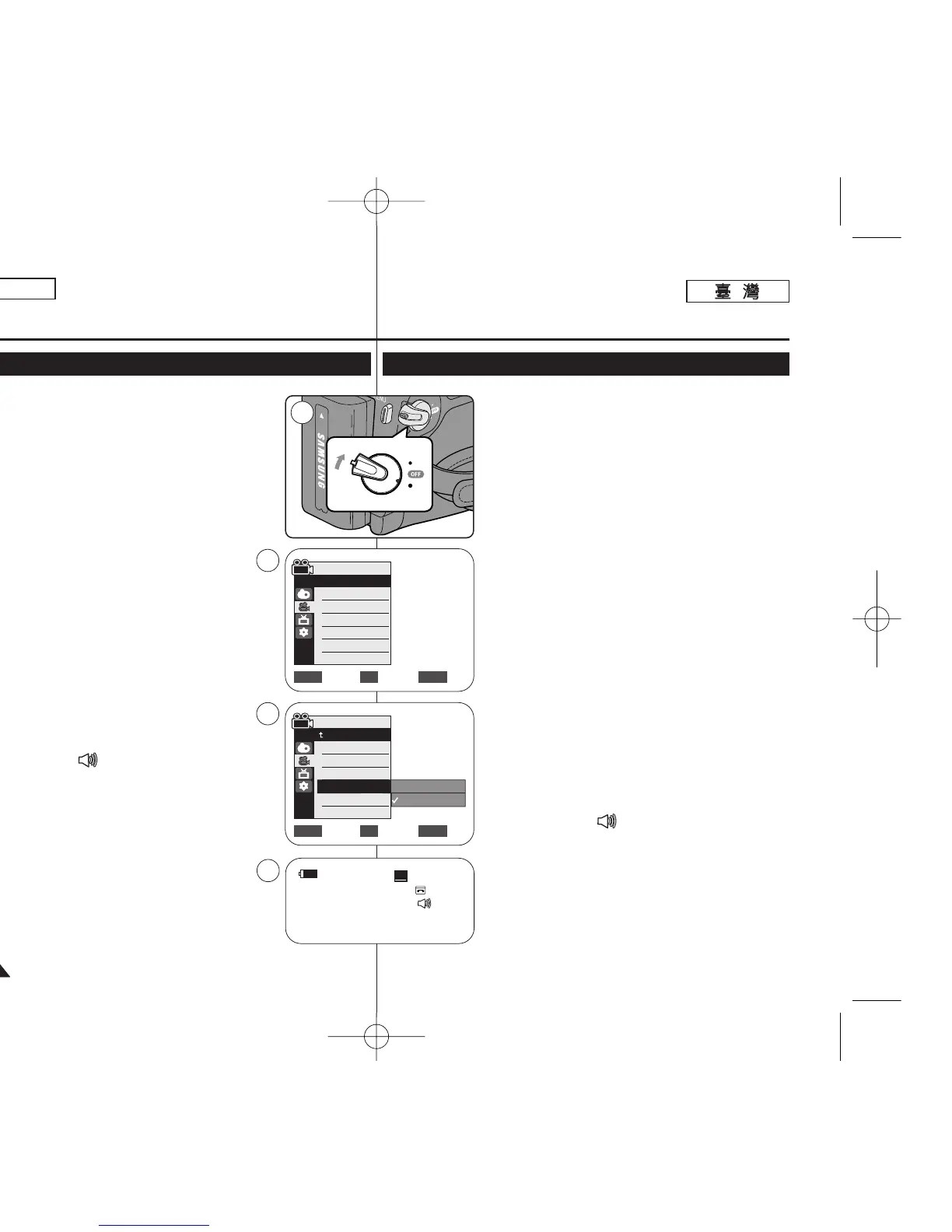
✤ The Real Stereo function works only in <Camera>
mode. ➥page 19
✤ Real Stereo enhances the left and right input signals
when using the Internal or External MICs.
1. Set the [Power] switch to [CAMERA].
2. Set the [Mode] switch to [TAPE].
(SC-D363/D364/D365/D366 only)
3. Press the [MENU] button.
4. Move the [Zoom] lever up or down to select
<Record>, then press the [OK] button.
5. Move the [Zoom] lever up or down to select <Real
Stereo>, then press the [OK] button.
6. To activate the Real Stereo function, move the
[Zoom] lever up or down to select <On>, then
press the [OK] button.
7. To exit, press the [MENU] button.
■
Real Stereo ( ) icon is displayed.
[ Note ]
■
To enjoy more stereo sound, use the stereo type
speakers.
Advanced Recording
Selecting the Real Stereo Function
ENGLISH
4646
✤ 逼眞立體聲功能僅可在 <Camera> 模式下操作0
➥第 19 頁
✤ 逼眞立體聲功能可在使用內建或外接式麥克風時增
强左右輸入訊號0
1. 將 [Power]
((電電源源))
開關設定爲 [CAMERA] 或
[PLAYER]
((播播放放機機))
0
2. 將 [Mode]
((模模式式))
開關設定爲 [TAPE]
((錄錄影影帶帶))
0
(僅限 SC-D363/D364/ D365/D366)
3. 按下 [MENU] 按瞿0
4. 向上或向下移動 [Zoom]
((縮縮放放))
桿以選擇
<Record>,然後按下 [OK](確定)按瞿0
5. 向上或向下移動 [Zoom]
((縮縮放放))
桿以選擇
<Real Stereo>,然後按下 [OK]
((確確定定))
按瞿0
6. 若要啓動逼眞立體聲功能,請向上或向下移動
[Zoom]
((縮縮放放))
桿以選擇 <On>,然後按下 [OK]
((確確定定))
按瞿0
7. 按 [MENU]
((選選單單))
按瞿以結束0
■
逼眞立體聲 ( ) 圖示將會顯示0
[
附附註註
]
■
若要享受更多的立體聲音響,請使用立體聲類型的
喇叭0
進進階階錄錄製製
選選擇擇逼逼眞眞立立體體聲聲功功能能
Move Select Exit
MENUOKZOOM
Camera Mode
√Record
Rec Mode
Audio Mode
WindCut Plus
Real Stereo
√SP
√12Bit
√Off
√Off
Move Select Exit
MENUOKZOOM
Off
On
4
6














 To Next Page