ENGLISH
6666
✤ Audio Effect function works only in <Player> mode. ➥page 19
✤ Audio Effect provides various playback effects to audio signals stored
on a tape.
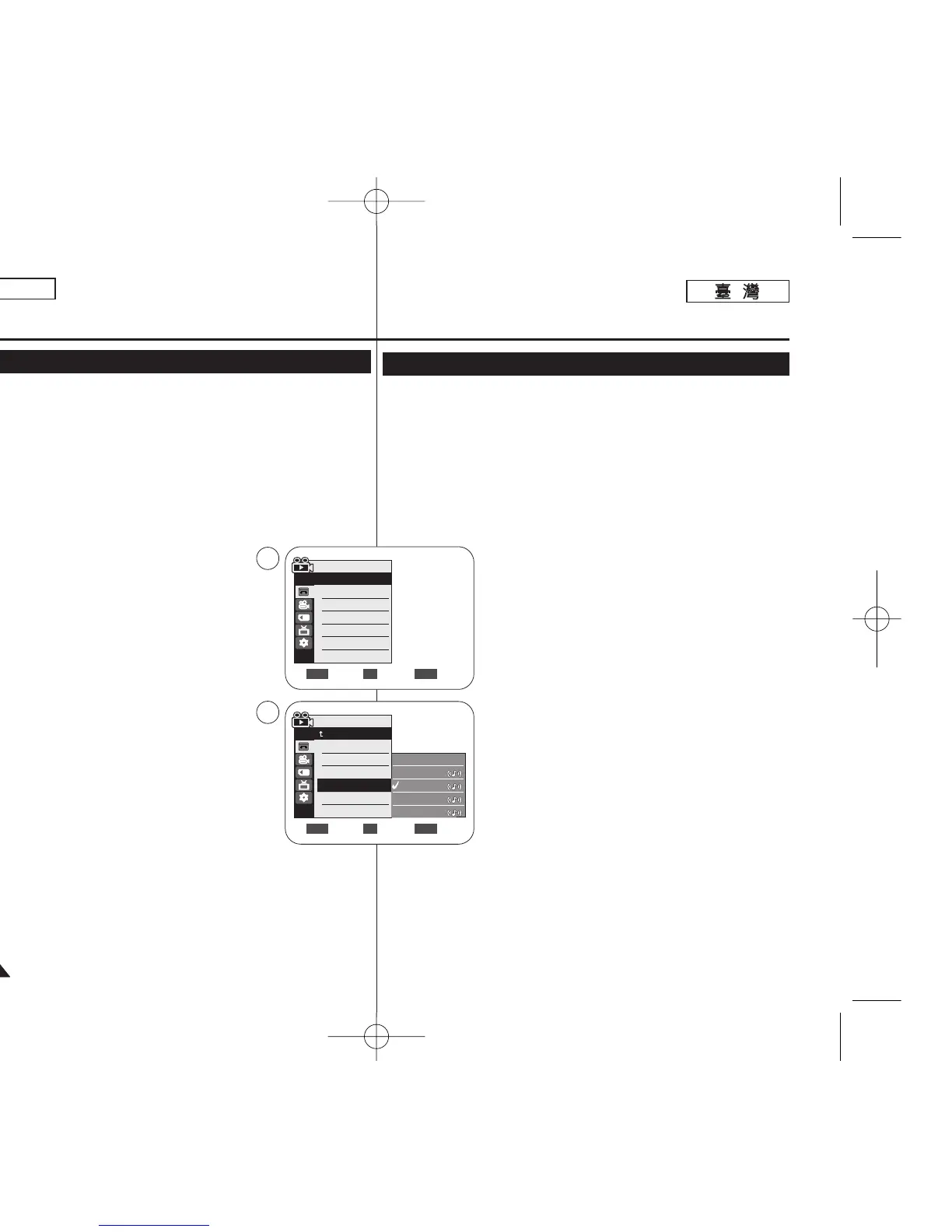
1. Set the [Power] switch to [PLAYER].
2. Set the [Mode] switch to [TAPE]. (SC-D363/D364/D365/D366 only)
3. Insert the dubbed tape and press the [MENU] button.
4. Move the [Zoom] lever to the up or down to
select <Tape>, then press the [OK] button.
5. Move the [Zoom] lever to the up or down to select
<Audio Effect>, then press the [OK] button.
6. Move the [Zoom] lever to the up or down to select
the audio effect channel, then press the [OK] button.
■
<Voice>: Highlights the human voice.
■
<Music>: Highlights the sound by enhancing the
bass and treble.
■
<Wide>: Magnifies the stereo effect by
enhancing the left and right sounds.
■
<Echo>: Gives an echo effect.
7. To exit, press the [MENU] button.
[ Notes ]
■
It is recommended to use stereo type output devices
(TV, speakers) for better audio effects.
■
The Audio Effect function is transmittable.
■
Audio Effect function is not available in USB Streaming mode.
(SC-D362/D363/D364/D365/D366 only)
Playback
Audio Effect
Move Select Exit
MENUOKZOOM
√Sound[1]
√Off
Move Select Exit
MENUOKZOOM
Player Mode
√Tape
Photo Search
Photo Copy
Audio Select
Audio Effect
Off
Voice
Music
Wide
Echo
4
6
Player Mode
Back
Photo Search
Photo Copy
Audio Select
Audio Effect
✤ 聲訊效果功能僅可在 <Player> 模式下操作0 ➥第 19 頁
✤ 聲訊效果功能可爲儲存在錄影帶中的聲訊訊號提供各種播放效果0
1. 將 [Power]
((電電源源))
開關設定爲 [PLAYER]
((播播放放機機))
0
2. 將 [Mode]
((模模式式))
開關設定爲 [TAPE]
((錄錄影影帶帶))
0
(僅限 SC-D363/D364/ D365/D366)
3. 放入配音後的錄影帶,橙按 [MENU]
((選選單單))
按瞿0
4. 向上或向下移動 [Zoom]
((縮縮放放))
桿以選擇 <Tape>,然後按下 [OK]
((確確定定))
按瞿0
5. 向上或向下移動 [Zoom]
((縮縮放放))
桿以選擇 <Audio
Effect>,然後按下 [OK]
((確確定定))
按瞿0
6. 向上或向下移動 [Zoom]
((縮縮放放))
桿以選擇聲訊效果
頻道,然後按下 [OK]
((確確定定))
按瞿0
■
<Voice>:
區分出人的聲音0
■
<Music>: 透過增强低音與高音頻率來區分聲
音0
■
<Wide>: 此功能可透過增强左右音效來放大立
體聲效果0
■
<Echo>: 提供回聲音效0
7. 按 [MENU](選單)按瞿以結束0
[
附附註註
]
■
建議舅使用立體聲類型的輸出裝置(電視機/ 喇叭)
以獲得更好的聲訊效果0
■
聲訊效果功能可以傳遞0
■
聲訊效果功能不可在 USB 串流模式中使用0
(僅限 SC-D362/D363/D364/D365/D366)
播播放放
聲聲訊訊效效果果
00970F SCD363 TAI~067 1/12/06 3:37 PM 페이지66 001 QMS 1660E














 To Next Page