ENGLISH
6363
Playback
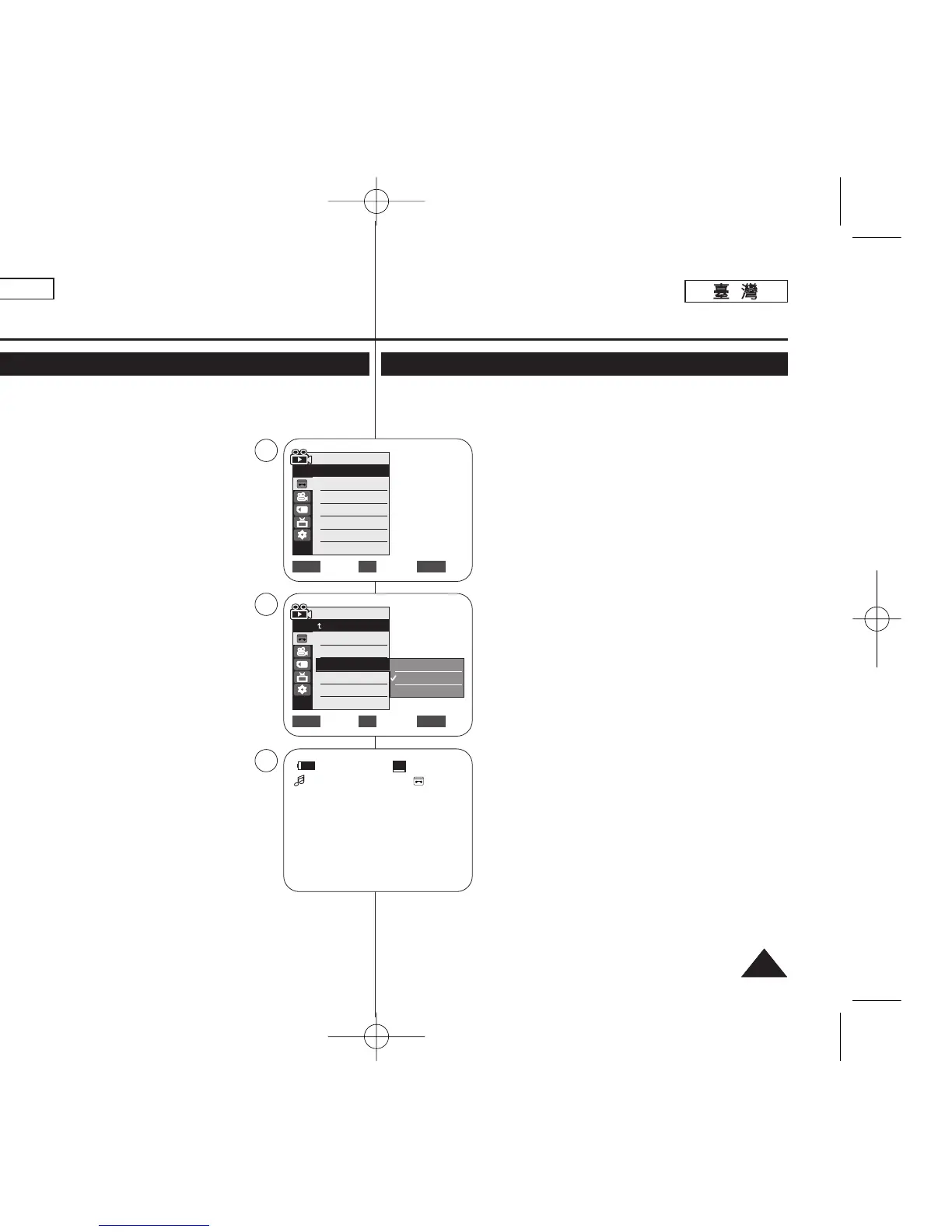
Dubbed Audio Playback
✤ The dubbed Audio Playback function works only in <Player> mode.
➥page 19
1. Set the [Power] switch to [PLAYER].
2. Set the [Mode] switch to [TAPE].
(SC-D363/D364/D365/D366 only)
3. Insert the dubbed tape and press the [MENU] button.
4. Move the [Zoom] lever up or down to select <Tape>,
then press the [OK] button.
5. Move the [Zoom] lever up or down to select
<Audio Select>, then press the [OK] button.
6. Move the [Zoom] lever up or down to select the
audio playback channel, then press the [OK] button.
■
<Sound[1]>: play the original sound.
■
<Sound[2]>: play the dubbed sound.
■
<MIX[1+2]>: play back Sound1 and 2 equally
mixed.
7. To exit, press the [MENU] button.
8. Press the [
√√
/❙❙ (PLAY/STILL)] button to playback the
dubbed tape.
[ Note ]
When you play back added sound (Sound [2] or
MIX[1+2]), you may experience a loss of sound quality.
播播放放
配配音音後後的的聲聲訊訊播播放放
✤ 配音後的聲訊播放功能僅可在 <Player> 模式下操作0 ➥第 19 頁
1. 將 [Power]
((電電源源))
開關設定爲 [PLAYER]
((播播放放機機))
0
2. 將 [Mode]
((模模式式))
開關設定爲 [TAPE]
((錄錄影影帶帶))
0
(僅限 SC-D363/D364/ D365/D366)
3. 放入配音後的錄影帶,橙按 [MENU]
((選選單單))
按瞿0
4. 向上或向下移動 [Zoom]
((縮縮放放))
桿以選擇 <Tape>,
然後按下 [OK]
((確確定定))
按瞿0
5. 向上或向下移動 [Zoom]
((縮縮放放))
桿以選擇 <Audio
Select>,然後按下 [OK]
((確確定定))
按瞿0
6. 向上或向下移動 [Zoom]
((縮縮放放))
桿以選擇聲訊播放
頻道,然後按下 [OK]
((確確定定))
按瞿0
■
<Sound[1]>: 播放原始音效0
■
<Sound[2]>: 播放配音0
■
<MIX[1+2]>: 播放混合的音效 1 及 20
7. 按 [MENU]
((選選單單))
按瞿以結束0
8. 按 [
√√
/❙❙(PLAY/STILL)]
((播播放放
/
靜靜止止))
按瞿以播放配音
後的錄影帶0
[
附附註註
]
當舅在播放新增的音效時(Sound [2])或 MIX[1+2]),
音效品質可能會有遺失0
Move Select Exit
MENUOKZOOM
√Sound[1]
√Off
Move Select Exit
MENUOKZOOM
Player Mode
√Tape
Photo Search
Photo Copy
Audio Select
Audio Effect
Sound[1]
Sound[2]
MIX[1+2]
20min
0:01:53:10
SP
√
Sound[2]
4
6
8
Player Mode
Back
Photo Search
Photo Copy
Audio Select
Audio Effect
00970F SCD363 TAI~067 1/12/06 3:37 PM 페이지63 001 QMS 1660E














 To Next Page