ENGLISH
7070
Digital Still Camera Mode
(SC-D363/D364/D365/D366 only)
Selecting the Memory Type (SC-D366 only)
✤ The Memory Type setting works in <Player>/<M.Cam>/<M.Player>
modes. ➥page 19 (SC-D366: 32MB)
✤ Images can be stored and played back using (Int. Memory), or on a
Memory Card.
Hence, set the memory type before storing and playing back images.
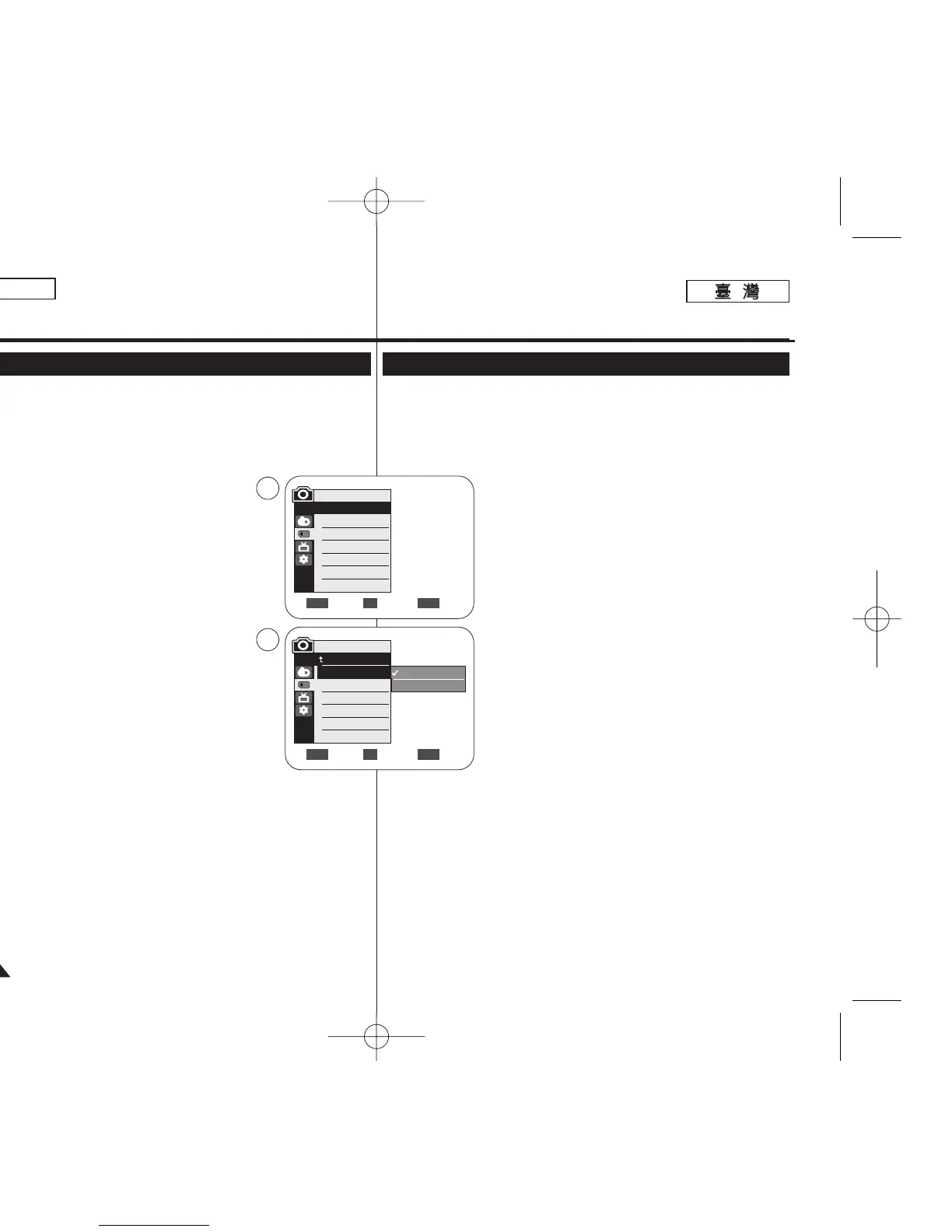
1. Set the [Power] switch to [CAMERA] or
[PLAYER].
2. Set the [Mode] switch to [TAPE] or [MEMORY].
3. Press the [MENU] button.
■
The menu list will appear.
4. Move the [Zoom] lever up or down to select
<Memory>, then press the [OK] button.
5. Move the [Zoom] lever up or down to select
<Memory Type>, then press the [OK] button.
6. Move the [Zoom] lever up or down to select <Int.
Memory> or <Memory Card>, then press the [OK]
button.
7. To exit, press the [MENU] button.
[ Note ]
■
You can directly access the Memory Type function using the [QUICK
MENU] button. ➥page 20
Move Select Exit
MENUOKZOOM
√Memory Card
√Super Fine
√Series
Move Select Exit
MENUOKZOOM
M.Cam Mode
√Memory
Memory Type
Photo Quality
File No.
Int. Memory
Memory Card
4
6
M.Cam Mode
Back
Memory Type
Photo Quality
File No.
數數位位靜靜止止相相機機模模式式
((僅僅限限
SC-D363/D364/ D365/D366
))
選選擇擇記記憶憶體體類類型型((僅僅限限
SC-D366)
✤ 記憶體類型設定可在 <Player>/<M.Cam>/<M.Player> 模式下操作0
➥第 19 頁(SC-D366: 32MB)
✤ 影像可使用內建記憶體(內部記憶體)或記憶賓 來儲存和播放0
因此,在儲存和播放影像之前,必須先設定記憶體類型0
1. 將 [Power]
((電電源源))
開關設定爲 [CAMERA] 或
[PLAYER]
((播播放放機機))
0
2. 將 [Mode]
((模模式式))
開關設定爲 [TAPE]
((錄錄影影帶帶))
或
[MEMORY]
((記記憶憶賓賓))
0
3. 按下 [MENU] 按瞿0
■
選單淸單將會顯示0
4. 向上或向下移動 [Zoom]
((縮縮放放))
桿以選擇
<Memory>,然後按下 [OK]
((確確定定))
按瞿0
5. 向上或向下移動 [Zoom]
((縮縮放放))
桿以選擇
<Memory Type>,然後按下 [OK] (
確確定定))
按瞿0
6. 向上或向下移動 [Zoom]
((縮縮放放))
桿以選擇
<Int. Memory>或 <Memory Card>,然後按下
[OK]
((確確定定))
按瞿0
7. 按 [MENU]
((選選單單))
按瞿以結束0
[
附附註註
]
■
舅可以使用 [QUICK MENU]
((快快速速選選單單))
按瞿直接存取記憶體類型功能0
➥第 20 頁
00970F SCD363 TAI~094 1/12/06 3:43 PM 페이지70 001 QMS 1660E














 To Next Page