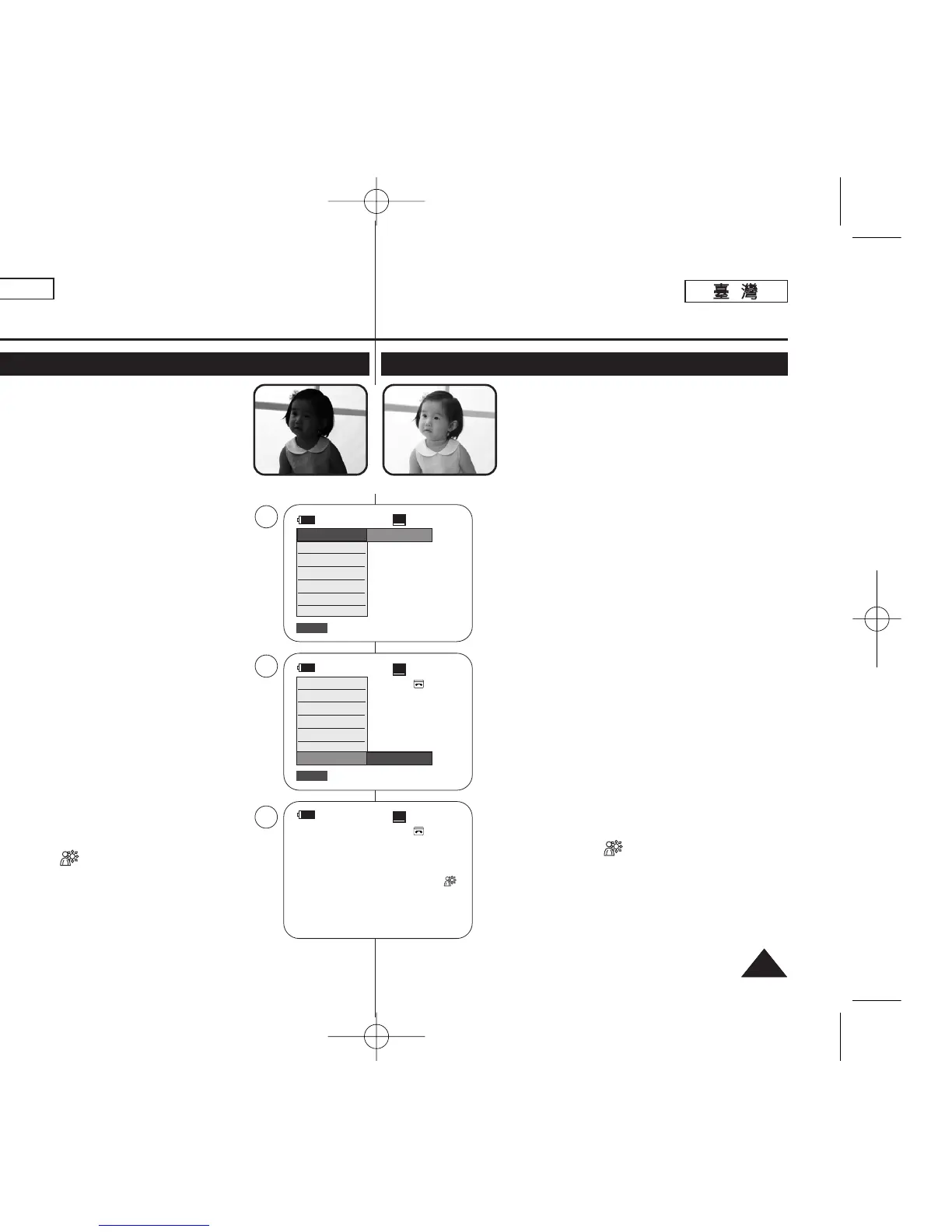
✤ BLC works in both <Camera> and <M.Cam>
modes. ➥page 19
✤ Back lighting exists when the subject is darker
than the background:
- The subject is in front of a window.
- The person to be recorded is wearing white
or shiny clothes and is placed against a bright
background; the person’s face is too dark to
distinguish his/her features.
- The subject is outdoors and the background
is overcast.
- The light sources are too bright.
- The subject is against a snowy background.
1. Set the [Power] switch to [CAMERA].
2. Set the [Mode] switch to [TAPE] or [MEMORY].
(SC-D363/D364/D365/D366 only)
3. Press the [QUICK MENU] button.
■
Quick menu list will appear.
4. Move the [Zoom] lever up or down to select BLC,
then press the [OK] button.
5. Move the [Zoom] lever up or down to select
On, then press the [OK] button.
6. To exit, press the [QUICK MENU] button.
■
BLC icon ( ) will be displayed.
[ Note ]
■
The BLC function will not operate in EASY.Q mode.
ENGLISH
4141
Basic Recording
Using Back Light Compensation Mode (BLC)
<BLC On><BLC Off>
60min
0:00:10
SP
STBY
6
œ
60min
0:00:10
SP
STBY
Exit
Q.MENU
Off
3
60min
0:00:10
SP
STBY
Exit
Q.MENU
DIS
Program AE
16:9 Wide
White Balance
Shutter
Exposure
BLC
4
…
†
On
DIS
Program AE
16:9 Wide
White Balance
Shutter
Exposure
BLC
✤ BLC 功能可在 <Camera> 和 <M.Cam> 模式下
操作0 ➥第 19 頁
✤ 背光情形在主體比背景暗時發生:
- 主體位於鎖前0
- 將被錄製的人物穿著白色或亮色服飾,橙處
於明亮的背景中,該人物的漑龐將顯得太暗
而無法辨別其五官0
- 主體在戶外,而背景陰暗0
- 光源太亮0
- 主體處於雪景中0
1.
將 [Power]
((電電源源))
開關設定爲 [CAMERA]0
2. 將 [Mode]
((模模式式))
開關設定爲 [TAPE]
((錄錄影影帶帶))
或
[MEMORY]
((記記憶憶賓賓))
0
(僅限 SC-D363/D364/ D365/D366)
3. 按下 [QUICK MENU]
((快快速速選選單單))
按瞿0
■
快速選單淸單將會顯示0
4. 向上或向下移動 [Zoom]
((縮縮放放))
桿以選擇 BLC
((背背光光補補償償模模式式))
,然後按下 [OK]
((確確定定))
按瞿0
5. 向上或向下移動 [Zoom]
((縮縮放放))
桿以選擇 On
((開開啓啓))
,然後按下 [OK]
((確確定定))
按瞿0
6. 按 [QUICK MENU]
((快快速速選選單單))
按瞿以結束0
■
BLC 圖示 ( ) 將會顯示0
[
附附註註
]
■
BLC 功能不可在簡易拍攝模式下操作0
基基本本錄錄製製
使使用用背背光光補補償償模模式式
(BLC)
00970F SCD363 TAI~043 1/12/06 3:25 PM 페이지41 001 QMS 1660E














 To Next Page