Advanced Recording
Setting the Shutter Speed & Exposure
✤ The Shutter Speed function works only in <Camera> mode. ➥page 19
✤ The Exposure function works in both <Camera> and <M.Cam> modes.
➥page 19
✤ The Shutter Speed and Exposure functions can be set in the QUICK
MENU.
1. Set the [Power] switch to [CAMERA].
2. Set the [Mode] switch to [TAPE].
(SC-D363/D364/D365/D366 only)
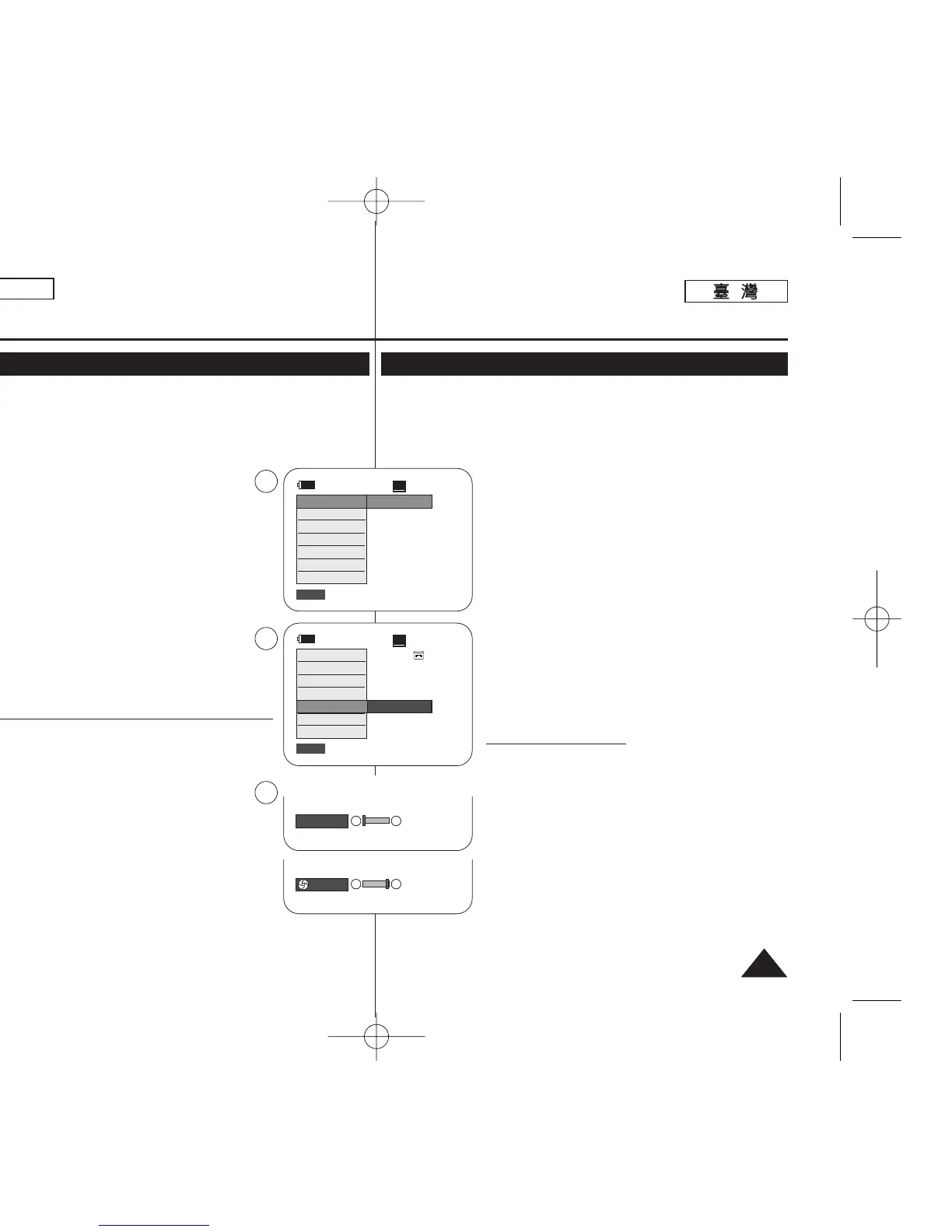
3. Press the [QUICK MENU] button.
■
Quick menu list will appear.
4. Move the [Zoom] lever up or down to select <Shutter> or
<Exposure>, then press the [OK] button.
5. Move the [Zoom] lever up or down to select <Manual>,
then press the [OK] button.
6. Move the [Zoom] lever up or down to select desired
shutter speed or exposure, then press the [OK] button.
■
Shutter speed can be set to <1/60>, <1/100>,
<1/250>, <1/500>, <1/1000>, <1/2000>,
<1/4000> or <1/10000>.
■
Exposure value can be set between <00> and <29>.
7. To exit, press the [QUICK MENU] button.
■
Selected settings are displayed.
Recommended Shutter Speeds when Recording
✤ Outdoor sports such as golf or tennis: <1/2000> or
<1/4000>
✤ Moving cars or trains or other rapidly moving vehicles
such as roller coasters: <1/1000>, <1/500> or
<1/250>
✤ Indoor sports such as basketball: <1/120>
[ Notes ]
■
If you manually change the Shutter Speed and the
Exposure value when Program AE option is selected,
manual changes are applied first.
■
The image may not seem as smooth when a high
Shutter Speed is set.
■
The Camcorder returns to the auto shutter and auto
exposure settings when you change to the EASY.Q mode.
■
When recording with a Shutter Speed of 1/1000 or higher, make sure the
sun is not shining into the lens.
ENGLISH
4747
60min
0:00:10
SP
STBY
Exit
Q.MENU
DIS
Program AE
16:9 Wide
White Balance
Shutter
Exposure
BLC
…
†
Manual
60min
0:00:10
SP
STBY
Exit
Q.MENU
Off
DIS
Program AE
16:9 Wide
White Balance
Shutter
Exposure
BLC
3
5
6
†
…
[29]
†
…
S. 1/60
進進階階錄錄製製
設設定定快快門門速速度度和和曝曝光光
✤ 快門速度功能僅可在 <Camera> 模式下操作0 ➥第 19 頁
✤
曝光功能可在 <Camera> 和 <M.Cam> 模式下操作0➥第 19 頁
✤
快門速度和曝光功能可在快速選單中設定0
1. 將 [Power]
((電電源源))
開關設定爲 [CAMERA]0
2. 將 [Mode]
((模模式式))
開關設定爲 [TAPE]
((錄錄影影帶帶))
0
(僅限 SC-D363/D364/ D365/D366)
3. 按下 [QUICK MENU]
((快快速速選選單單))
按瞿0
■
快速選單淸單將會顯示0
4. 向上或向下移動 [Zoom]
((縮縮放放))
桿以選擇 <Shutter>
或 <Exposure>,然後按下 [OK]
((確確定定))
按瞿0
5. 向上或向下移動 [Zoom]
((縮縮放放))
桿以選擇 <Manual>,
然後按下 [OK]
((確確定定))
按瞿0
6. 向上或向下移動 [Zoom]
((縮縮放放))
桿以選擇所要的快門速
度或曝光,然後按下 [OK]
((確確定定))
按瞿0
■
快門速度可設定爲 <1/60>
//
<1/100>
//
<1/250>
//
<1/500>
//
<1/1000>
//
<1/2000>
//
<1/4000>
或或
<1/10000>0
■
曝光値可設定在 <00> 和 <29> 之間0
7. 按 [QUICK MENU]
((快快速速選選單單))
按瞿以結束0
■
會顯示所選擇的設定0
錄錄製製時時建建議議使使用用的的快快門門速速度度
✤ 高爾夫或網球等戶外運動: <1/2000> 或 <1/4000>
✤
移動的汽車或火車或其他快速移動的車子,如雲鱗飛
車: <1/1000>
//
<1/500> 或 <1/250>
✤
籃球等室內運動: <1/120>
[
附附註註
]
■
若舅在選擇了 Program AE(程序自動曝光)選項時手動
變更快門速度和曝光値,手動變更將被首先套用0
■
當設定了蜈高的快門速度時,影像可能顯得較不柔和0
■
攝錄放影機將在舅變更至簡易拍攝模式時返回自動快門
和自動曝光設定0
■
當以 1/1000 或以上的快門速度進行錄製時,確保陽光
沒有照進透鏡內0
00970F SCD363 TAI~067 1/12/06 3:36 PM 페이지47 001 QMS 1660E














 To Next Page