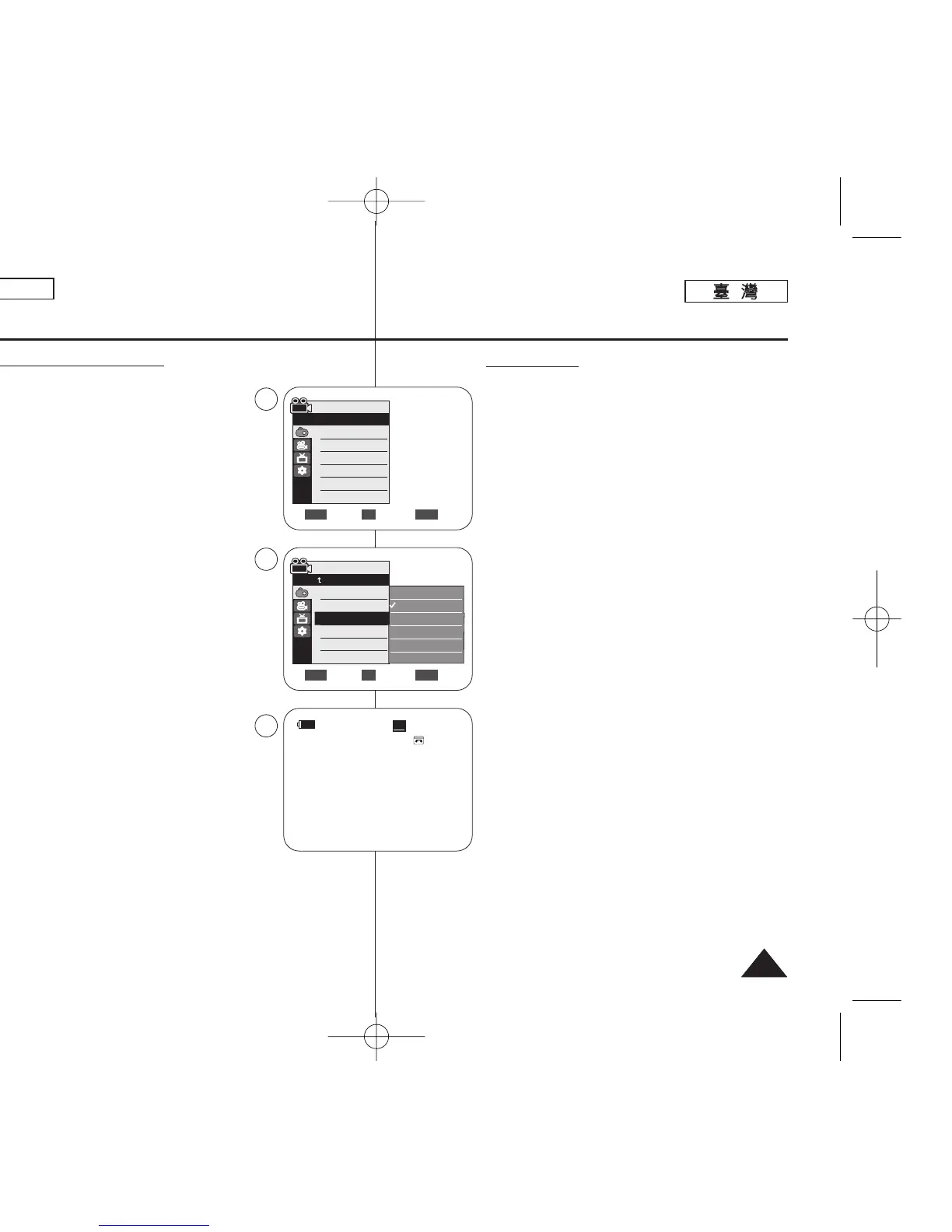
Selecting the Visual Effects
1. Set the [Power] switch to [CAMERA].
2. Set the [Mode] switch to [TAPE].
(SC-D363/D364/D365/D366 only)
3. Press the [MENU] button.
■
The menu list will appear.
4. Move the [Zoom] lever up or down to select
<Camera>, then press the [OK] button.
5. Move the [Zoom] lever up or down to select
<Visual Effect>, then press the [OK] button.
6. Move the [Zoom] lever up or down to select the
desired Visual Effect option, then press the [OK]
button.
■
The display mode is set to the selected mode.
7. To exit, press the [MENU] button.
[ Notes ]
■
The Pastel2, Emboss2, Mirror or Mosaic mode is not
available while DIS or COLOR NITE is in use.
■
Visual Effect modes are not available while EASY.Q
is in use.
■
Once DIS, EASY.Q, or COLOR NITE is set,
Emboss2, Pastel2, Mirror or Mosaic mode will be
released.
■
Emboss2, Pastel2, Mirror or Mosaic mode is not available in the 16:9
Wide mode.(SC-D263/D362/D363/D364 only)
■
Digital Zoom is not available in the Emboss2, Pastel2, Mirror or
Mosaic mode.
■
Visual Effect modes other than Emboss2, Pastel2, Mirror or Mosaic
mode is available while DIS is in use.
ENGLISH
5353
Advanced Recording
Move Select Exit
MENUOKZOOM
Off
Art
Mosaic
Sepia
Negative
Mirror
▼
√Auto
√Auto
√Off
√Off
√Off
√Off
Move Select Exit
MENUOKZOOM
Camera Mode
√Camera
Program AE
White Balance
Visual Effect
16:9 Wide
DIS
Digital Zoom
4
6
7
Camera Mode
Back
Program AE
White Balance
Visual Effect
16:9 Wide
DIS
Digital Zoom
60min
0:00:10
SP
STBY
œ
AArrtt
選選擇擇視視訊訊效效果果
1. 將 [Power]
((電電源源))
開關設定爲 [CAMERA]0
2. 將 [Mode]
((模模式式))
開關設定爲 [TAPE]
((錄錄影影帶帶))
0
(僅限 SC-D363/D364/ D365/D366)
3. 按下 [MENU] 按瞿0
■
選單淸單將會顯示0
4. 向上或向下移動 [Zoom]
((縮縮放放))
桿以選擇
<Camera>,然後按下 [OK]
((確確定定))
按瞿0
5. 向上或向下移動 [Zoom]
((縮縮放放))
桿以選擇
<Visual Effect>,然後按下 [OK]
((確確定定))
按瞿0
6. 向上或向下移動 [Zoom]
((縮縮放放))
桿以選擇所要的視
訊效果選項,然後按下 [OK]
((確確定定))
按瞿0
■
顯示模式將被設定爲所選擇的模式0
7. 按 [MENU]
((選選單單))
按瞿以結束0
[
附附註註
]
■
蠟筆2/ 浮雕2/ 鏡像或馬賽克不可在 DIS 或色彩
夜拍模式中使用0
■
視訊效果模式在簡易拍攝模式中不可使用0
■
一旦設定了 DIS/ 簡易拍攝或色彩夜拍/浮雕2/蠟
筆2/ 鏡像或馬賽克模式將被解除0
■
浮雕2/ 蠟筆2/ 鏡像或馬賽克模式不可在 16:9 寬
螢幕模式中使用0
(僅限 SC-D263/D362/D363/D364)
■
數位縮放不可在蠟筆2/ 浮雕2/ 鏡像或馬賽克模式
中使用0
■
除了蠟筆2/ 浮雕2/ 鏡像或馬賽克模式以外的視訊
效果模式可在 DIS 模式中使用0
進進階階錄錄製製
00970F SCD363 TAI~067 1/12/06 3:36 PM 페이지53 001 QMS 1660E














 To Next Page