20
Additional Functions
Multi-leveled Security Code Entry Mode Setting
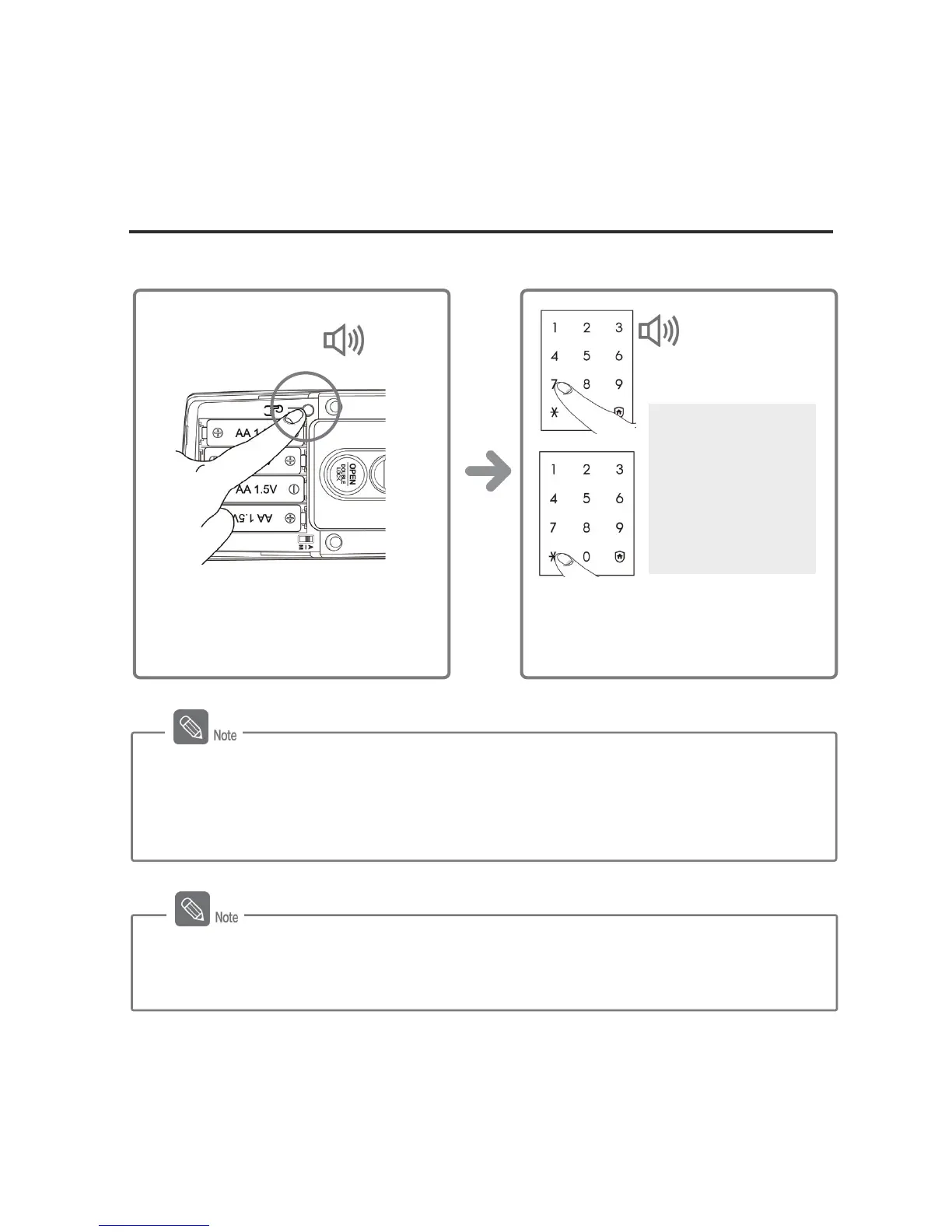
You can set the security mode suitable for your use when you open the door using a password.
Press the [º] button after pressing the
[7] or [9] button, and the security mode
will be set.
Mode Setting
[7] Button :
Multi-leveled
Security Code Entry
Mode
[9] Button :
Common Mode
DING DONG DENG
Briefly press the [Register] button on
the inner body.
DING
DONG
Multi-leveled Security Code Entry Mode
- In this mode, the password disclosure can be prevented since the password is
entered after two arbitrary numbers are certified.
- The Multi-leveled Security Code Entry Mode can be set while the door is open.
- The Multi-leveled Security Code Entry Mode is set to operate when the lock is
manufactured at the factory.



 To Next Page