14
Card and Key Tag Registration
Up to 20 cards, including the key tag, can be registered. (Only ISO14443 A Type is available.)
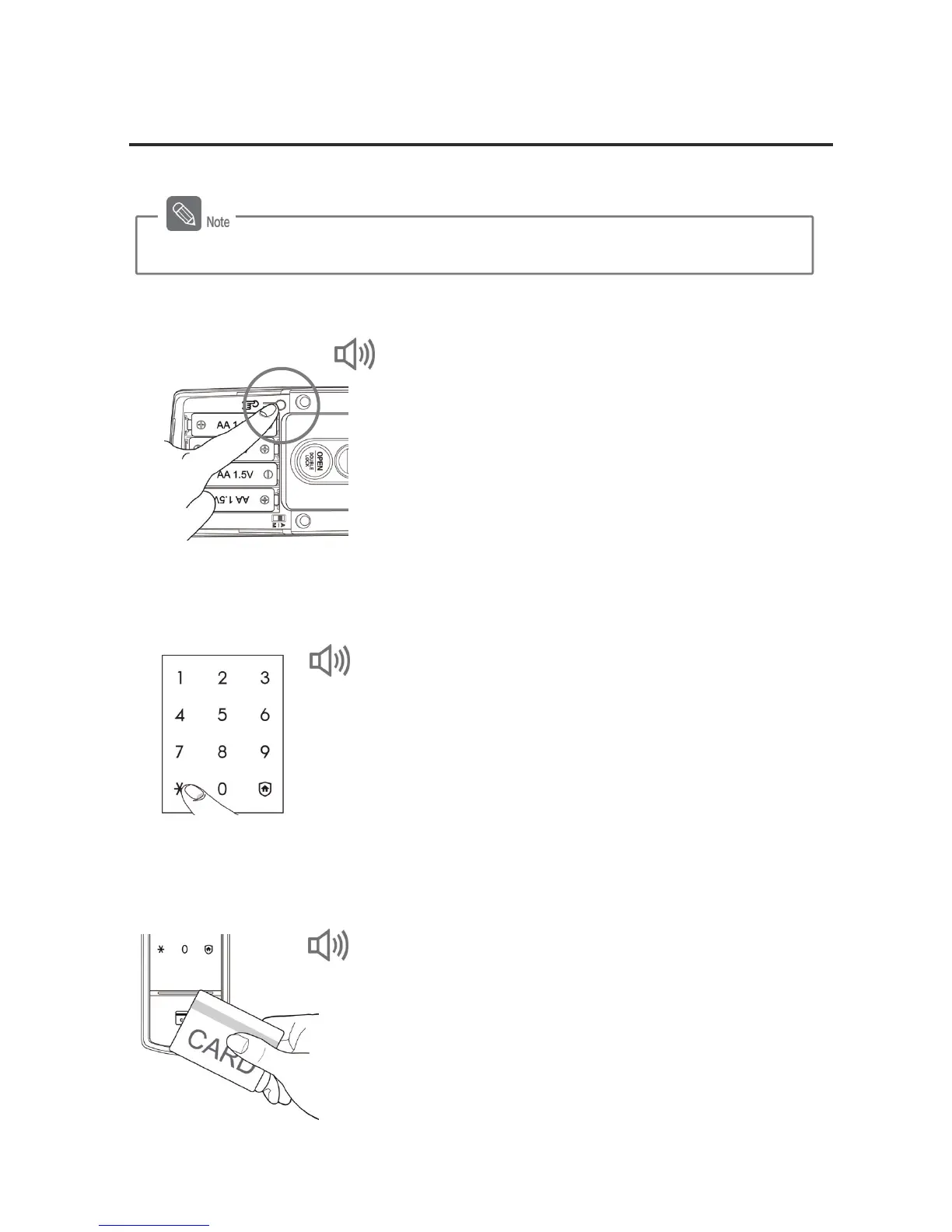
1. Pressing the [Register] Button (from the inside)
Open the battery cover of the inner body and briefly
press the [Register] button.
2. Entering the Password (from the outside)
Enter the password when the number pad is lighted,
and press the [¹] button.
3. Placing the Card or Key Tag on the Card Reader (from the
outside)
Place the card or key tag to be registered on the
card reader of the outer body. You will know the card
or key tag has been registered when "DING DONG
DENG" sounds.
DING DONG DENG, DING DONG
DING DONG
DING DONG DENG
Registering a card or key tag is available while the door is open.



 To Next Page