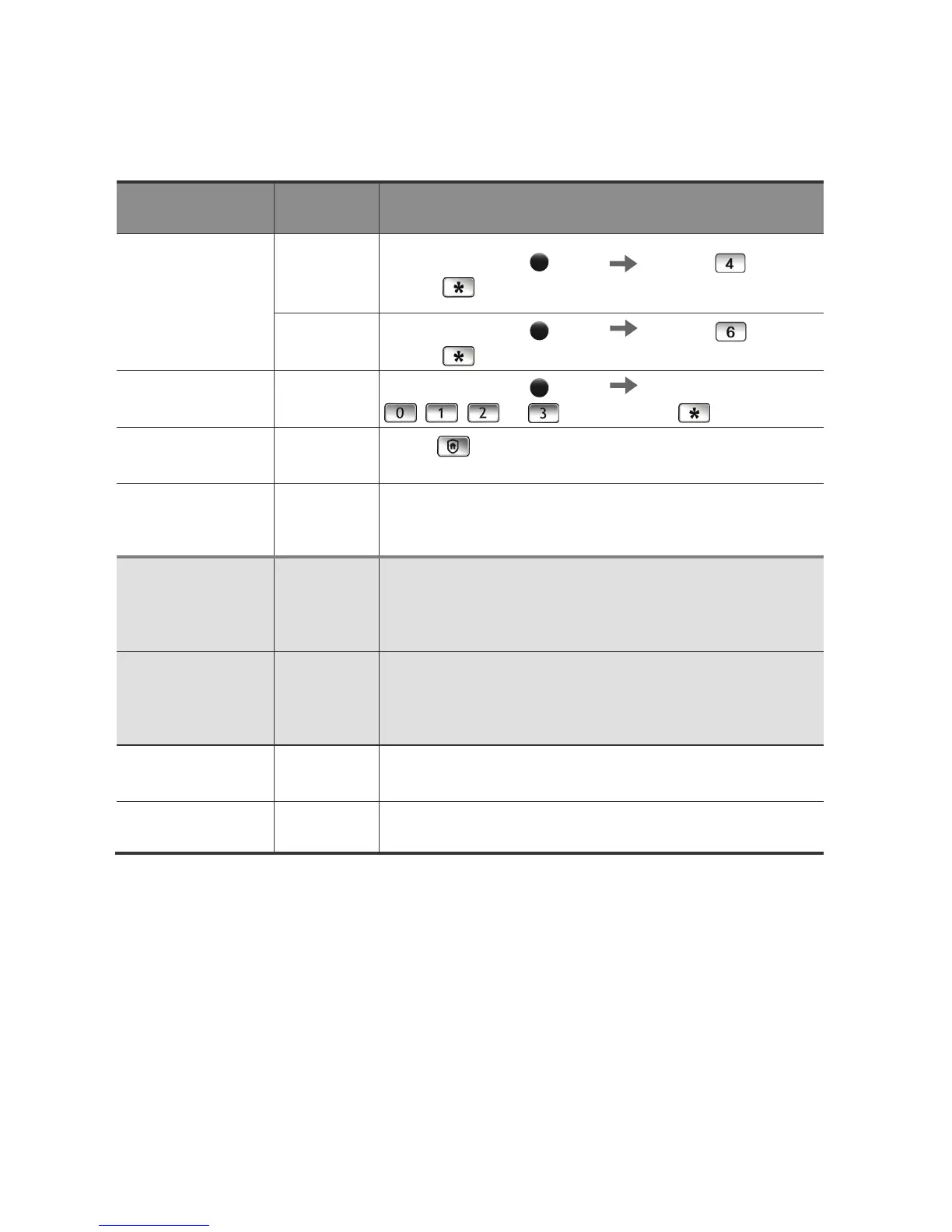
Double
authorization
mode
Setting
Double
authorizatio
n mode
Press the [Register]
button Press the button
and the
button.
Common
Mode
Press the [Register]
button Press the button
and the
button.
Sound
Setting/Releasing
2 Steps
Press the [Register]
button Press the
, , , or button and the button.
Security
Function Setting
-
Press
button within 3 seconds after the door is
locked.
Security
Function
Release
Enter the password or place the card or key tag.
Deactivating
Emergency
Sound from the
Inside
-
Press the [Register] button.
Deactivating
Emergency
Sound from the
Outside
Enter the password or place the card or key tag.
Double Locking
Setting
-
Press and hold the [OPEN] button for 3 seconds or longer
while the door is locked.
Double Locking
Release
-
Press [OPEN] button.



 To Next Page