Applications
89
5
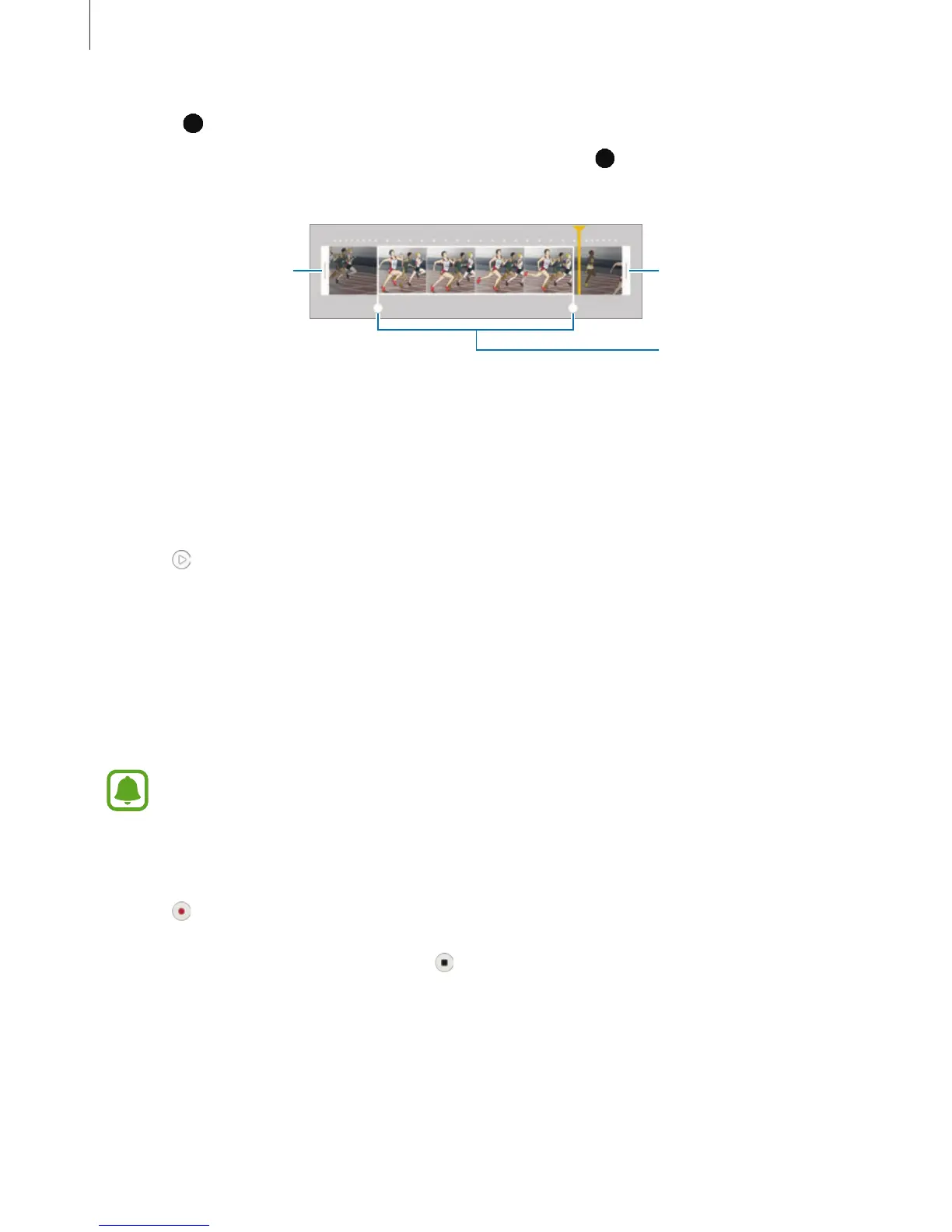
Drag to select the area of the video to be played in slow motion.
To set a slow motion section more precisely, tap and hold
, and then drag your finger
to the left or right to move through the section frame by frame.
Slow motion section
End bracket
Start bracket
6
Tap the slow motion section and use the following options:
•
Speed
: Change the playback speed of the selected section.
•
Split
: Divide the section into two parts.
•
Delete
: Delete one of the divided section.
7
Tap to preview the video.
8
Tap
EXPORT
to save the video.
Fast motion
Record a video for viewing it in fast motion. You can specify sections of your videos to be
played in fast motion.
The focal length may become shorter when using this mode.
1
On the preview screen, tap
MODE
→
Fast motion
.
2
Tap to start recording.
3
When you are finished recording, tap to stop.














 To Next Page