15
MAKING WAV FILES
14
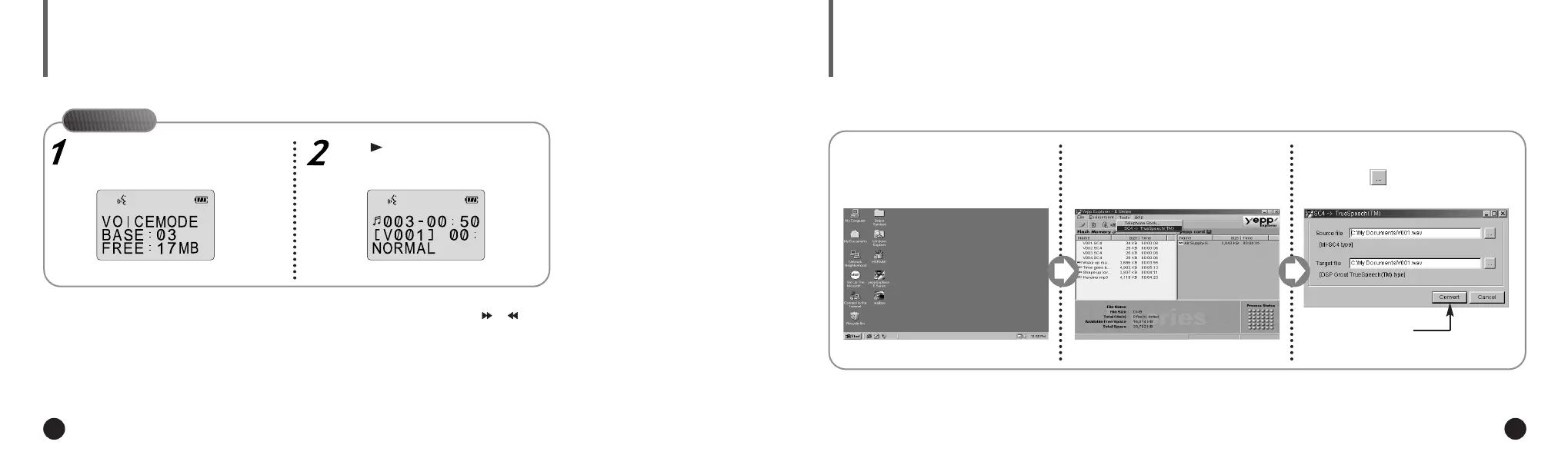
LISTENING TO THE RECORDED VOICE (ON yepp´
TM
)
Press the MODE/A↔B button to
select the voice mode.
Press to listen to the voice file.
To select the file you want to listen to, press or .
▼
On yepp´
TM
Execute the yepp´
TM
Explorer.
1
Click [Tools] and [SC4 ->
Truespeech(TM)].
2
◆ Double-click the icon of the yepp´
TM
Explorer on the desktop.
Select the file you wish to con-
vert into the WAV format after
clicking .
3
Click [Convert].
4
When you wish to send a voice file to another computer, you should convert the file into the standard WAV format. yepp´
TM
Explorer
should be installed on your computer. For software installation instructions, please refer to page 18.
ENG ENG
Eng 1/20/95 2:13 PM Page 14













 To Next Page