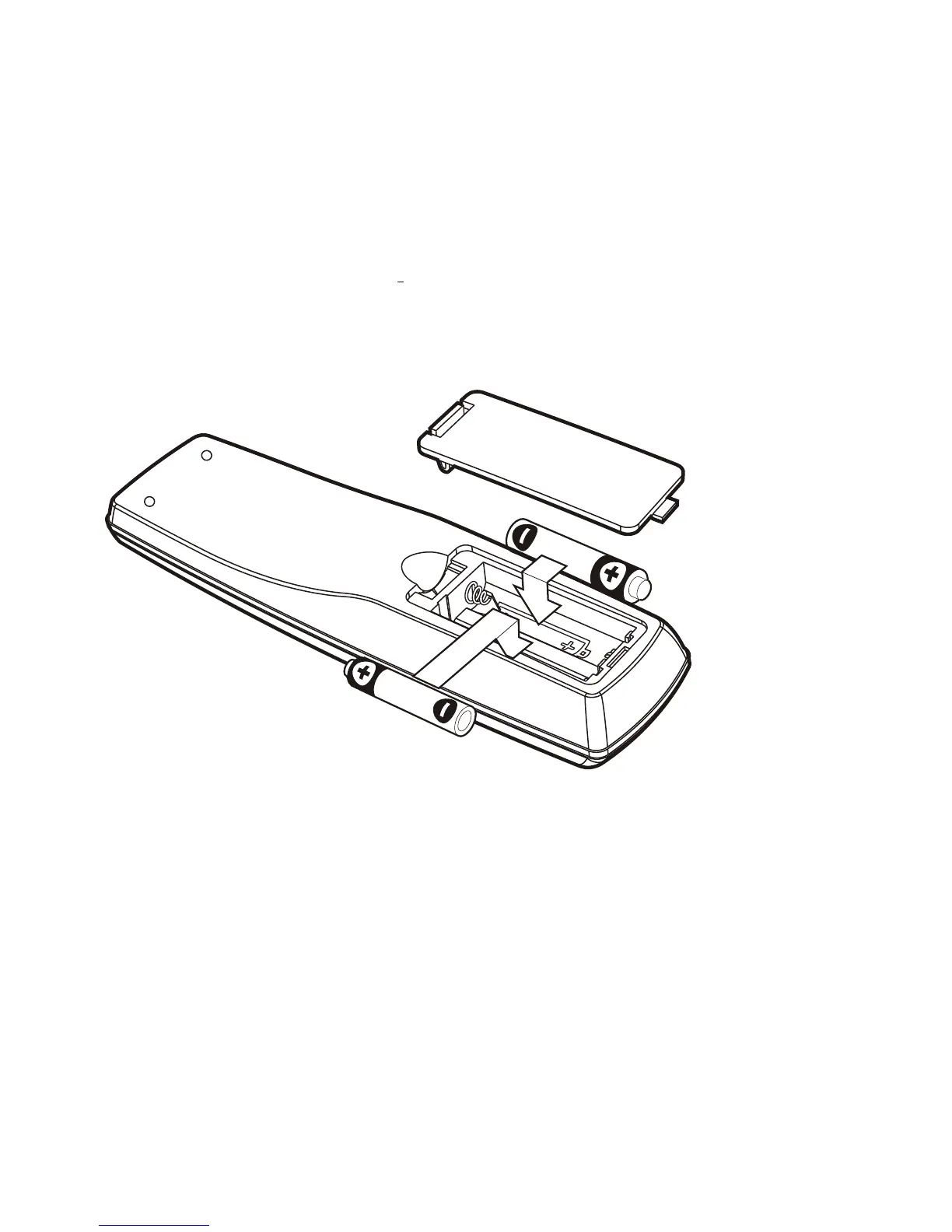
Installing the remote control batteries.
¡ Do not mix different types of batteries, or mix an old and a new battery.
¡ Remove and replace weak batteries, Weak batteries can leak and damage your
Remote controller.
¡ Dispose of batteries properly, never throw them into a fire.
1. Open the battery compartment on the back of the remote control.
2. Install two AAA size batteries as shown.
Make sure the "+" and " " terminals are oriented correctly.
3. Replace the cover.
4. After changing the batteries, please reset the TV Control Section code.
Using the remote control.
1. Objects between the remote control and HD-STB will block the path of the
remote control beam.
2. Dark walls, direct sunshine or very bright light will reduce the remote
sensor's sensitivity.
3. The remote control will not work correctly if you press several buttons at the
same time.
4. Hold the remote control within an angle range of about 30 degree from
either side of the remote sensor.
The remote control range is about 23 feet (7 meters) from the HD-STB.
7
Overview of the equipment


 To Next Page