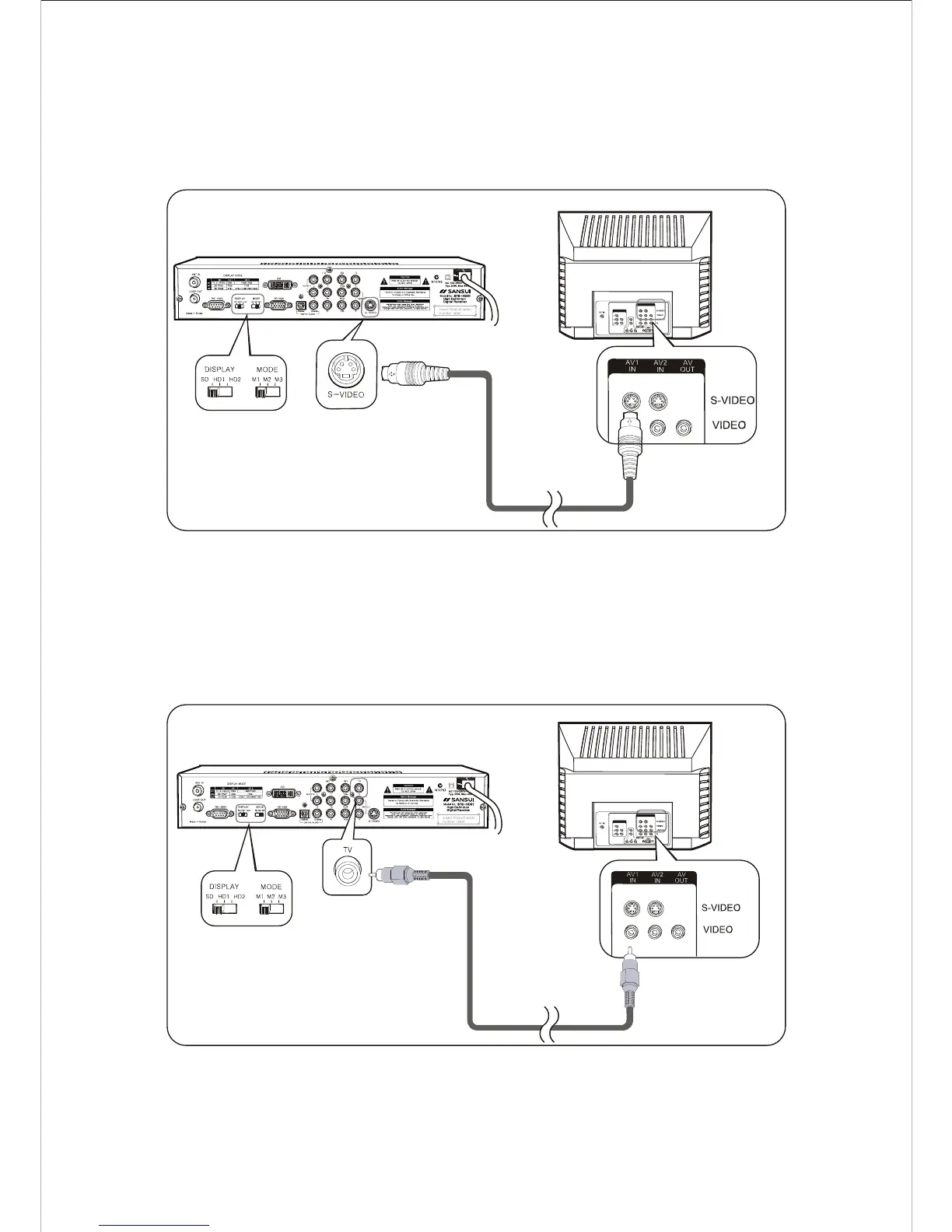
Connecting to a Conventional TV with S-Video
Connect a S-Video cable to the S-Video terminal on the rear of HD-STB.
Connect the other end of S-Video cable to the S-Video input terminal on the TV.
Setting up the Display Switch to SD and Mode Switch to M1. ( Refer to Fig. 9 )
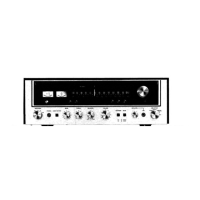
Connecting to a Conventional TV with Composite Video
Connect a Video Cable to the TV Video terminal on the rear of the HD-STB.
Connect the other end of Video Cable to the Video In terminal on the TV. Setting up
the Display Switch to SD and Mode Switch to M1. ( Refer to Fig. 10)
13
Connecting your HD-STB
Fig. 10 TV with Composite Video Connection
Fig.9 TV with S-Video Connection


 To Next Page